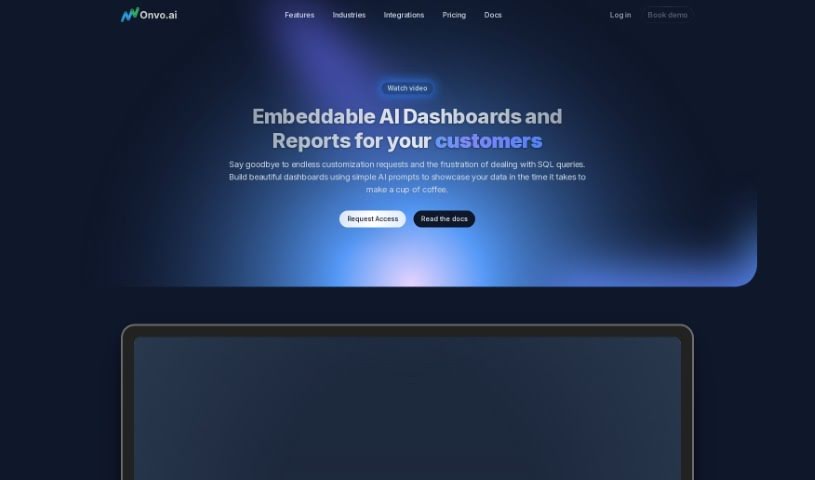
Screenshot of Onvo AI

Onvo AI

Discover what Onvo AI is and how to use it effectively in 2025. We'll explore its features and see how it stacks up against other Data Analytics Tools.

Screenshot

What is Onvo AI?

Onvo AI is a platform designed to make creating and customizing dashboards much simpler for businesses. You don’t need to be a coding expert or have deep data knowledge to use it. It lets you easily embed smart dashboards right into your own products, making it a breeze to explore and visualize your data. Unlike older Business Intelligence tools, Onvo AI uses natural language processing and AI-driven analytics. This means you get a more intuitive, automated way to see your data. You can customize everything, connect to lots of different data sources, and embed it smoothly using APIs and SDKs into web apps, mobile apps, or even your internal tools. The big idea behind Onvo AI is to make data visualization accessible to everyone. It’s all about helping businesses truly get the most out of their data and making analytics workflows much smoother, all without needing to write any code.

Who created Onvo AI?

Onvo AI was started by a group of entrepreneurs who really know their way around building and growing startups. They launched the platform on September 29, 2023, with a clear goal: to help businesses embed intelligent dashboards easily, without needing a lot of coding. The founders noticed that most existing tools were really built for data analysts, which left people without technical backgrounds struggling to visualize their data. Onvo AI’s mission is to make data easy to access and useful for absolutely anyone, no matter their technical skill level.

What is Onvo AI used for?

  • Build and Embed Dashboards: You can create dashboards using simple AI prompts, no coding required.
  • Analyze Data Fast: Get insights and visualizations in minutes just by asking questions in plain English.
  • Manage Versions: Keep track of dashboard changes, similar to how you manage code with Git.
  • Full Customization: Tailor dashboards with your own branding, colors, and styling.
  • User Management: Control access with roles and permissions.
  • Data Privacy: Keep data separate and secure between different dashboards.
  • Empower Non-Technical Users: Make analytics accessible for your team or clients who aren’t data experts.
  • Multilingual Support: Interact with AI and dashboards in over 30 languages.
  • Integrated Visualizations: Build custom dashboards and data visuals using SDKs & APIs.
  • Save Time: Significantly cut down the time you spend on preparing data and building dashboards manually.

Who is Onvo AI for?

  • Data Analysts
  • Non-technical users

How to use Onvo AI?

Here’s a straightforward guide to using Onvo effectively:

  1. Build and Embed Dashboards: Start by creating attractive dashboards. You can do this using simple AI prompts, so you won’t need to write any SQL queries.
  2. Analyze Your Data Quickly: Onvo AI helps you generate insights and visualizations. Just ask your questions in plain English, and it will show you the data.
  3. Example Feature: For instance, you could ask it to create a line chart showing sales volume over the last six months.
  4. Enjoy Ultimate Flexibility: Use the SDKs and APIs for smooth integration. This lets you craft dashboards that fit perfectly into your existing setup.
  5. Choose Your Plan: Onvo AI offers flexible pricing with Startup, Growth, or Enterprise plans, so you can pick what best suits your business needs.
  6. Customize Appearance: Make your dashboards truly yours by personalizing them with your company’s branding, color schemes, and fonts.
  7. Natural Interaction: Talk to your dashboards! Use natural language queries for a really intuitive experience.
  8. Connect Your Data: Easily link up various data sources, like databases, data warehouses, and SaaS applications.
  9. Get Support: You’ll find comprehensive help through detailed documentation, a knowledge base, and dedicated support channels.
  10. Build Dashboards and Reports: Use Onvo AI’s SDK to create custom dashboards and visualize data from different sources effectively.

By following these steps, you can really make the most of Onvo’s features. It’s a great way to simplify how you visualize data, save valuable time, and build engaging dashboards that are perfect for your business.

Related AI Tools

Discover more tools in similar categories that might interest you

Stay Updated with AI Tools

Get weekly updates on the latest AI tools, trends, and insights delivered to your inbox

Join 25,000+ AI enthusiasts. No spam, unsubscribe anytime.