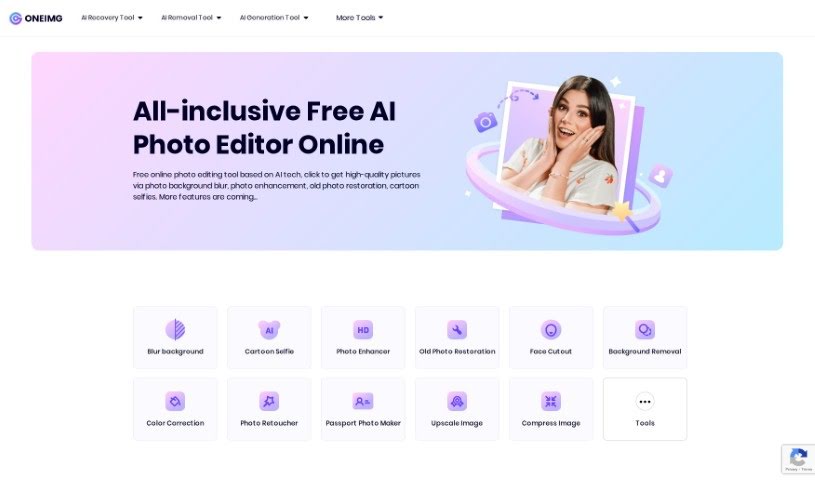
Screenshot of Oneimg

Oneimg

Discover what Oneimg is and how to use its AI-powered features effectively in 2025. We'll explore its capabilities and compare it to other photo editors.

Screenshot

What is Oneimg?

Oneimg is a free online platform that uses AI to help you enhance and edit photos. You can do all sorts of things with it, like blurring backgrounds, fixing old photos, turning yourself into a cartoon, removing backgrounds, cutting out faces, correcting colors, and retouching pictures. It also offers tools to shrink images, make them bigger, create memes, resize, crop, rotate, and convert them to different formats. The goal here is to make photo editing simple and quick, so you can get your photos looking great without a lot of fuss or manual work. Many people, especially designers and social media folks, really like Oneimg, particularly its background blur and cartoon selfie features. The old photo restoration is also a big hit for bringing damaged or old pictures back to life. Basically, Oneimg is a well-rounded, easy-to-use AI photo editor that helps users improve their images and get more done, thanks to its focus on being simple, versatile, and producing good quality results.

Who created Oneimg?

Oneimg was developed to make photo editing easier using AI. It offers features like background blur, photo enhancements, cartoon selfies, and restoring old photos, among others. The platform provides tools for changing image sizes and formats, too, meeting a variety of user needs. People have given it good reviews for its easy-to-use interface and straightforward editing tools, making it a favorite for creative professionals and anyone who wants quick, effective photo improvements.

What is Oneimg used for?

  • Shrinking images
  • Enlarging images
  • Removing backgrounds
  • Adjusting colors
  • Blurring photo backgrounds
  • Improving photos
  • Restoring old photos
  • Creating cartoon selfies
  • Cutting out faces
  • Retouching photos

Who is Oneimg for?

  • Designers
  • Social media managers
  • HR Professionals
  • E-commerce professionals
  • Ecommerce marketers

How to use Oneimg?

Oneimg is a really user-friendly online tool that uses AI to give you a bunch of photo editing options. Here’s a simple way to get the most out of it:

  1. Visit the Site: Start by heading over to the Oneimg website. It’s your gateway to editing.
  2. Pick Your Tools: Choose what you want to do. There’s background blur, photo enhancement, old photo restoration, cartoon selfies, background removal, face cutout, color correction, and photo retouching.
  3. Adjust Your Images: You can also compress, upscale, make memes, resize, crop, rotate, or change the format of your images.
  4. Enjoy the Simplicity: Oneimg’s interface is designed to be easy to use. You can quickly improve your photos with just a few clicks.
  5. Works Anywhere: You can use Oneimg on different devices and operating systems, so editing is seamless no matter what you’re using.
  6. Great for Pros: If you’re a designer or social media manager, you’ll find features like background blur and cartoon selfies really help make your visuals stand out.
  7. Bring Old Photos Back: You can restore old or damaged photos, which is great for personal memories or professional projects.
  8. Many Uses: Use Oneimg for things like HR recruitment photos, e-commerce product shots, or any other visual you need to improve.
  9. Work Smarter: Oneimg’s AI tools help you edit efficiently, boosting your workflow and productivity.

By following these steps, you can use Oneimg to simplify your photo editing, create eye-catching visuals, and make your images look better in all sorts of situations.

Related AI Tools

Discover more tools in similar categories that might interest you

123RF AI Image Generator

Creative Image Generation
Learn More

Stay Updated with AI Tools

Get weekly updates on the latest AI tools, trends, and insights delivered to your inbox

Join 25,000+ AI enthusiasts. No spam, unsubscribe anytime.