What is OneAI?
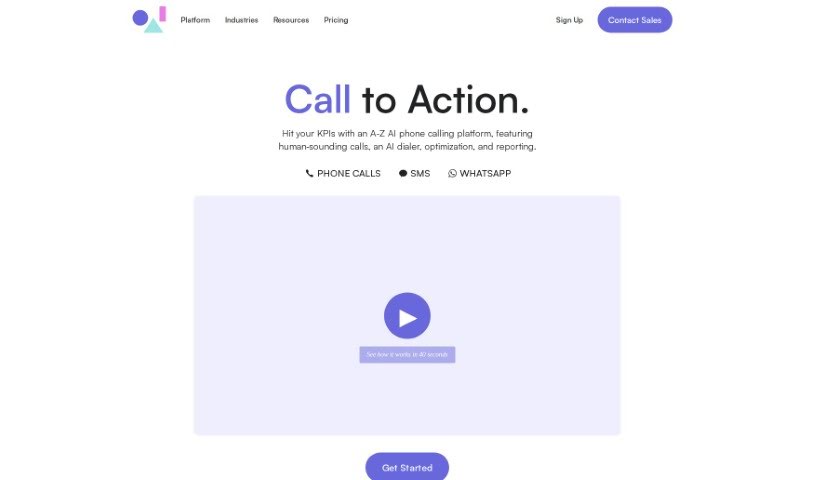
OneAI is a platform designed to bring human-level language AI into our daily lives. It essentially offers generative AI capabilities as a service, making it super easy for businesses to deploy their own custom AI solutions quickly. What’s really cool is that it supports multiple languages for text, audio, and video inputs. Plus, they really focus on making things transparent, building trust, and managing risks. OneAI’s solutions are built with businesses in mind, aiming to hit specific goals and deliver consistent, predictable results that match your source materials. For developers, it’s pretty neat too, offering structured, machine-readable output, skills that can be stacked and combined, and straightforward ways to integrate it all into your products. Ultimately, OneAI is all about making human-level language AI a natural part of our everyday world through dedicated research and smart technology integration.
Who created OneAI?
OneAI was brought to life by a dedicated team, spearheaded by its founder. Their big idea was to make human-level language AI a part of everyday life. The company is really committed to using AI responsibly, making sure everything is transparent, builds trust, and helps mitigate potential risks. Over the last few decades, the team has been developing advanced language AI capabilities, which eventually led them to the decision to offer these powerful technologies as a service. OneAI carefully selects top AI capabilities and packages them into APIs, allowing businesses to efficiently deploy their own customized AI solutions.
What is OneAI used for?
OneAI is incredibly versatile and can be used for a wide range of business needs:
- Customer Support: Handling inquiries and providing assistance.
- Technical Support: Helping users resolve technical issues.
- Troubleshooting: Guiding users through problem-solving steps.
- Onboarding: Assisting new users or customers in getting started.
- Scheduling: Managing appointments and bookings.
- Lead Qualification: Identifying and qualifying potential customers.
- Question Answering: Providing direct answers to user questions.
- Call Center Operations: Enhancing efficiency and customer experience in call centers.
- Interviewing: Assisting with candidate screening and interviews.
- Outbound & Inbound SDR Calls: Supporting sales development representatives.
- Lead Collection: Gathering information from potential leads.
- Conducting Natural Conversations: Engaging users in dialogue grounded in your specific content, driving desired actions.
- Building LLM Apps: Creating custom applications powered by large language models.
Who is OneAI for?
OneAI is a great fit for a variety of roles and industries:
- Call Center Professionals
- Interviewers
- Question Answering Specialists
- Outbound & Inbound SDRs
- Schedulers
- Lead Collection Teams
- Lead Qualification Specialists
- Customer Support Teams
- Technical Support Staff
- Troubleshooting Experts
- LLM App Developers
- Onboarding Specialists
- Internal Knowledge Management
- Sales & Marketing Teams
- Anyone looking to build AI Agents (available on all plans)
How to use OneAI?
Here’s a straightforward, step-by-step guide to using OneAI effectively:
- Start with a 15-Day Free Trial: Head over to the Oneai website and sign up for a 15-day free trial. No credit card is needed to get started!
- Pick Your Use-Case: Figure out what you need Oneai for. Whether it’s for call centers, collecting leads, customer support, sales, marketing, or something else entirely, there’s likely a perfect fit for your business needs.
- Choose the Right Plan: OneAI offers different plans like the Chat Plan, Phone Plan, or Pro Plan. Select the one that best matches the features and customization you’re looking for.
- Integrate OneAI Into Your Platform: OneAI makes it easy to embed their Generative AI directly into your product, website, or app with a smooth integration process.
- Customize Your AI: You can define your AI’s specific goals and set rules to help guide conversations toward achieving your business objectives.
- Train Your AI: Curate and control the knowledge your AI has access to. This ensures it provides accurate and relevant answers to user questions.
- Monitor and Optimize: Keep a close eye on how users are interacting with your AI. Use engagement analytics, chat transcripts, A/B testing, and conversation analytics to continuously improve your business outcomes.
- Explore Advanced Features: Dive into advanced capabilities like contextual calls to action, fact-checking, customizable styling, and integrations with popular platforms to really boost the user experience.
- Connect with a Success Manager: If you’re on the Pro Plan, you’ll get a dedicated success manager. They can help with unlimited knowledge learning, advanced customization, managing multiple chatbots, access controls, custom integrations, and full API access.
- Tap Into Developer Resources: For developers, Oneai provides structured, machine-readable output through its API. This makes integration a breeze, and they offer user-friendly documentation and support to help you along the way.
By following these steps, you can really make the most of Oneai’s Generative AI capabilities. You’ll be able to create a personalized, engaging experience for your users while also driving successful business results.