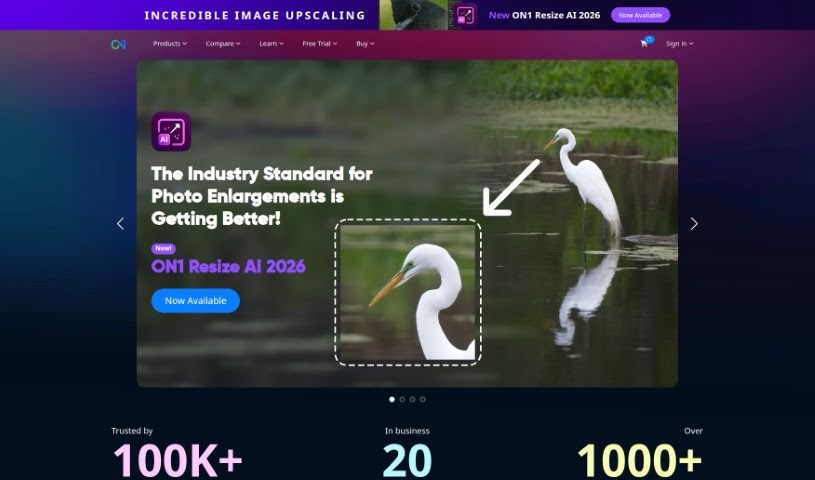
Screenshot of ON1

ON1

Discover what ON1 is and how to use it effectively in 2025. We'll explore its features, compare it to other image generators, and guide you through its capabilities.

Screenshot

What is ON1?

ON1 is a software company dedicated to helping photographers, whether they’re just starting out or are seasoned pros, really bring their creative visions to life. They do this by offering innovative software that makes editing and managing your photos much simpler and more efficient. They are providing a whole suite of tools for everything from working with raw files, creating detailed masks and layers, making general photo enhancements, to keeping your photo library organized. Plus, ON1 really believes in building a community. They offer online forums, helpful tutorials, and lots of educational content to help photographers learn and improve their skills. Their Portrait AI Picture Retouching Plugin, for instance, uses machine learning to make retouching portraits a breeze. The company itself got its start back in 2005, and they’ve always been focused on making sure their customers are happy and that their products keep getting better to meet photographers’ evolving needs.

Who created ON1?

ON1 was founded in 2005 with a clear mission: to develop innovative software solutions specifically for photographers. The company’s main goal is to provide tools that make the often complex tasks of photo editing and management feel easier and, dare I say, more enjoyable. Ever since they began, ON1 has been really committed to customer satisfaction. They consistently update and improve their products, often taking direct input from their users. Ultimately, they aim to build a supportive community where photographers can learn from each other and grow their skills together.

What is ON1 used for?

  • Organizing your photos
  • Processing RAW files
  • Creating masks and working with layers
  • Making general photo enhancements

Who is ON1 for?

  • Photographers of all kinds
  • Professional photographers
  • Enthusiasts
  • Photo Editors
  • Portrait Photographers

How to use ON1?

To really get the most out of ON1, here’s a straightforward way to approach it:

  1. Install and Set Up: First things first, download ON1 Photo RAW from their official website. Just follow the installation steps. Once it’s installed, launch the program. You’ll want to go into the preferences to customize your editing environment so it feels just right for you.
  2. Import Photos: Next, you’ll need to bring your photos into the software. Just navigate to where your pictures are stored on your computer and import them. This gets them ready for editing and organizing.
  3. RAW Processing: ON1 has some really powerful raw processing capabilities. Use these to fine-tune the tone, color, and clarity of your images. The great thing is, you can make these adjustments while keeping all those intricate details intact.
  4. Masking & Layers: If you want to get really precise with your edits, ON1 makes it easy to create masks. You can then apply filters or adjustments to just specific parts of your photos, giving you a lot more control.
  5. Photo Enhancements: Looking for quick results? ON1 offers one-click presets and professional enhancement tools. These can help you achieve stunning looks without needing to do a lot of complex, manual edits.
  6. AI Image Enhancement: Don’t forget about the AI! You can take advantage of their AI models to simplify common editing tasks and boost your creativity, all while keeping the flexibility to tweak things yourself.
  7. Portrait AI Picture Retouching Plugin: If you work with portraits, you’ll definitely want to check out the Portrait AI Picture Retouching Plugin. It uses machine learning to help you retouch portraits flawlessly.
  8. Integration & Compatibility: ON1 is pretty flexible. You can use it as a standalone editor, or if you prefer, it works as a plugin with other popular photo editing software like Adobe Lightroom and Photoshop. This means you can build a seamless workflow that suits you.
  9. Community & Support: Remember that ON1 community I mentioned? Dive in! Engage with the forums, check out the tutorials, and use the educational resources. It’s a fantastic way to improve your skills and learn from other photographers who are using the software.
  10. Constant Updates: ON1 is always working on making their software better. Make sure you stay updated with the latest features and improvements by regularly checking for software updates. It really does enhance your editing experience.

By following these steps, you’ll be well on your way to using ON1 Photo RAW effectively. You can enhance, organize, and share your photographs, really tapping into its powerful editing capabilities.

Related AI Tools

Discover more tools in similar categories that might interest you

123RF AI Image Generator

Creative Image Generation
Learn More

Stay Updated with AI Tools

Get weekly updates on the latest AI tools, trends, and insights delivered to your inbox

Join 25,000+ AI enthusiasts. No spam, unsubscribe anytime.