What is Omnimind?
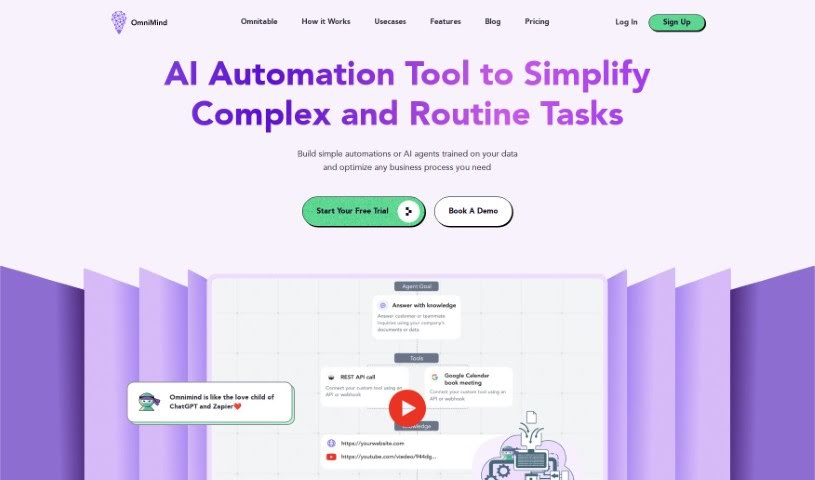
Omnimind is a really neat AI tool that makes it super simple for anyone to build their own custom AI systems. It is a way to add advanced AI capabilities, like interactive chat tools and handy widgets, to your projects. You can connect your custom chatbot to all sorts of data sources, tweak it to fit exactly what you need, and even link it up with different software. It’s designed to work across a bunch of industries, including eCommerce, SaaS, legal, healthcare, travel, finance, and education. Whether you need help with customer support, HR tasks, managing your community, or just organizing documentation, Omnimind has you covered. Plus, you can personalize how your chatbot looks and use various widgets for things like summarizing content, translating text, creating quizzes, or even mind mapping. It’s a smart and flexible way to get custom AI systems up and running.
Who created Omnimind?
Omnimind was developed by a company called OmniMind. They officially launched their tool on April 3, 2023. The company’s main offering is a product named “Your Personal Custom ChatGPT.” This tool is all about making it easy for users to build their own AI systems. You can connect your chatbots to different data sources, create interactive chat tools that you can customize, and integrate them smoothly with other software. OmniMind’s solution is really versatile, serving industries like eCommerce, SaaS, legal, healthcare, travel, finance, and education. They provide tailored solutions for common needs in support, HR, community management, and documentation.
What is Omnimind used for?
Omnimind is incredibly versatile and can be used for a wide range of tasks and industries:
- Human Resources (HR): Streamlining onboarding, answering employee FAQs, and managing internal documentation.
- E-commerce Support: Providing instant customer service, answering product questions, and assisting with order inquiries.
- General Support: Offering quick answers to common questions and resolving customer issues efficiently.
- Documentation: Creating and managing knowledge bases, FAQs, and user guides.
- Content Summarization: Quickly condensing long articles, reports, or web pages into key takeaways.
- CRM Integration: Connecting with systems like Hubspot, Pipedrive, Zoho CRM, and Microsoft Dynamics to manage customer relationships.
- Data Integration: Linking with a vast array of platforms including Google Drive, Microsoft OneDrive, Asana, Jira, Confluence, Notion, Trello, Zendesk, YouTube, and many more to pull information.
- Chatbot Solutions: Building custom AI chatbots for various sectors and specific purposes.
- Platform Integration: Ensuring smooth experiences with platforms and integrations like Zapier, REST API, and GraphQL API.
- E-commerce Platforms: Specifically supporting platforms like Woocommerce, Shopify, WordPress, and Drupal.
- Messaging Platforms: Integrating with tools such as Google Dialogflow, KakaoTalk bot, Slack, Discord, WhatsApp, and Telegram.
- Email Marketing: Connecting with services like Mailchimp and Constant Contact.
- Business Enhancement: Used globally to improve business operations and customer engagement.
- Custom AI Chatbots: Creating unique AI assistants for various needs, enhancing customer support, team onboarding, and more across industries like eCommerce, SaaS, legal, healthcare, travel, finance, and education.
- Content Sources: Utilizing information from plain text files, websites, cloud storage (Google Drive, Microsoft OneDrive), and business platforms (Asana, Jira, GitHub).
- Tailored Solutions: Addressing specific challenges in support, HR, community management, and documentation.
- Community Management: Engaging with and supporting online communities.
- Quiz Generation: Creating interactive quizzes for learning or engagement.
- Flash Cards: Developing digital flashcards for study or memorization.
- Mind Mapping: Assisting in brainstorming and organizing ideas visually.
Who is Omnimind for?
Omnimind is a valuable tool for businesses and individuals in a variety of sectors, including:
- Ecommerce
- SaaS (Software as a Service)
- Legal
- Healthcare
- Travel
- Finance
- Education
How to use Omnimind?
Getting the most out of Omnimind is straightforward. Here’s a simple guide:
- Sign Up: Start by signing up for an Omnimind account. You can choose from different subscription plans that fit your project needs, from handling a couple of projects to using a Chrome extension that supports up to 100 projects.
- Understand AI Learning Scales: Take a look at the AI Learning Scales. These show you different amounts of text data and what they cost. You’ll see examples of what you can achieve with each scale, from 1MB all the way up to 2.5 PB.
- Build Your Custom ChatGPT: Dive into “Your Personal Custom ChatGPT” within Omnimind. It’s designed to make building custom AI systems easy, allowing for advanced AI conversations. You can connect your chatbot to your own data, customize how it interacts, and integrate it smoothly with other software for industries like eCommerce, legal, healthcare, and many others.
- Explore Features: Get familiar with the tool’s features. You can create chatbots for support, HR, community management, and documentation. Feel free to change the knowledge base, personalize the chatbot’s appearance, and use handy widgets for tasks like summarizing content, translating text, generating quizzes, or creating mind maps to really tailor it to your specific needs.
- Discover Omnimind AI World: Check out “Omnimind AI World” to see everything it can do. You can create unique AI chatbots for all sorts of purposes, connect with different platforms, and access content from websites, social media, documents, and more.
By following these steps, you’ll be well on your way to using Omnimind effectively and harnessing the power of AI for whatever you need.