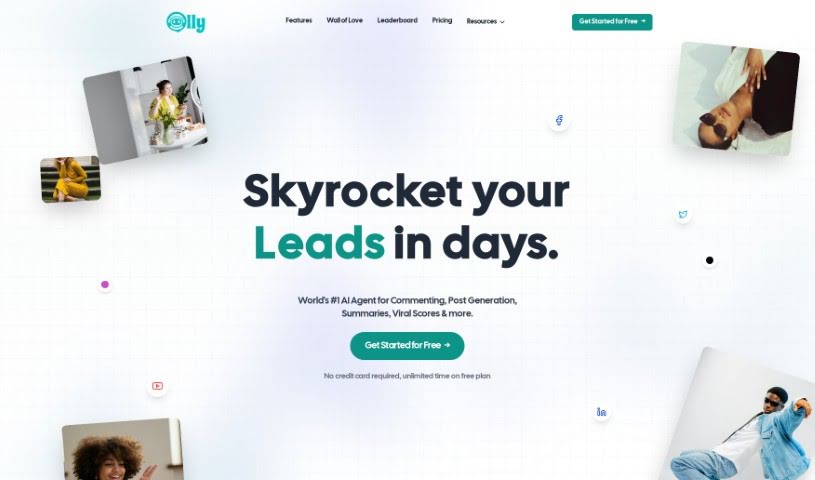
Screenshot of Olly Social

Olly Social

Discover what Olly Social is and how to use it to boost your social media game in 2025. We'll cover its features, compare it to other tools, and show you how to get the most out of it.

Screenshot

What is Olly Social?

Olly Social is your personal AI assistant for social media, specifically designed as a Chrome Extension. It’s built to make your life easier on platforms like LinkedIn, Twitter, Reddit, and Facebook. Olly helps you connect with people more effectively by offering personalized comments and analyzing what makes content go viral. It’s a smart way to grow your following strategically. You can even choose how Olly comments – whether it’s professional, casual, or funny – and it can even suggest new post ideas based on what’s already working well and getting engagement. It’s a pay-per-use tool, meaning you get lifetime access for a one-time fee of $19.99, with no ongoing subscriptions to worry about.

Who created Olly Social?

Sven and Peter are the minds behind Olly Social, launching it on January 16, 2024. It’s an AI-powered Chrome Extension aimed at boosting your social media interactions across LinkedIn, Twitter, Reddit, and Facebook. Olly’s core function is to provide personalized engagement, make commenting a breeze, and help you understand what makes content viral. It supports a variety of social media platforms, works on a pay-per-use basis without any subscription fees, and lets you pick from different commenting styles to match your voice.

What is Olly Social used for?

  • Understanding Content: It analyzes posts to figure out why they’re popular, helping you make smarter choices about what to share.
  • Content Strategy: Olly assists you in building a more effective content plan.
  • Saving Time: You can quickly generate and customize comments in different styles, saving you a ton of time.
  • Personalized Comments: It lets you tailor comments to fit your unique communication style, whether that’s professional, casual, or humorous.
  • Boosting Growth: The tool helps increase your engagement and grow your follower count.
  • Content Ideas: Get insights into what’s trending and receive ideas for your own posts.
  • Virality Score: It calculates a score to estimate how likely a post is to become popular.
  • Optimizing Engagement: Olly helps you get the most out of your social media interactions.
  • Better Interactions: It enhances your overall social media engagement through personalized comments and efficient interactions.
  • Platform Support: It works across multiple social media platforms and offers various ways to interact.

Who is Olly Social for?

  • Social media managers
  • Content creators
  • Digital marketers
  • Influencers
  • Small business owners

How to use Olly Social?

Here’s how to get the most out of Olly Social:

  1. Crafting a Smart Content Strategy

    • Olly gives your posts a ‘virality score,’ which helps you understand their potential reach. This is super useful for making strategic decisions about what to post.
    • It also offers personalized ways to interact, which can really help you build a content strategy that connects with your audience.
  2. Engage Faster, Save Time

    • You’ll save a lot of time because Olly can quickly generate and customize comments in various styles – think professional, casual, or even humorous.
    • This means you can keep your online presence active and engaging without spending hours crafting each response.
  3. Match Your Voice

    • You can actually customize Olly to sound like you! Just pick from commenting styles like professional, casual, or humorous to match your personal communication vibe.
  4. What You Gain from Olly

    • Expect better engagement, more followers, fresh content ideas, and comments that are quick to create. These are the main perks.
    • Olly provides that personal touch, sparks content inspiration, helps you gauge virality, and all of this is on a pay-per-use basis.
  5. Adding Olly to Your Browser

    • It’s easy to add Olly to Chrome. Just head to the Chrome web store, search for the ‘Olly’ extension, and click ‘Add to Chrome’.
  6. Guessing How Far Your Posts Will Go

    • Olly’s virality score estimation gives you a good idea of how far your posts might reach. This helps a lot when you’re deciding on your engagement strategy.
  7. Making Engagement Even Better

    • Olly helps optimize your engagement by offering personalized interactions, comments that are quick to write, and insights into what content is going viral.
    • It helps you connect with your audience by suggesting similar post ideas based on content that has already performed well.

By following these steps, you can really use Olly Social’s AI capabilities to boost your social media presence in a smart and efficient way.

Related AI Tools

Discover more tools in similar categories that might interest you

Stay Updated with AI Tools

Get weekly updates on the latest AI tools, trends, and insights delivered to your inbox

Join 25,000+ AI enthusiasts. No spam, unsubscribe anytime.