What is Ogtai?
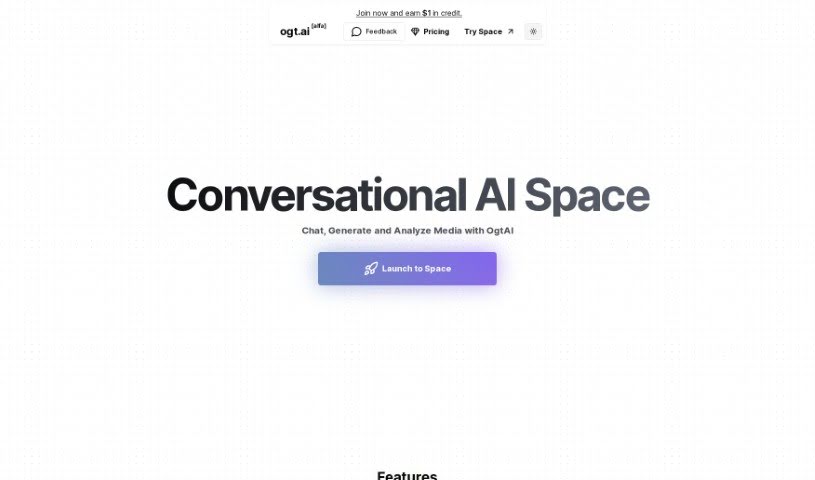
Ogtai is a really neat AI chat system built for having interactive conversations about all sorts of media. Think YouTube videos, audio files, or even plain text documents. It’s designed to chat naturally, analyze content as it’s happening, answer your questions, and give you insights that make engaging with media a richer experience. You’ve got a few options for pricing: there’s the ‘Spark’ plan, the ‘Pro’ plan, and a ‘Pay as You Go’ option if you prefer to customize your access. The ‘Pro’ plan, for example, gives you standard and fluent AI messaging, lets you process YouTube videos, website links, and files, all with fewer limitations and higher permissions. Plus, Ogtai is known for having great customer support, a lively user community, and it’s really good at picking up on the subtle nuances in different media, making for a truly engaging and informative experience.
Who created Ogtai?
Ogtai was developed by a team of talented folks focused on creating innovative AI chat systems. Their main goal is to make it easy to have interactive conversations about all kinds of media, whether it’s YouTube videos, audio files, or text documents. They offer different pricing tiers: the ‘Spark’ tier is great for those just starting out, the ‘Pro’ tier comes with more advanced features, and there’s also a ‘Pay as You Go’ plan for more customized access. The company also provides solid customer support and has built a strong user community across platforms like Discord and other social media channels.
What is Ogtai used for?
- It makes engaging with media more fun by letting you chat naturally with YouTube videos, audio files, and text documents.
- It can analyze media content right as you’re interacting with it.
- It offers insights that help you get more out of your media.
- It’s great for figuring out the tone of videos.
- It helps you understand the context of documents.
- It can pinpoint the most important parts of audio files.
- You can choose from different pricing plans, like ‘Spark’ and ‘Pro,’ or a custom ‘Pay as You Go’ option.
- The ‘Spark’ and ‘Pro’ plans offer features that improve AI interactions, make sharing media easier, and boost content accessibility.
- The ‘Pay as You Go’ plan gives you flexible access to features as you need them.
- You can count on strong customer support and a helpful user community.
- It really boosts how you engage with media, allowing for natural conversations with YouTube videos, audio files, and text documents.
- It provides real-time analysis of media content.
- You get helpful insights while interacting with media.
- It can analyze the tones in videos.
- You can have interactive chats with videos and audio.
- It makes document conversations smarter.
- It offers tailored understanding of content.
- It improves how you share media.
Who is Ogtai for?
- Interaction Designers
- Digital Interaction Specialists
- Media Engagement Specialists
How to use Ogtai?
Here’s how you can get started with Ogtai:
- Get to Know Ogtai: Ogtai is designed for intuitive conversations with various media types, including YouTube videos, audio files, and text documents.
- What Media Works: Ogtai can analyze and interact with media like YouTube videos, audio files, and different document formats such as PDFs, Json, CSV, DOCX, and PPTX.
- Real-Time Analysis: It’s built to analyze media content in real-time, offering insights and making your interactions better.
- Choosing a Plan: Ogtai provides several pricing plans: ‘Spark,’ ‘Pro,’ and a custom ‘Pay as You Go’ option, each with its own set of features and benefits.
- Spark vs. Pro Features: Both the ‘Spark’ and ‘Pro’ tiers offer features like AI messaging, processing YouTube videos and website links, and handling files. The ‘Pro’ tier generally has fewer restrictions.
- The ‘Pay as You Go’ Plan: If you opt for ‘Pay as You Go,’ you get access to all the advanced features at the highest limits. You manage task and query costs from your balance, which is great for keeping expenses in check and ensuring good performance.
- Support and Community: Ogtai offers strong customer support through email and Discord. There’s also an active user community on various platforms where you can connect and get help.
- Making Interactions Better: Ogtai enhances how you interact with media by analyzing video tones, understanding document contexts, and pinpointing key points in audio files.
- More Features to Explore: You can also find features like file processing, website link processing, transcription services, and web scraping. These cater to both beginners and professionals, offering flexible ways to access them.
- Where to Connect: You can join the community on Discord and follow Ogtai on social media platforms like Instagram, Twitter, and YouTube to stay updated and get insights.
By following these steps, you’ll be able to use Ogtai effectively for engaging and insightful media interactions across different formats.