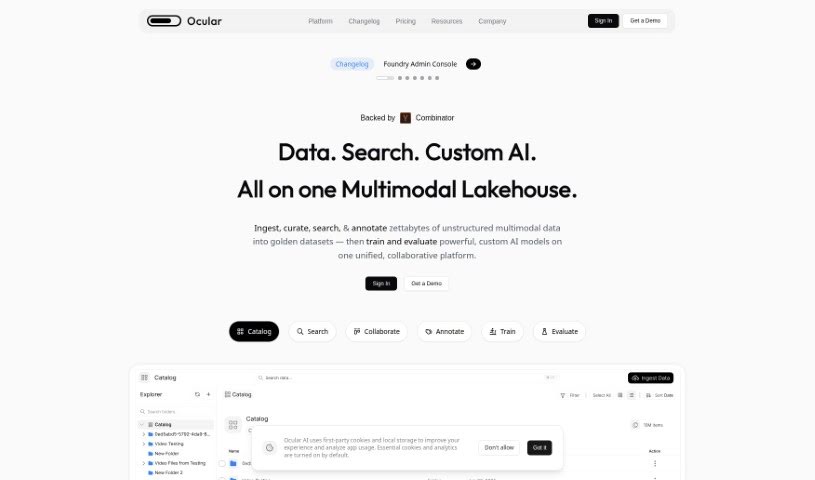
Screenshot of Ocular Ai

Ocular Ai

Discover Ocular AI, a powerful data analytics tool for work and engineering teams. Learn its features, how to use it effectively in 2025, and how it stacks up against other data analytics solutions.

Screenshot

What is Ocular AI?

Ocular AI is a platform powered by Artificial Intelligence, specifically built for work and engineering teams. Its main goal is to simplify complicated data flows, boost how productive teams are at work, and offer helpful services for searching, gaining visibility into data, and finding actionable insights. This tool was developed by engineers right in Silicon Valley. They focused on creating a really strong search function, making data retrieval efficient, enabling cross-referencing between different data points, and providing clear data visualization. What’s neat is that users can actually take action directly from the insights they get, which really helps smooth out workflows and supports making better decisions.

Who created Ocular AI?

Ocular AI first launched on February 26, 2024. While a team of engineers designed the company, the specific founder hasn’t been named. As mentioned, Ocular AI is an AI-powered platform that’s really tailored for work and engineering teams. It’s all about simplifying complex data flows, making workplaces more productive, and offering great search capabilities, efficient data retrieval, and insights you can actually act on.

What is Ocular AI used for?

  • Software development
  • Customer Support
  • Onboarding new team members
  • Knowledge Management
  • Developers
  • IT Support
  • Managing documentation (Docs)
  • Open Core initiatives

Who is Ocular AI for?

  • Customer support teams
  • Those managing Knowledge Management
  • Developers
  • Software development teams
  • IT Support staff

How to use Ocular AI?

Getting started with Ocular AI is pretty straightforward. Just follow these steps:

  1. Explore Ocular UI: You can use the AI-powered search function here to bring together all your company’s applications, tools, and data sources. This creates a unified search experience for your entire organization and team. Importantly, each person will only see information that matches their specific roles.
  2. Engage Ocular Copilot: This is where the generative AI really shines. Use Ocular Copilot to improve how your team works across different tools. You can create dedicated workspaces, upload files whether they’re structured or unstructured, build custom collections of information, and even develop assistants tailored to specific ways you use the platform.
  3. Manage Users & Permissions: Get your team set up by managing who has access, setting permissions, connecting your various tools and apps, and accessing all the search insights through the Admin Console.
  4. Gain Search Insights: Keep track of how your team is using apps and tools by collecting search insights. You can also control team access to different tools and data, which really helps in making better decisions.
  5. Set Up a Demo: If you’d like to see Ocular AI in action, you can schedule a demo. This is a great way to experience firsthand how it streamlines data flows, boosts workplace productivity, offers robust search capabilities, and provides effective data visualization.

By taking these steps, you’ll be able to effectively use Ocular AI to make your work processes smoother, boost productivity, and improve how your team makes decisions.

Related AI Tools

Discover more tools in similar categories that might interest you

Stay Updated with AI Tools

Get weekly updates on the latest AI tools, trends, and insights delivered to your inbox

Join 25,000+ AI enthusiasts. No spam, unsubscribe anytime.