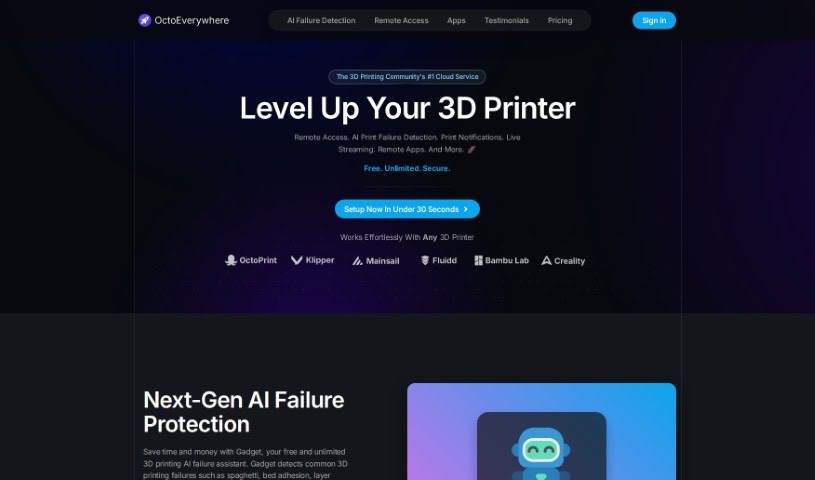
Screenshot of OctoEverywhere

OctoEverywhere

Discover what OctoEverywhere is and how to use it for your 3D printers in 2025. We'll cover its features, benefits, and how it stacks up against other automation tools.

Screenshot

What is OctoEverywhere?

OctoEverywhere is a really handy service that gives you remote access to your OctoPrint and Klipper 3D printers. It is your all-in-one hub for managing your prints from afar. It offers a bunch of cool features, including remote access, AI-powered detection for when prints go wrong, instant notifications, and even live streaming of your print jobs. What’s great is that it provides unlimited remote access with super-fast loading speeds and a setup process that’s incredibly straightforward. Plus, they’ve really focused on security, using bank-level encryption to keep your data safe. You can also benefit from their AI print failure detection, which can catch issues before they ruin a print, and you’ll get notifications through various channels. They also offer full frame rate links, so you can see exactly what’s happening. OctoEverywhere is all about empowering makers like us, making advanced tools accessible, and they’re backed by a supportive community. They take security very seriously, meaning they never sell or misuse your data. Your OctoPrint instance isn’t exposed to the public internet, and your access is secured end-to-end.

Who created OctoEverywhere?

OctoEverywhere first launched on August 5, 2022. It was started by a team who are passionate about helping makers all over the world. Their main goal? To give everyone free and unlimited remote access to their 3D printers. The platform really thrives thanks to community support, and people value it a lot for its strong security and how easy it is to use. If you want even more perks, like extra support or higher bandwidth limits, you can upgrade your account.

Who is OctoEverywhere for?

  • 3D printing professionals
  • Makers

How to use OctoEverywhere?

Getting started with OctoEverywhere is pretty simple. Here’s a quick rundown:

  1. Setting Up is a Breeze:

    • First, you’ll want to create a standard account. This gives you complete and unlimited access to your OctoPrint portal from absolutely anywhere. Seriously, no technical wizardry needed here – you can get it set up in about 30 seconds!
    • Then, just install the OctoPrint plugin directly onto your printer.
  2. Enjoy the Accessibility and Features:

    • Once you’re set up with a standard account, you can use all your favorite plugins, check out the webcam feed in full resolution, transfer files easily, and so much more.
    • The whole idea behind this tool is to empower makers everywhere, making your 3D printing experience even better.
  3. Community Support Makes it Possible:

    • OctoEverywhere relies on community support to keep things running, like covering server costs and bandwidth.
    • If you’d like to help out and get some extra goodies, you can upgrade to a supporter account. This often comes with benefits like support for third-party apps and higher bandwidth allowances.
  4. Top-Notch Security Measures:

    • OctoEverywhere makes sure your setup is super secure. They don’t expose your printer or any of your personal information to the public internet.
    • Your connection is protected with TLS HTTPS encryption, which is the same kind of security banks use.
    • Even accessing OctoEverywhere.com is secure, and you can add an extra layer of safety with strong passwords and two-factor authentication.
  5. Great Performance:

    • This tool is built on a really fast and dependable hosting provider, with servers located all around the world to ensure you get the best performance possible.
    • You’ll experience a smooth, seamless connection to your printer, with quick loading times and reliable access.
  6. Even More Features:

    • They offer AI Print Failure Detection, which uses smart computer vision algorithms to spot problems.
    • You can get notifications sent to you via SMS, email, Telegram, Discord, and Slack.
    • It also supports monitoring multiple printers and can even automatically pause prints if it detects an issue, giving you more control.

By following these straightforward steps, you can really boost your 3D printing experience with OctoEverywhere, enjoying easy remote access, advanced capabilities, and excellent security.

[OctoEverywhere guide based on uploaded files]

Related AI Tools

Discover more tools in similar categories that might interest you

Stay Updated with AI Tools

Get weekly updates on the latest AI tools, trends, and insights delivered to your inbox

Join 25,000+ AI enthusiasts. No spam, unsubscribe anytime.