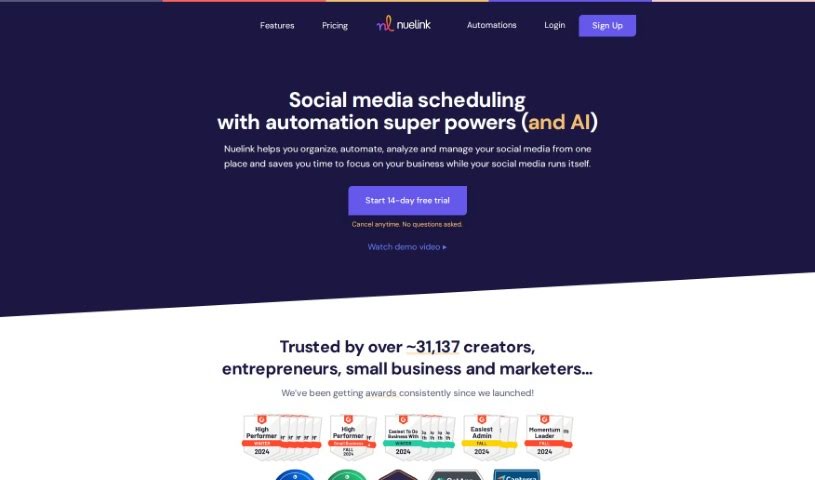
Screenshot of Nuelink

Nuelink

Discover Nuelink, a social media automation tool, and learn how to use it effectively in 2025. We'll cover its features and compare it to other social media management tools.

Screenshot

Nuelink is a handy social media automation tool designed to help businesses manage their brands and social media presence smoothly. It offers a bunch of features that make things easier, like managing multiple brands, working with your team, creating custom bio links, keeping an eye on how your posts are doing, and automatically scheduling content to your social media platforms. What really sets Nuelink apart are its automation capabilities. Think about automatically posting products from your online store, sharing your latest blog posts across social media, or even cross-posting your Instagram Reels to platforms like TikTok and YouTube. Plus, they offer customer support and useful extras such as hashtag generation, a built-in link shortener, a library of ready-to-use content, and insights into your post performance.

Bilal Ararou is the mind behind Nuelink. He’s got a strong background in product and UX design and also runs a web development agency called Kreatinc. The company itself is powered by a young, talented team from Morocco. Their main goal? To help businesses grow and keep a consistent, active social media presence, all through the power of automation. Nuelink provides the tools you need for scheduling posts, managing all your social media accounts in one place, and even uses AI writing assistants to help you create even better content.

Here’s a look at what Nuelink can do for you:

  • Automatically share products from various e-commerce stores right to your social media.
  • Set up your blog posts and articles to be posted automatically on social media.
  • Easily cross-post your Instagram Reels to TikTok, YouTube, and other platforms.
  • Manage all your different brands and collaborate effectively with your team.
  • Create unique, customized bio links for your brands.
  • Keep track of your social media’s impact and performance.
  • Generate relevant hashtags to boost your posts’ visibility.
  • Turn on a link shortener for any links you share.
  • Access a library filled with pre-made content ideas for your social posts.
  • Add variable text to your posts using simple shortcodes.

Nuelink is a great fit for:

  • Content Marketers
  • CEOs of Digital Marketing Agencies
  • Marketing Managers

To get the most out of Nuelink, here’s a simple guide:

  1. Getting Started: First, just log into the Nuelink platform. You’ll use the credentials you got when you signed up.
  2. Finding Your Way Around: Take a moment to get familiar with how the platform is laid out. You’ll usually find the main sections like the dashboard, settings, and other features easily accessible from the main menu.
  3. Setting Up a Project: Ready to start something new? Head over to the “Projects” section and click “Create New Project.” Then, just fill in the details, like the project’s name, a brief description, and anything else that’s relevant.
  4. Adding Your Information: Upload the data or files you need for your project. Nuelink is flexible and supports a variety of file formats, making it easy to get your information in.
  5. Analyzing Your Data: Use the tools built right into Nuelink to look at your uploaded data. You can do statistical analysis, create visualizations, or any other data processing your project requires.
  6. Teamwork: If you’re working with others, you can invite them to your project. Just make sure to set the right permissions so everyone has the access they need.
  7. Connecting with Other Tools: See what integrations are available with other tools or software. This can really help streamline your work and boost your productivity.
  8. Making it Visual: Use Nuelink’s visualization tools to present your data in a clear and engaging way. You can create charts, graphs, or interactive visuals to share your insights.
  9. Getting Your Results: Once your analysis is done, you can export the results in whatever format works best for you. Nuelink usually lets you download reports or share them directly from the platform.
  10. Saving and Keeping Things Tidy: Don’t forget to save your work regularly to avoid losing anything! It’s also a good idea to keep your projects organized by tidying up files and removing anything you don’t need anymore.

By following these steps, you’ll be able to use Nuelink effectively for your data analysis and project management tasks. And remember, take some time to explore the platform further – you might discover even more features that can really help your work!

Related AI Tools

Discover more tools in similar categories that might interest you

Stay Updated with AI Tools

Get weekly updates on the latest AI tools, trends, and insights delivered to your inbox

Join 25,000+ AI enthusiasts. No spam, unsubscribe anytime.