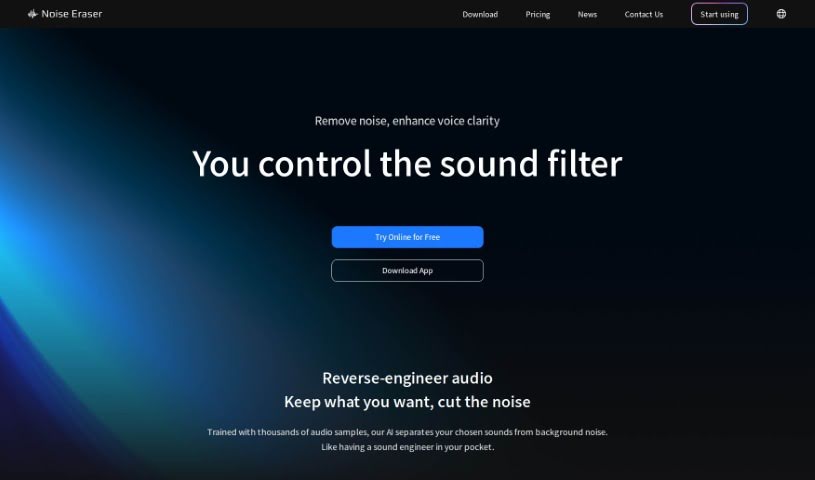
What is Noise Eraser?
Noise Eraser is a handy online tool that really helps clean up your audio files. Its main job is to get rid of annoying background noise, making sure the human voice comes through loud and clear. It’s super easy to use and works with all sorts of audio formats you might be using, like MP3, WAV, and FLAC. The best part? It handles the noise removal automatically. This means you don’t need fancy, expensive gear or to be an editing wizard to get great sound. Noise Eraser helps you achieve that studio-quality sound, making your recordings much more pleasant to listen to by simply cutting out that distracting background hum.
Who created Noise Eraser?
Noise Eraser comes from a company based in Taiwan. This AI-powered app for reducing noise has really made a name for itself, even winning some impressive awards. For instance, it snagged the “Best Technology Innovation Silver Award” at the 2022 Future Commerce Awards. It was also a finalist in the “Service Innovation Group” category for the 4th GoldenBoat Award. The tool itself is built to effectively zap background noise from your audio, all while keeping things simple with user-friendly features for quick, professional-sounding results.
What is Noise Eraser used for?
- It makes your audio sound better by removing background noise.
- It helps content creators, podcasters, and video producers get clearer audio.
- It speeds up editing by automating the noise removal process.
- It’s compatible with many different audio file types.
- You can get studio-quality sound without needing expensive equipment or advanced editing skills.
- It makes podcasts, videos, and interviews sound much better by cutting out background noise.
- It helps you deliver high-quality audio that keeps your audience engaged.
- It makes it simple to adjust the balance between your voice and background noise.
- It saves you valuable time and effort on noise reduction.
- You can try out premium features with a 7-day free trial.
- It improves audio quality by finding and removing background noise.
- It makes audio clearer for creators, podcasters, and video producers.
- It automates noise removal, saving you time and effort.
- It ensures your voice is crystal clear in recordings.
- It makes listening more enjoyable by eliminating background noise.
- It delivers high-quality audio for podcasts, videos, and interviews.
- It improves the sound quality of recordings in all sorts of situations.
- It makes your voice clear and gets rid of unwanted noise.
- It improves the audio quality of recordings for content creators, podcasters, and video producers.
- It automatically finds and isolates background noise in the audio you upload.
- You can listen to a preview of the cleaned audio and make tweaks before you download the final version.
- It works with various audio formats like MP3, WAV, and FLAC.
- You can achieve studio-quality sound without needing expensive audio gear or lots of editing experience.
- It enhances the listening experience for podcasts, videos, and interviews.
- It delivers high-quality audio by cutting out background noise.
- It makes the audience’s listening experience better with crystal-clear sound.
- It improves the audio quality of recordings for content creators, podcasters, and video producers.
- It automates noise removal to get that studio-quality sound.
- It’s compatible with many audio file formats, including MP3, WAV, FLAC, and more.
- It enhances the listening experience by removing background noise.
- It helps create high-quality audio for podcasts, videos, and interviews.
- It delivers professional-sounding audio by removing distracting background noise.
- It gives you tools to tweak the voice-to-noise balance and improve your audio recordings.
- It makes uploading audio files for noise reduction super simple.
- Say goodbye to unwanted noise and hello to perfectly clear sound!
- It offers automated noise removal for content creators.
- It improves audio clarity for podcasts and video production.
- It’s compatible with various audio file formats.
- It helps you achieve studio-quality sound without needing expensive equipment.
- It enhances the listening experience for podcasts, videos, and interviews.
- It simplifies noise reduction for editing podcasts, making videos, and conducting interviews.
- It automates noise removal, saving you time and effort.
- It provides tools to improve the listening experience by eliminating background noise.
- It delivers high-quality audio that really captivates your audience.
- It lets you easily adjust the voice and noise volume.
- You can preview the cleaned audio and make any necessary adjustments before downloading.
- It’s compatible with many audio file formats, including MP3, WAV, and FLAC.
- It automates the noise removal process, saving you time and effort.
- It enhances the listening experience for podcast editing, video creation, and interviews.
- It provides tools to boost audio quality and keep your audience hooked.
- You can preview the cleaned audio and make any needed adjustments before the final download.
- It’s compatible with various audio file formats (like MP3, WAV, FLAC, etc.).
- It simplifies noise reduction in videos by letting you test it out for different scenarios.
- You can customize the voice-to-noise ratio for better audio quality.
- It enhances audio quality by finding and removing background noise.
- It improves the audio quality for content creators, podcasters, and video producers.
- It automatically detects and isolates background noise in your audio files.
- You can preview the cleaned audio and make adjustments before downloading the final version.
- It’s compatible with various audio formats.
- You can achieve studio-quality sound without needing expensive equipment or extensive editing skills.
- It saves you time and effort by automating the noise removal process.
- It enhances the listening experience by eliminating background noise.
- It delivers high-quality audio for podcasts, videos, and interviews.
- It lets you focus on creating your content while Noise Eraser takes care of the noise reduction.
Who is Noise Eraser for?
- Content creators
- Podcasters
- Video Producers
- Content creators
- Podcasters
- Video producers
How to use Noise Eraser?
Want to get high-quality, noise-free audio for your videos using Noise Eraser? It’s really straightforward! Just follow these simple steps:
- Upload Your Video: First, pick the video from your phone and upload it right onto the Noise Eraser platform.
- Automatic Noise Reduction: The tool uses smart, AI-powered noise reduction that works automatically in the cloud. It’s designed to intelligently get rid of background noise for you.
- Adjust the Noise Ratio: Once the noise reduction is done, you can tweak the sound balance to your liking. This lets you customize the final audio output exactly how you want it.
Noise Eraser is built to be super user-friendly, so you can easily import and export videos without needing any professional editing experience. It even offers a smooth experience for mobile users by separating the audio tracks for you. Thanks to its advanced AI, which has been trained on thousands of voice and noise samples, Noise Eraser delivers professional-level noise reduction without the hassle of manual editing. Plus, you can try it out for free before committing to a subscription for all the premium features!