MyMemo AI (Productivity)
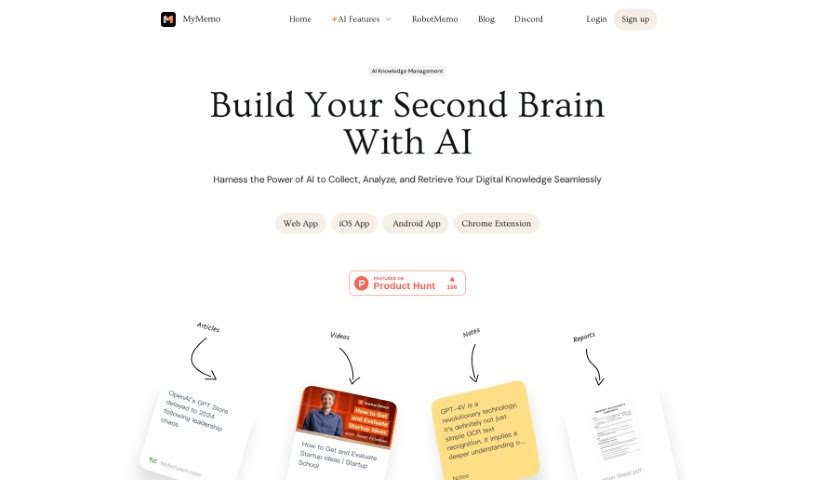
Screenshot of MyMemo AI

MyMemo AI

Discover what MyMemo AI is, how it organizes your saved content into an AI-powered knowledge base, and what features it offers.

Screenshot

What is MyMemo AI?

MyMemo is a personal “Digital Brain” — a platform that uses artificial intelligence to organize and make sense of your digital content. You can save articles, links, screenshots, videos, and documents in one place, and the AI understands and answers questions about what you’ve saved. The goal is to make information easy to find again without adding to your workload, while supporting learning and idea generation through reflection on your saved knowledge.

Who created MyMemo AI?

MyMemo was developed by Inkwise, a company based in Union City, CA, USA (4586 Arce Street, 94587). Inkwise built the platform to turn personal digital data into a structured, organized knowledge base.

What is MyMemo AI used for?

MyMemo is used for:

  • Gathering articles, links, screenshots, videos, and documents in one place
  • Analyzing uploads with AI to extract key details
  • Turning uploads into a connected web of information that can surface insights
  • Asking questions about your personal knowledge base
  • Getting AI-generated summaries and recaps to reflect on what you’ve saved
  • Organizing and retrieving content efficiently
  • Building a personalized AI knowledge database

Who is MyMemo AI for?

MyMemo suits anyone interested in AI knowledge management, personal data management, building a digital brain, information retrieval, and content organization.

How to use MyMemo AI?

  1. Sign up and start the free trial: Create an account to get a 14-day free trial before paying.
  2. Upload your content: Save articles, links, screenshots, videos, and documents. The AI analyzes uploads and pulls out important information.
  3. Organize and retrieve: The platform turns uploads into a connected web of information, making it easy to find what you need and get insights. AI-generated recaps help you reflect on what you’ve learned.
  4. Security and privacy: Data is stored with encryption on high-security servers and kept private; only you can access the generated links.
  5. Collaboration: Teams can share access and set up workflows.
  6. Upgrade for more: Upgrading unlocks unlimited AI chat, more content uploads, memo collections, and access to GPT-4 for advanced features.

Related

Related AI Tools

Discover more tools in similar categories

New tools, in your inbox.

Weekly picks of the best AI tools we've researched and added — no spam, unsubscribe anytime.

Join 25,000+ AI enthusiasts. No spam, unsubscribe anytime.