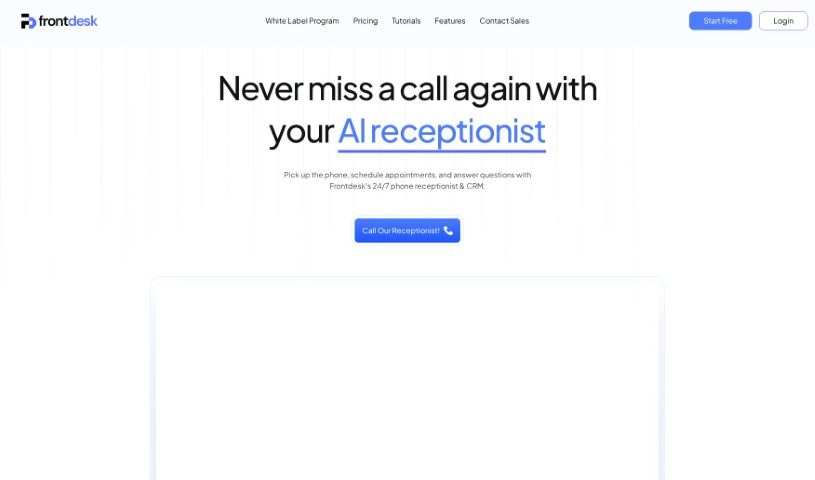
Screenshot of My AI Front Desk

My AI Front Desk

Discover what My AI Front Desk is all about and how you can make the most of it in 2025. We'll walk through its features and see how it stacks up against other customer service tools.

Screenshot

What Exactly is My AI Front Desk?

“My AI Front Desk” is your go-to virtual receptionist, specifically built for small businesses. Its main job is to handle appointment scheduling and answer common questions over the phone, all automatically. Customers can chat with it via calls and texts, and it’s designed to handle even pretty complex questions, responding much like a real person would. This handy software connects with popular scheduling tools, works around the clock, and can manage several customer inquiries at once. You get instant replies, detailed analytics to see how things are going, and you can even export caller phone numbers for special promotions. Getting it set up is super quick – just five minutes – and you can tweak its settings and answers anytime to perfectly match your business.

Who’s Behind My AI Front Desk?

Zain Kahn is the person who created My AI Front Desk. He launched this AI receptionist service on May 23, 2024. It’s designed to offer round-the-clock customer service, answering questions and booking appointments just like your human staff would. The company focuses on providing customizable AI receptionists for small businesses at prices that make sense, all with the goal of boosting customer service and making things run more smoothly.

What Can You Do with My AI Front Desk?

Here’s a rundown of what My AI Front Desk is great for:

  • Automating Appointments & FAQs: It handles scheduling and answers questions over the phone.
  • Customer Interaction: It can chat with customers through both text messages and phone calls.
  • Always-On Service: It acts as your receptionist 24/7, so no customer is ever left waiting.
  • Catching Missed Calls: It answers calls you miss and can turn those into bookings.
  • Boosting Sales: You can use call transcripts to upsell products or create special promotions.
  • Easy Scheduling Integration: It works with popular tools like Vagaro and Calendly.
  • Custom Setup: You can tailor the setup to fit your specific business needs.
  • Insightful Analytics: Get detailed analytics on call transcripts and text message history.
  • Targeted Marketing: Export client phone numbers to run focused promotions.
  • Uninterrupted Service: It keeps working even after your business hours are over.

Who Should Be Using My AI Front Desk?

This service is a great fit for:

  • Small Business Owners: Anyone looking to streamline operations.
  • Salon Owners: Perfect for managing appointments and client inquiries.
  • Call Centers: Can help manage high call volumes efficiently.
  • Businesses Needing Automation: If you want to automate phone-based scheduling and customer questions.

How Do You Get Started with My AI Front Desk?

Using My AI Front Desk is pretty straightforward. Just follow these simple steps:

  1. Build Your AI Receptionist: Start by creating your AI receptionist. You’ll give it details about your business, the services you offer, and your booking system. Then, you can test it out and adjust its personality and responses until you’re happy.
  2. Capture Those Missed Calls: Set up call forwarding from your current business number to the AI receptionist. This way, you won’t miss any incoming leads, voicemails, or important call data, all of which you can see on your admin dashboard.
  3. Make Changes Anytime: Need to update your receptionist’s greeting or its knowledge base? No problem. You can easily change things like temporary sales or new business hours whenever you need to.
  4. Pick Your Plan: Choose between a Small Business Plan or an Advanced Integration Plan, depending on what your business requires.
  5. Connect with Scheduling Tools: My AI Front Desk easily links up with top scheduling platforms like Vagaro and Calendly, making your workflow even smoother.
  6. Analyze Your Leads: Dive into the advanced analytics tools to really understand your customer interactions. You can review call transcripts and text histories right on your admin dashboard.
  7. Export Phone Numbers: Want to run a special promotion? You can export the phone numbers of people who’ve called to reach out to them directly.
  8. Affordable Options: Plans start at just $34.99 a month, and you can try it out for free for 7 days.
  9. Customize and Get Help: You can tweak settings and responses whenever you like to make sure the receptionist is a perfect fit for your business. Plus, customer support is there if you have any questions.
  10. Works After Hours Too: Remember, My AI Front Desk operates 24/7, so your customers always get service, even when you’re closed.

Following these steps will give you a clear path to using My AI Front Desk effectively, helping you automate scheduling and improve your small business’s customer service.

Related AI Tools

Discover more tools in similar categories that might interest you

Stay Updated with AI Tools

Get weekly updates on the latest AI tools, trends, and insights delivered to your inbox

Join 25,000+ AI enthusiasts. No spam, unsubscribe anytime.