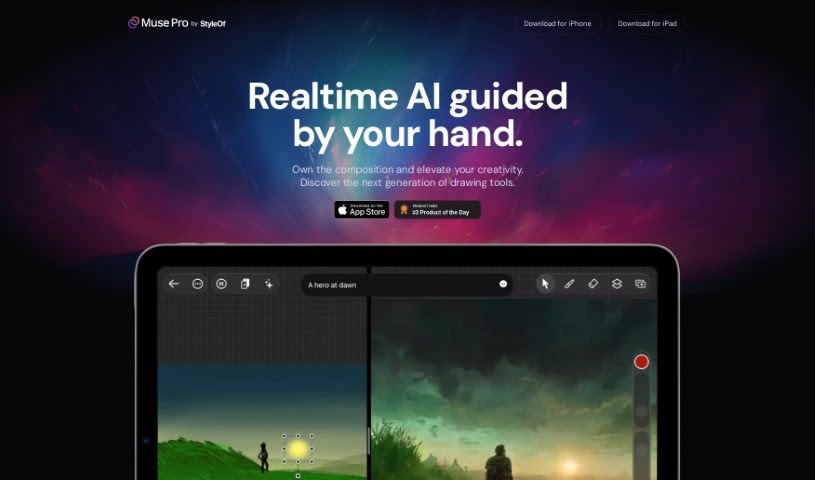
Screenshot of Muse Pro

Muse Pro

Discover what Muse Pro is and how to use it effectively in 2025. We'll explore its features and see how it stacks up against other Drawing Generators.

Screenshot

What is Muse Pro?

Muse Pro is a really advanced drawing app that’s changing the game for artists. It uses AI technology that works in real-time, specifically built for creative folks. You can do things like turn text into images, get inspiration from random ideas, and easily make your drawings more detailed. Plus, it works beautifully with Apple Pencil, capturing all your pressure nuances. The AI in Muse Pro actually reacts to your hand-drawn lines as you make them, giving you a lot of control. You can tweak things with sliders, shuffle random elements, and even pause the AI’s input. What’s more, Muse Pro is designed to help you create professional-quality art, letting you upscale your work so it’s ready for printing.

Who created Muse Pro?

Muse Pro was brought to life by a team dedicated to transforming how people draw, using cutting-edge AI that operates in real-time. The company behind Muse Pro really cares about making the creative process smoother for artists. They offer easy-to-use tools like turning text into images, providing random inspiration, and simplifying the process of adding detail. With great support for Apple Pencil, features for managing layers, and a wide variety of brushes, Muse Pro aims to deliver a professional and seamless drawing experience right on your iPad and iPhone.

Who is Muse Pro for?

  • Artists

How to use Muse Pro?

Here’s a straightforward guide to getting the most out of Muse Pro:

  1. Get It Installed: First, download Muse Pro for free from the App Store. It’s available on both your iPhone and iPad.

  2. Check Out the Top Features:

    • Real-time AI: You’ll love how the AI responds instantly to your hand-drawn strokes.
    • Apple Pencil Support: Drawing feels natural and responsive, especially with the pressure sensitivity of Apple Pencil.
    • Creative Prompting: Easily turn your words into visual elements with text-to-image prompts.
    • AI Control: Take precise control over what the AI creates using simple sliders, shuffling random seeds, and pausing the AI when you need to.
    • Enhanced Upscaling: Just tap to create incredibly detailed artwork that’s ready for print, no fuss involved.
  3. Explore the Tools:

    • Prompting: You can guide the AI with text, making it simple to change direction quickly.
    • Randomize: Why stare at a blank canvas? Let inspiration strike with random elements.
    • Enhance: Give your drawings that polished look with a simple tap for beautiful results.
    • Vision: See real-time AI descriptions of your drawings as you create them.
  4. Fine-Tune the AI:

    • AI Control: Use sliders to really dial in the AI’s output. You can explore tons of possibilities by shuffling seeds, and pause the AI collaboration whenever you need a moment.
  5. Perfect Your Artwork:

    • Enhance: Polish your masterpiece effortlessly. The detail enhancement and upscaling make your work print-ready.
    • Layers: Play around with different elements by putting them on separate layers, which makes adjustments super easy.
    • Assets: Add shapes, images, and text to your art. You can do this using a diverse library of brushes.
  6. Stay in the Loop:

    • Join the Mailing List: Sign up for the Muse Pro mailing list to get all the latest updates and news.

Muse Pro really changes how artists draw by blending innovative AI with the tools you already know. It offers a smooth, professional creative experience. Why not start creating amazing artwork with Muse Pro today?

Related AI Tools

Discover more tools in similar categories that might interest you

123RF AI Image Generator

Creative Image Generation
Learn More

Stay Updated with AI Tools

Get weekly updates on the latest AI tools, trends, and insights delivered to your inbox

Join 25,000+ AI enthusiasts. No spam, unsubscribe anytime.