What is Morgen?
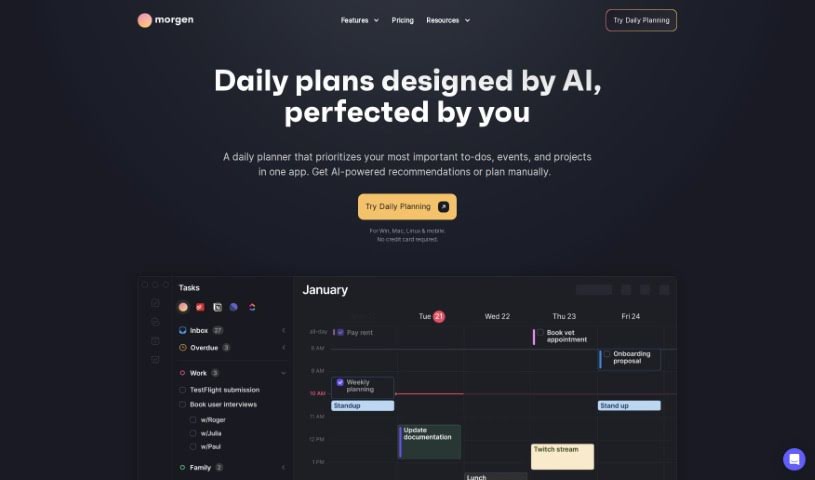
Morgen is a really handy tool that combines your calendar and tasks all in one place. It’s designed to make managing your schedule across different platforms super smooth. You get unified calendar views, built-in task management, and the ability to block out time for specific activities. Plus, it helps with team coordination and keeps your data safe. Sharing your availability is a breeze, you can avoid those annoying scheduling conflicts, and joining virtual meetings is just a click away. You can use Morgen on pretty much any device – Mac, Windows, Linux, iOS, and Android.
Who created Morgen?
Morgen was developed by a team of talented developers who wanted to create a comprehensive tool for managing calendars and tasks. Their goal was to simplify scheduling across all your different platforms. The app really shines when it comes to bringing together calendars from various providers, using time-blocking to help you manage your day, and making team coordination easier with features like team availability views and smart meeting time suggestions. The company behind Morgen also puts a big emphasis on keeping your data secure and private, so you can be productive without worrying about your information. And like we mentioned, it’s available everywhere: Mac, Windows, Linux, iOS, and Android.
What is Morgen used for?
- Integrated Calendars: It syncs up with all your different calendar accounts so you can see everything in one place.
- Hassle-Free Scheduling: It checks availability in real-time, helping you avoid booking meetings when you’re already busy.
- Time Blocking: You can easily drag and drop tasks right onto your calendar, making it simple to plan your time effectively.
- Team Coordination: Need to find a good time for a team meeting? You can see everyone’s availability and get suggestions for the best slot.
- One-Click Meetings: Jump into your virtual meetings instantly, thanks to integrations with Zoom, Google Meet, and other popular services.
Who is Morgen for?
- Students
- Educators
- Non-profit employees
How to use Morgen?
Here’s a straightforward guide to getting the most out of Morgen:
- Installation: First things first, download and install Morgen on your computer from their official website. Just follow the simple steps in the installation wizard.
- Launch the Tool: Once it’s installed, open up the Morgen application. You can usually do this by double-clicking its icon.
- Create a New Project: Ready to start organizing? Click the “New Project” button. Give your project a name and choose where you want to save all its files.
- Input Data: Now, bring in the data you need to work with. You can do this by clicking on “Import Data” or “Open Data File.”
- Select Analysis Method: Decide what kind of analysis you’re looking for. Morgen offers several options, like statistical analysis, looking for trends, or even predictive modeling.
- Customize Analysis Parameters: Fine-tune your analysis by setting specific parameters. This might include choosing which variables to focus on, setting a particular time frame, or adjusting other settings based on what you need.
- Run Analysis: Hit the “Run Analysis” button to get things started. Morgen will then process your data according to the settings you’ve chosen.
- Interpret Results: After the analysis is done, take a look at what Morgen has produced. Check out the charts, graphs, and statistical outputs to understand what your data is telling you.
- Export Results: If you need to share your findings or use them elsewhere, you can export the results in formats like PDF, Excel, or CSV.
- Save Project: Don’t forget to save your project! This way, you can easily come back to your analysis settings and results later on.
By following these steps, you’ll be able to use Morgen effectively for your data analysis and uncover some really valuable insights.