What is Moments?
Moments is a Personal Relationship Manager built to help you keep up with and strengthen both your personal and professional connections. It gives you tools to organize your contacts, figure out who to reach out to and when, and actually engage with them at the right moments. It is your go-to for managing social connections and getting better at them, with features like Social To-Dos, Social Circles, Events and Reminders, a Social Feed, and the AI Composer for crafting personalized messages. It’s available for download on iOS devices and really aims to be a helpful companion for building those meaningful relationships.
Who created Moments?
Meet the Founder of Moments and a Look at the Company:
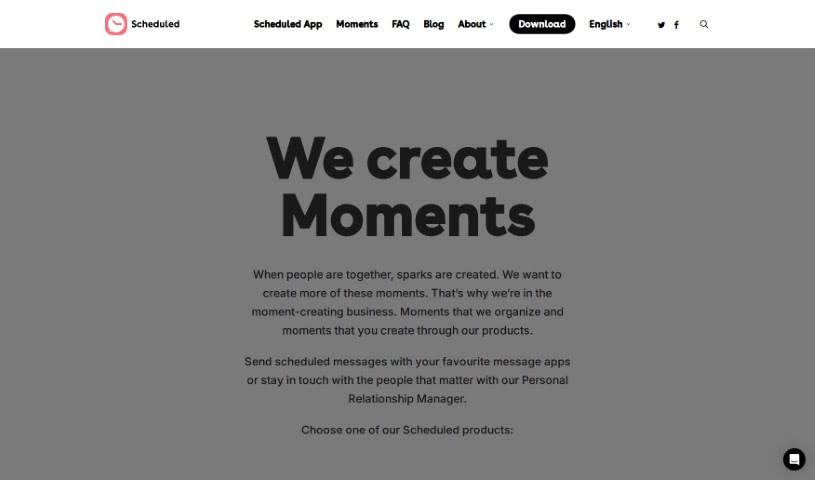
Robert Keus is the founder of Moments, as you can see on the Scheduled app’s website. Robert started Scheduled because he himself struggled with remembering important social connections and occasions. He wanted an app to help him out. Scheduled, the company behind Moments, has a team that’s really focused on making the world a little less forgetful and a lot more attentive. Moments, their app, is designed to make it easy for people to keep up with and improve their personal and professional connections. It helps you organize contacts, set reminders, write personalized messages with the AI Composer, and even offers resources to help you improve your social skills. Basically, Moments is here to simplify how you communicate and manage relationships, especially when you’re busy. It helps reduce that mental load and encourages you to build stronger connections.
What is Moments used for?
Here’s a look at what you can do with Moments:
- Stay Ahead of Events: See upcoming events and reminders so you don’t have to stress about remembering everything.
- Balance Your Attention: Sort your contacts into different groups to make sure you’re giving everyone the attention they deserve.
- Never Miss a Beat: Set up events and get timely reminders for things like sending a gift or just reaching out.
- See What’s New: Keep up with a combined feed of social updates and your CRM data all in one place.
- Personalize Your Messages: Use the AI Composer to write messages that feel just right for each contact, based on your relationship with them.
- Organize Your Connections: Keep your social and professional contacts tidy and easy to manage.
- Boost Your Social Skills: Find extra learning resources to help you get better at socializing and networking.
- Improve Relationships: Make your personal and professional relationships stronger and easier to maintain.
- All Your Updates in One Place: Gather updates from your CRM contacts so they’re simple to access.
- Manage Contacts Smartly: Use tailored tools for both your personal and professional contacts.
- Prioritize Your Social Circle: Organize and prioritize who you connect with.
- Plan and Remember: Set up events and get timely reminders for important actions like gifting or messaging.
- Tailored Messaging: Use the AI Composer to craft personalized messages for each contact, considering your specific relationship.
- Skill Development: Access additional learning resources to improve your social skills and networking strategies.
- iOS Ready: It’s available for download on iOS devices.
- Effortless Relationship Management: Handle your personal and professional relationships with ease and efficiency.
- For Everyone: It’s great for anyone looking to maintain meaningful relationships.
- Contact Grouping: Organize your contacts into different groups for better management.
- Event Planning & Reminders: Create events and receive timely reminders.
- AI-Powered Messaging: Craft personalized messages using the AI Composer.
- Get it on iOS: Download Moments for your iOS device.
- Learn and Grow: Access articles and courses to improve your social skills and networking.
- Efficient Contact Management: Managed your social and professional contacts efficiently.
- Social & Relationship Boost: Improve your social skills and maintain personal or professional relationships.
- Automated Messaging: Schedule text messages to be sent automatically via iMessage, WhatsApp, Telegram, SMS, and Email.
- Balanced Contact Attention: Classify contacts into different groups to ensure balanced attention.
- Unified Social Feed: Stay updated with a feed of social updates and CRM data.
- Personalized Communication: Craft personalized messages for each contact based on your relationship using the AI Composer.
- Streamlined Contact Management: Manage personal and professional contacts efficiently.
- Personal Development: Offer resources for personal growth to improve social skills and networking strategies.
- Designed for Connection: Made for anyone who wants to easily improve and maintain personal or professional relationships.
- Centralized Updates: Aggregate updates from CRM contacts into one accessible feed.
- Scheduled Messaging: Schedule text messages to be sent automatically across various messaging platforms.
Who is Moments for?
Moments is a great tool for:
- Small Business Owners
- Health Professionals
- Fitness Professionals
- Beauty Professionals
- Church Communities
- Healthcare Professionals
How to use Moments?
Here’s a simple guide to using Moments effectively:
-
Get to Know Moments: First off, understand that Moments is a Personal Relationship Manager. Its main goal is to help you keep up with and improve your personal and professional connections. It helps you organize contacts, figure out who to reach out to and when, and actually engage with them.
-
Explore the Key Features:
- Social To-Dos: Use this to see upcoming events and reminders, which really helps cut down on stress.
- Social Circles: This feature lets you group your contacts, making it easier to give everyone balanced attention.
- Events and Reminders: You can set up events and get timely reminders for important actions, like sending a message or a gift.
- Social Feed: Stay in the loop with a consolidated feed that brings together social updates and your CRM data.
- AI Composer: This is where you can craft personalized messages for each contact, tailored to your specific relationship with them.
-
Putting Moments to Work:
- Organize Your Contacts: Start by classifying your contacts into different groups. This makes managing them much simpler.
- Plan Your Events: Set up events and make sure you get reminders for things like messaging or gifting.
- Check Your Social Feed: Keep up-to-date by regularly accessing your social updates and CRM data.
- Personalize Your Messages: Make sure to use the AI Composer to create messages that are just right for each person.
-
Download Moments:
- Where to Find It: Moments is available for download exclusively on iOS devices.
- How to Install: Just search for ‘Moments Personal Relationship Manager’ in the App Store and follow the steps to install it.
-
Who Will Benefit Most: Moments is a fantastic choice for anyone who wants to get better at maintaining and improving their personal or professional relationships, making it feel easy and efficient.
-
Extra Learning Resources:
- Moments also offers articles and courses designed to help you improve your social skills and networking strategies. These are especially helpful if you tend to be more introverted.
-
Pricing Details:
- You’ll find various subscription options available. These are based on the features you need, like whether you want automatic message sending, unlimited reminders, or the ability to set up repeat messages.
By following these steps, you’ll be able to use Moments really effectively to boost your social and professional connections with a lot more ease and efficiency.