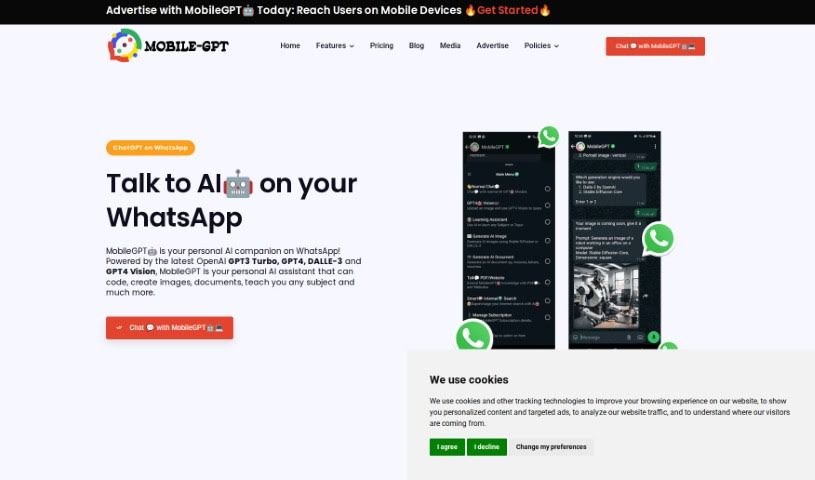
Screenshot of Mobilegpt

Mobilegpt

Discover what MobileGPT is and how to use it effectively in 2025. We'll explore its features and see how it stacks up against other chatbots.

Screenshot

What is MobileGPT?

MobileGPT is a subscription-based app that works right within WhatsApp, bringing advanced AI, including the powerful GPT-4 engine, straight to your phone. It is your personal AI assistant, ready to chat, create images, draft Word documents, and translate languages seamlessly. It’s all about making your messaging experience better, helping you communicate, create, and collaborate more easily, no matter where you are.

With MobileGPT, you get a whole suite of features. You can generate content, chat with the AI as much as you want, create documents in Word format, and even generate images. It’s designed to give you accurate, well-organized, and coherent AI-generated content, which can really save you time when you’re working on things like resumes, cover letters, business plans, or marketing strategies.

Plus, MobileGPT uses the latest AI models, like GPT-4 Turbo for text and DALLE-3 for images. This means you can turn your text ideas into incredibly realistic visuals. You can play around with different styles and create custom images in various sizes, perfect for whatever you need. They offer a 24-hour free trial so you can test it out before deciding on a subscription, which is $20 a month, or you can opt for lifetime access for $149.

So, in a nutshell, MobileGPT is your all-in-one AI assistant on WhatsApp, packed with smart features to boost your communication, creativity, and productivity right from your mobile device.

Who created MobileGPT?

MobileGPT was developed by a company focused on integrating advanced AI, like the GPT-4 engine, into WhatsApp for users. This service provides features such as AI-generated images, AI-crafted documents, and advanced language translations, all accessible through WhatsApp to enhance how people communicate and get things done.

What is MobileGPT used for?

MobileGPT is incredibly versatile! Here’s a look at what you can do with it:

  • Chatting with AI: Have natural conversations with an AI chatbot.
  • AI Conversation Chatbot: Engage in back-and-forth AI chats.
  • On-the-Go Image Generation: Create images anytime, anywhere.
  • Your Personal Mobile Teacher: Get personalized learning support for any subject.
  • Business Plan Generation: Create complete business plans with ease.
  • Interact with PDFs and Websites: Upload documents or links to get summaries and insights.
  • Image Description: Understand and identify items within images.
  • AI for Small Businesses: Access tools and tips tailored for small businesses.
  • Personalized Learning Assistant: Get tailored help to learn new subjects.
  • Efficient Information Extraction: Quickly pull information from PDFs and websites.
  • AI-Powered Document Generation: Create various documents using AI.
  • AI Images: Generate unique images.
  • AI Image Generation: Create images with AI.
  • Conversational AI on WhatsApp: Experience AI chat directly in WhatsApp.
  • Learning Assistant for Subjects: Get help learning a wide range of topics.
  • GPT-4 Vision for Image Understanding: Use GPT-4 Vision to understand what’s in images.
  • Generate Documents: Create documents like business plans.
  • Talk2PDF or Website Interaction: Chat with your PDFs or websites.
  • AI for Small Businesses: Get tools and tips for your business.
  • Personalized Mobile Learning Assistant: Your own AI tutor on your phone.
  • GPT-4 Vision for Image Understanding: Understand images with GPT-4 Vision.
  • Efficient Information Extraction: Get information out of files and sites quickly.
  • AI Vision for Image Comprehension: Understand images using AI vision.
  • Document Generation: Create documents like business plans and resumes.
  • Talk2PDF and Website Interactions: Chat with your PDFs and websites.
  • Interactive and Tailored Learning: Learn from PDFs and websites in a way that suits you.
  • Boosted Chats: Enjoy chats with advanced AI models like GPT-3.5 and GPT-4.
  • Learning Assistant on Any Subject: Get help learning anything.
  • GPT-4 Vision for Image Understanding: Understand images with GPT-4 Vision.
  • Generating Documents: Create documents easily.
  • Save Notes and Reminders: Keep track of important information.
  • Creating Images On-the-Go: Make images whenever you need them.
  • Personal Mobile Teacher: Learn from your phone like a personal tutor.
  • Generating Advanced AI Documents: Create sophisticated AI documents.
  • Interacting with PDFs and Websites: Chat with your documents and websites.
  • Learning Assistant - Teach Any Subject: Get help learning any topic.
  • GPT4 Vision (Understand Images on WhatsApp): Use GPT-4 Vision to understand images within WhatsApp.
  • Generate Documents: Create documents like business plans and resumes.
  • Talk to PDF or Websites: Chat with your PDFs or websites.
  • Interactive and Tailored Learning: Learn from PDFs and websites in a personalized way.
  • Ask GPT-4 Vision About Any Image: Get insights about any image using GPT-4 Vision.
  • Efficient Information Extraction from PDFs or Websites: Extract information effectively from PDFs or websites.
  • Accurate Content through AI-generation: Get accurate content generated by AI.
  • Learning Assistant: Your AI helper for learning.
  • GPT4 Vision: Understand images with GPT-4 Vision.
  • Generate Document: Create documents.
  • Ask MobileGPT to Describe Information in an Image: Get descriptions of image content.
  • Identify Items in an Image: Recognize objects within images.
  • Advanced AI Documents: Create sophisticated AI documents.
  • AI for Small Businesses: Tools and Tips: Get helpful tools and tips for your business.
  • GPT-4 Vision - Ask About Any Image: Inquire about any image using GPT-4 Vision.
  • Making Images Speak: Understand the content of images.

Who is MobileGPT for?

MobileGPT is a great tool for a wide range of people:

  • Small Business Owners: Get help with planning, marketing, and operations.
  • Students: Use it as a personal tutor for any subject, get help with assignments, and learn efficiently.
  • Teachers: Find new ways to engage students and create learning materials.
  • Professionals: Need quick language translations or help drafting documents?
  • Creatives: Generate unique images for your projects.
  • Lifelong Learners: Explore new subjects at your own pace.
  • Anyone Needing Document Help: Get assistance creating resumes, reports, and more.
  • Creative Writers: Brainstorm ideas and draft content.
  • Marketing Professionals & Marketers: Develop strategies and create content.
  • Content Creators: Produce engaging text and visuals.
  • Language Learners: Practice and improve your language skills.
  • Tutors: Find new ways to explain concepts and create quizzes.
  • Book Enthusiasts: Discuss books, get summaries, or even generate related content.
  • Professionals on the Go: Need to create documents or images while away from your desk?

How to use MobileGPT?

Using MobileGPT is pretty straightforward. Here’s how you can get the most out of it:

  1. Sign Up: MobileGPT is a paid service, costing $20 per month. But don’t worry, they offer a 24-hour free trial so you can try it out before you subscribe.
  2. Chat with MobileGPT: Just like texting a friend on WhatsApp, you can chat with MobileGPT. Ask questions, get translations, solve math problems, generate content, or even get help with code, all within the WhatsApp chat interface.
  3. Generate Images: MobileGPT can create high-quality, realistic images from your text prompts. Just send your prompt, and the AI will generate detailed visuals tailored to what you asked for, right in your chat.
  4. Your Personal Mobile Teacher: Take advantage of MobileGPT’s personalized learning features. You can learn about different subjects at your own pace, get links for extra reading, take quizzes after each section, and receive feedback to help you understand things better.
  5. AI Document Generation: Need a document in Word format? MobileGPT can help you create various types of documents quickly. Just give it the information it needs, and it can assist with reports, blog posts, meeting notes, letters, marketing materials, and much more.
  6. Talk2PDF Feature: You can upload PDF documents or paste website links directly into WhatsApp to interact with them using MobileGPT. Get quick summaries, insights, and have detailed conversations as if you were talking to an expert.
  7. Security and Privacy: Your data is kept safe with MobileGPT. They use industry-standard security measures to protect your information, and importantly, they don’t store any documents you create on their servers.

By following these simple steps, you can really make the most of MobileGPT’s advanced AI capabilities for better communication, creativity, and productivity wherever you are.

Related AI Tools

Discover more tools in similar categories that might interest you

Stay Updated with AI Tools

Get weekly updates on the latest AI tools, trends, and insights delivered to your inbox

Join 25,000+ AI enthusiasts. No spam, unsubscribe anytime.