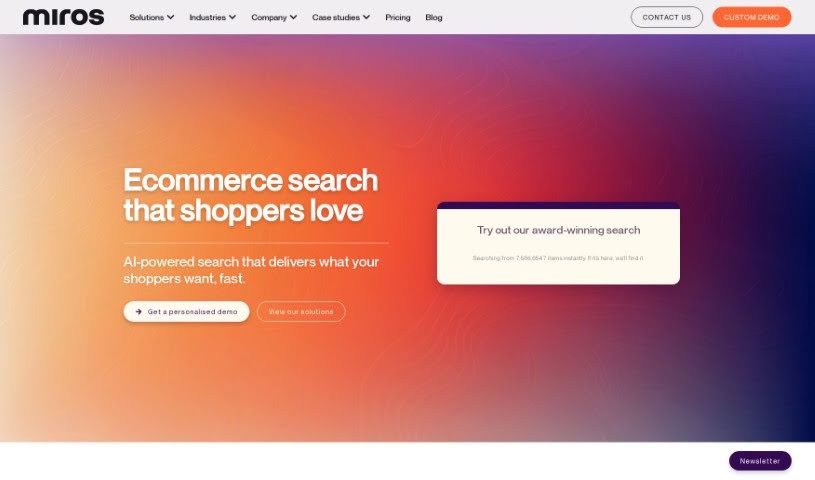
Screenshot of Miros

Miros

Curious about Miros in 2025? Dive into what Miros is, how to use it for Amazon Sellers, explore its key features, and see how it stacks up against other Amazon Seller Tools.

Screenshot

What is Miros?

Miros is a pretty neat solution designed to make online shopping a much better experience, especially through its Tagless Product Discovery and Wordless Search features. It uses AI to help shoppers find products based on what they’re browsing, rather than needing them to type in specific text labels or tags. By really getting a feel for what shoppers like and showing them visually relevant, personalized results, Miros aims to make finding products easier, keep customers more engaged, and ultimately lead to more sales. This tool tackles the common problem of shoppers not knowing exactly how to describe what they’re looking for in traditional search boxes. It’s all about changing the online shopping game by offering a more intuitive and efficient way for customers to discover and buy things.

Who created Miros?

Miros was actually started by Heikki Haldre, Diana Siim, and Paul Preuss back in 2019. They had previously founded Fits.me, which was a successful venture that helped with sizing recommendations and was eventually bought by Rakuten. After that, they noticed a bigger issue in online shopping: customers often had a hard time finding what they wanted. So, Miros brought together a really talented team from top companies and universities to build innovative AI solutions for e-commerce. They’ve since expanded beyond just fashion into areas like footwear, furniture, and home decor. The company also has some great strategic partnerships with big names like SAP, NVIDIA, and PwC, plus support from trusted investors such as Techstars and Tera.

What is Miros used for?

Miros is used to:

  • Improve Product Discovery: It helps tackle the challenge of unseen inventory by showing shoppers products that are actually relevant to them.
  • Boost Engagement and Conversions: By making the shopping experience smoother and more enjoyable, it leads to better customer engagement and higher conversion rates.
  • Simplify Integration: Getting started is easy, with a simple 2-step process that’s often compared to adding Google Analytics code to a website.
  • Enable Wordless Search: This feature is a game-changer for various retailers, including:
    • Fashion retailers
    • Footwear retailers
    • Furniture retailers
    • Decor retailers
    • Stock Image retailers

Essentially, it makes finding products more visual and less reliant on text.

Who is Miros for?

Miros is a great fit for:

  • Fashion retailers
  • Footwear retailers
  • Furniture retailers
  • Decor retailers
  • Stock image retailers

Anyone selling products where visual discovery is key can benefit.

How to use Miros?

To get the most out of Miros, here’s a straightforward guide:

  1. Log In to Miros: Start by accessing the Miros platform and logging in with your credentials.
  2. Explore the Dashboard: Take a moment to get acquainted with the dashboard. You’ll find different sections for data inputs, understanding the AI algorithms, and using the visualization tools.
  3. Upload Your Data: Bring your data into Miros. Just make sure it’s in a format the platform can work with.
  4. Pick an Algorithm: Choose the right algorithm for what you want to analyze. Miros offers several options, like regression for predicting outcomes, clustering for grouping similar items, and classification for categorizing data.
  5. Set Algorithm Parameters: Adjust the settings for your chosen algorithm based on what you need from your analysis.
  6. Run the Analysis: Kick off the process and let Miros work its magic on your data using the algorithm you selected.
  7. Understand the Results: Once the analysis is done, take a look at the insights Miros provides. It’s all about understanding what the data is telling you.
  8. Visualize Your Data: Use Miros’s visualization tools to present your analyzed data in a clear, visual way. Graphs, charts, and tables can really help make the results easier to grasp.
  9. Create Reports: Generate reports based on your analysis. You can customize these to include the specific details and insights that matter most.
  10. Save and Export: Don’t forget to save your analyzed data, reports, and visualizations. You can export them in formats that work best for you, whether for further analysis or sharing.
  11. Review and Refine: Share your thoughts on the results and how the analysis process went. Use what you learn to make your future analyses even better.

By following these steps, you’ll be able to use Miros effectively for data analysis and visualization, uncovering valuable insights from your datasets.

Related AI Tools

Discover more tools in similar categories that might interest you

Stay Updated with AI Tools

Get weekly updates on the latest AI tools, trends, and insights delivered to your inbox

Join 25,000+ AI enthusiasts. No spam, unsubscribe anytime.