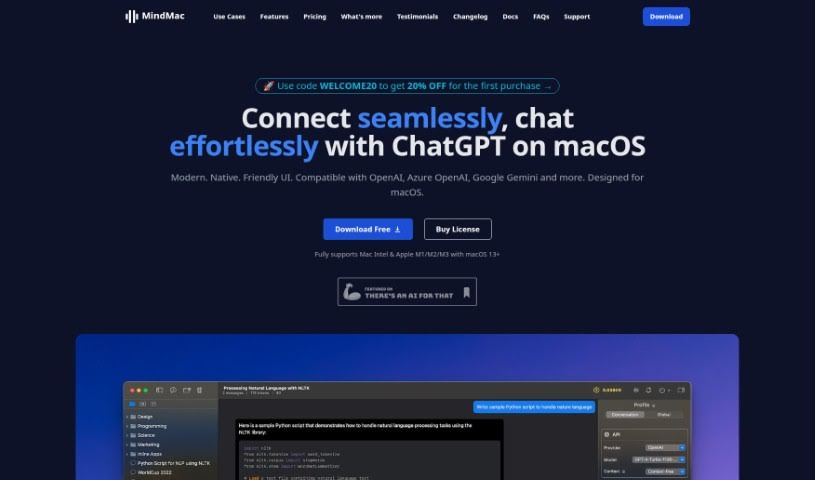
Screenshot of MindMac

MindMac

Discover what MindMac is and how to make the most of it in 2025. We'll walk through its features, compare it to other chatbots, and show you how to get started.

Screenshot

What is MindMac?

MindMac is a handy application that lets you chat directly with ChatGPT. You can use it in the main app window, or try out its “Inline mode.” This lets you ask questions right inside other apps you’re already using, like Notes, Mail, or your web browser. It also comes packed with extra features to make your ChatGPT experience even better. Think of things like a prompt library to save your favorite questions, an occupation library to tailor responses, a context mode for more relevant chats, and even support for custom API endpoints.

What’s really great is that MindMac keeps everything on your local device. This means your data stays private, and your conversations are sent straight to OpenAI’s servers. It also supports custom API endpoints and tokens, which help estimate how many prompts you’re sending to OpenAI.

Plus, MindMac really shines with its inline mode for quick content creation. You can customize how the app looks, and it supports over ten languages. It works smoothly with different AI models, including Azure OpenAI ChatGPT and Google AI. They’re even planning cool new features like syncing with your iDevices via iCloud, voice input, and text-to-speech.

The app is built specifically for macOS, so it feels really natural and runs super fast. Your API keys are stored securely in your Apple Keychain, using industry-standard encryption to keep them safe.

So, to sum it up, MindMac is a really flexible tool. It offers advanced features like Image Generation, custom API endpoint support, and works across different platforms, all while prioritizing your privacy. It’s a valuable app if you want to get more out of your ChatGPT interactions.

Who created MindMac?

MindMac was developed by a dedicated individual or team who wanted to create a smoother way to chat with ChatGPT right on your Mac. They launched the app on May 15, 2024, packing it with features designed to boost your productivity and make using ChatGPT a breeze.

People all over the world trust MindMac. It lets you customize a lot of settings, keeps your API keys super secure, and supports many different languages. You can get started with the Basic version for $29, or opt for the Standard version at $69. They also offer a 14-day money-back guarantee, so you can try it out with confidence. If you want to learn more, you can check out their official website at https://www.studentappcentre.com/App/MindMac.

What is MindMac used for?

MindMac is incredibly versatile, helping you with all sorts of tasks:

  • Personalization: Tailor the app to your liking.
  • Seamless Content Creation: Write content directly in other apps like Notes, Mail, or browsers without needing to switch windows.
  • Customization Options: Adjust OpenAI parameters, change the app’s appearance, set up context mode, and create your own keyboard shortcuts.
  • Secure API Key Storage: Your API key is safely stored in your Apple Keychain with strong encryption.
  • Multilingual Support: Works with over ten popular languages worldwide.
  • AI Model Compatibility: Interact efficiently with models like Azure OpenAI ChatGPT, Google Gemini, and others.
  • Advanced Features: Includes Image Generation (with DALLE 2 and DALLE 3), custom API endpoints and proxies, and the ability to export your conversations to PDF, Markdown, or ShareGPT.
  • Optimized Performance: It’s built for macOS, ensuring native and fast operation.
  • Future Enhancements: Look forward to features like syncing with your iDevices via iCloud, voice input, text-to-speech, and instant inline commands.
  • User Privacy: Your data is sent directly to OpenAI’s servers, and MindMac doesn’t store any user data on its own servers.
  • Multiple Platform Support: Works across various platforms.
  • Enhanced Conversations: Make your chats with ChatGPT even better.
  • Instant Inline Generation: Create content or ask questions quickly in any application without switching windows.
  • Customizable User Interaction: Fine-tune how you interact with the AI.
  • Content Generation: Easily create content in different applications.
  • Effortless Content Creation: The Inline Mode makes generating content a breeze.
  • Boosted Productivity: Get more done thanks to efficient features.
  • Efficient Querying: Ask questions without the hassle of switching windows.
  • Secure API Key Management: Your API keys are handled with care.
  • Flexible Exporting: Save your content in various formats like PDF, Markdown, or ShareGPT.
  • Better ChatGPT Companion: It’s designed to be your go-to app for interacting with ChatGPT on macOS.
  • Leverage AI Power: Make the most of ChatGPT with well-organized and efficient features.
  • Powerful Inline Mode: Boost your productivity with this handy feature.
  • Native & Fast: Enjoy optimized performance designed for your Mac.
  • Effortless Conversations: Chat with ChatGPT smoothly and naturally.
  • Instant Inline Command: Create content swiftly with this quick command.
  • Customization: Tailor OpenAI parameters and the app’s appearance.
  • Productivity Focus: The Powerful Inline Mode is great for getting things done.
  • Efficient Querying: Ask questions in any application without switching windows.
  • Image Generation: Create images using DALLE 2 and DALLE 3.
  • API Key Security: Your API keys are stored and protected securely.
  • Language Support: The app appearance supports 15 languages.

Who is MindMac for?

MindMac is a great tool for anyone interested in AI, including:

  • AI Enthusiasts: People who love exploring and using artificial intelligence.
  • Students: For research, writing, and learning.
  • Professionals: To improve workflow and productivity.
  • Developers: For integrating AI capabilities or testing.
  • AI Professionals: Those who work directly with AI technologies.

How to use MindMac?

Here’s a simple guide to get you started with MindMac:

  1. Download and Install:
    • First, download the MindMac app for macOS from the link provided.
    • Then, install it on your device.
  2. Set Up Your API Key:
    • You’ll need an OpenAI account to get an API key. If you don’t have one, sign up on the OpenAI website.
    • Once you have your key, enter it into MindMac so it can connect to ChatGPT.
  3. Start Chatting:
    • You can now chat with ChatGPT directly within the MindMac app.
    • Don’t forget to try the “Inline mode” to ask questions or generate content right inside other apps like Notes, Mail, or your browser.
  4. Explore Extra Features:
    • MindMac offers more than just chat. Check out the prompt library, occupation library, and context mode to really boost your experience.
  5. Understand Usage Limits:
    • If you’re using the free version, there are some limits. You can have up to 5 conversations and use Inline mode 10 times each day.
  6. Premium Features and Licensing:
    • To unlock all the advanced features, you’ll need a License Key for MindMac. Remember, an API Key from OpenAI is always necessary to use ChatGPT through the app.
  7. Security and Data:
    • MindMac runs locally on your computer, which is great for security. Your data is sent directly to OpenAI’s servers, and nothing is stored on any middle servers.
  8. Stay Updated:
    • Keep an eye out for future updates! They’re always adding new features and improvements to make your ChatGPT experience even better.

By following these steps, you’ll be using MindMac like a pro in no time, enjoying smooth ChatGPT interactions, increased productivity, and peace of mind about your data.

Related AI Tools

Discover more tools in similar categories that might interest you

Stay Updated with AI Tools

Get weekly updates on the latest AI tools, trends, and insights delivered to your inbox

Join 25,000+ AI enthusiasts. No spam, unsubscribe anytime.