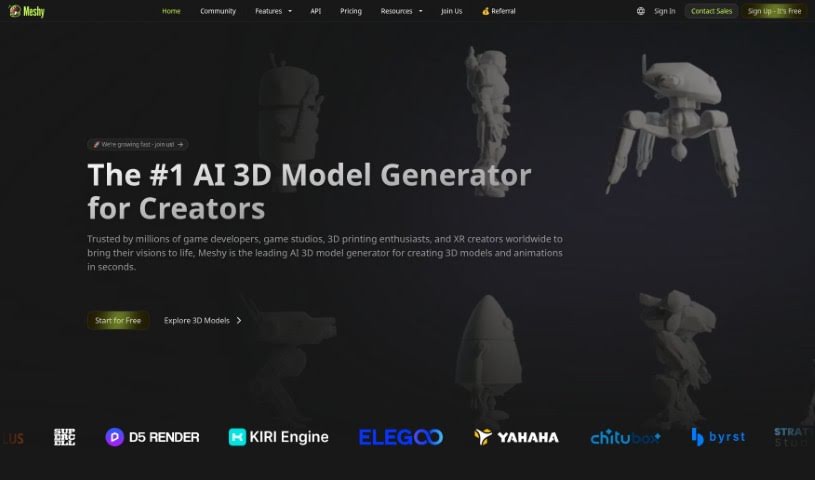
Screenshot of Meshy

Meshy

Discover what Meshy is and how to use it effectively in 2025. Explore its features, compare it to other Design Generators, and learn how it simplifies 3D creation.

Screenshot

What is Meshy?

Meshy is a really cool, cutting-edge tool that uses generative AI to quickly turn your text and images into amazing 3D models. It is a bridge, making it much easier to get the detailed 3D content you need without wrestling with complicated design software like Maya or Blender. Meshy offers a much simpler way for creators of all skill levels to get things done. This innovative platform was built by a global team of pros who really know their stuff in computer graphics and AI. It opens up a whole universe of creative possibilities for people everywhere. With Meshy, you can easily texture any 3D model in just seconds. Just import your model, write a prompt describing the texture you want, and boom – it’s instantly applied! The interface is designed with artists in mind, so it’s super accessible and user-friendly for pretty much anyone.

Who created Meshy?

Meshy was actually founded by a team of professionals who come from some seriously impressive places. We’re talking backgrounds from top academic institutions like MIT and Harvard, plus industry giants like NVIDIA, Microsoft, and Google. Our company is all about pushing the boundaries in computer graphics, AI, and CG art. We’re aiming to totally shake up the world of GenAI for 3D content creation. Based right here in Silicon Valley, Meshy’s goal is to make 3D design way simpler and to unleash a universe of creative potential through our innovative generative AI technology.

What is Meshy used for?

Here’s a look at what you can do with Meshy:

  • Create 3D models from text prompts – get them in seconds!
  • Turn an image into a 3D model – takes just minutes.
  • Texture 3D models effortlessly – done in minutes.
  • Texture any 3D model in seconds – super fast.
  • Export your 3D models in formats like FBX, OBJ, STL, BLEND, and USDZ, so you can use them easily in other software.
  • Bring Meshy’s magic into your own app and let creativity run wild.
  • Preview stunning results right in your browser as soon as they’re done.
  • Works in multiple languages, reaching a wider audience.
  • It’s designed for speed, ease of use, and fits right into industry standards and workflows.
  • We empower content creators to easily turn text and images into captivating 3D assets in under a minute.
  • Great for avatar generators.
  • Useful for 3D & Animation projects.
  • Perfect for AI generative art.
  • A handy addition to your graphic design tools.

Who is Meshy for?

Meshy is a great tool for:

  • 3D craftspeople
  • Content creators
  • Computer graphics specialists
  • CG artists
  • 3D Artists
  • Graphic designers
  • AI specialists
  • And really, any everyday content creator!

How to use Meshy?

Ready to create some amazing 3D models with Meshy? It’s pretty straightforward. Just follow these steps:

  1. Text to 3D Model:
    • You can generate 3D models from text prompts in just seconds. Just type what you want!
  2. Image to 3D Model:
    • Got an image you want to turn into 3D? It only takes a few minutes.
  3. AI Texturing:
    • Texturing 3D models is a breeze with our AI. You can get realistic textures applied in minutes.
  4. Art Style Variations:
    • Meshy offers a variety of art styles to choose from. Whether you want realistic, cartoon, sculpture, anime, or voxel, we’ve got you covered.
  5. User-Friendly Interface:
    • We designed Meshy with a simple and intuitive interface. This means you can create awesome 3D models without needing to be an expert modeler.
  6. Preview and Export:
    • After your model is ready, you can preview it right in your browser.
    • Then, export your 3D models in popular formats like FBX, OBJ, STL, BLEND, and USDZ. This makes it super easy to use them with other software.
  7. API Integration:
    • Want to use Meshy’s power in your own app or workflow? You can easily integrate it using our API.
  8. Community and Support:
    • Join a community of over 1 million creators and businesses already using Meshy!
    • Plus, we’ve got plenty of support available through FAQs and guides right on the platform.

By following these steps, you can really use Meshy’s AI capabilities to create impressive 3D models quickly and easily. It’s all about empowering your creativity and making your projects shine!

Related AI Tools

Discover more tools in similar categories that might interest you

123RF AI Image Generator

Creative Image Generation
Learn More

Stay Updated with AI Tools

Get weekly updates on the latest AI tools, trends, and insights delivered to your inbox

Join 25,000+ AI enthusiasts. No spam, unsubscribe anytime.