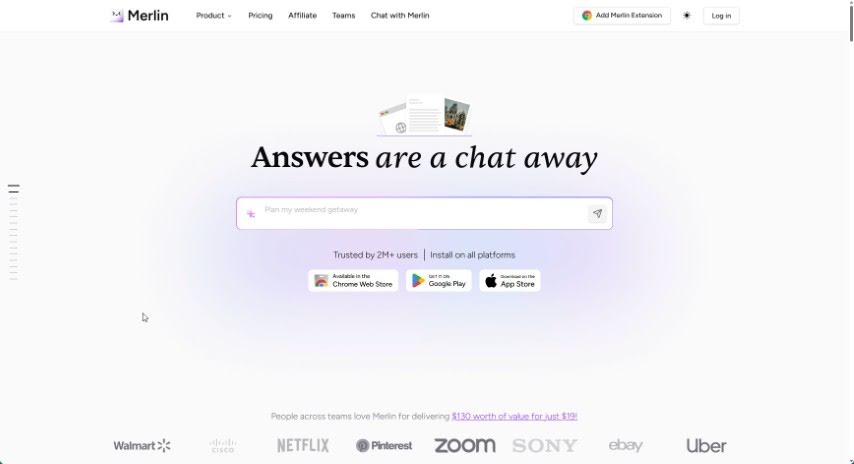
Screenshot of Merlin AI

Merlin AI

Discover what Merlin AI is and how to use it effectively in 2025. We'll explore its features and see how it stacks up against other writing tools.

Screenshot

What is Merlin AI?

Merlin AI is a handy Chrome extension that brings AI power right into your browser. It is your AI assistant, especially when it comes to writing emails, chatting on social media, or quickly getting the gist of a website. It taps into powerful AI models, including OpenAI’s ChatGPT, GPT 4, and others, so you can get AI-generated responses wherever you are online – whether you’re on Google search, watching YouTube, reading blogs, or engaging on platforms like LinkedIn and Twitter. The extension is designed to be super easy to use, with features like shortcuts that work across different websites. Plus, you can try it out for free! You get a daily allowance of 102 queries, letting you experiment with different AI models for writing, summarizing, and even translating.

Who created Merlin AI?

Merlin was actually created by Pratyush Rai, who’s the Co-founder and CEO. He’s got an engineering background and used to work as a business doctor at BCG. The company behind Merlin is called Foyer, and Pratyush started it with Siddhartha Saxena, Sirsendu Sarkar, Puneet Bhatt, and a whole team of folks who handle everything from engineering and product design to marketing and operations.

What is Merlin AI used for?

Merlin AI is pretty versatile! Here are some of the main things people use it for:

  • Summarizing long articles or web pages so you can get the key info fast.
  • Crafting and replying to emails quickly.
  • Generating and understanding computer code.
  • Writing blog posts and articles.
  • Speeding up your email writing process.
  • Helping developers by writing code.
  • Replying to comments on LinkedIn posts.
  • Boosting your online tasks using AI models like GPT-4, GPT-4o, and Claude-3.
  • Making chats more dynamic across different platforms.
  • Saving you time by summarizing blogs and YouTube videos.

Who is Merlin AI for?

Merlin AI is a great tool for a variety of professionals:

  • Content creators
  • Developers
  • Marketers
  • People in marketing roles
  • Those in engineering
  • Customer support teams

How to use Merlin AI?

Merlin is a Chrome extension that essentially brings ChatGPT right into your browser, letting you chat with an AI language model on pretty much any website. Here’s a simple step-by-step guide to get you started:

  1. Installation: First, head over to the Google Chrome store and download the Merlin Chrome extension. It’s a straightforward process.
  2. Accessing ChatGPT: Once it’s installed, you can easily access ChatGPT on any website. Just use the handy shortcut: Ctrl/Cmd + M.
  3. Utilizing Features: Merlin offers a bunch of useful features:
    • Website Summarization: Need to quickly understand a long article or a YouTube video? Merlin can summarize them for you.
    • Writing Assistance: You can use it to quickly edit emails, draft replies for Twitter, create Excel formulas, write blog posts and articles, and generally compose emails much faster.
    • Developer-Friendly Tools: If you’re a developer, Merlin can help you write code and assist with various coding tasks.
  4. Application Options: Merlin works like a virtual assistant right on websites you use daily. You’ll find dedicated buttons for easy access on platforms like Twitter, LinkedIn, YouTube, and Gmail.
  5. Subscription: Merlin offers a free tier that gives you 102 queries every day, which is great for trying out different AI models. You can access top AI models such as GPT 3.5, GPT 4, Claude, Opus, Llama, Mistral, and more.
  6. Team vs. Pro Plans: If you’re working solo, the Merlin Pro plan is a good choice. For teams, there’s Merlin Teams, which offers plans tailored for group use.
  7. Query Usage: Keep in mind that each time you use Merlin, it uses up a certain number of queries. The exact cost depends on the AI model you choose, typically ranging from 1 to 30 queries per use.

By following these steps, you can really make the most of what Merlin has to offer, whether you’re creating content, interacting on social media, or handling other online tasks.

Related AI Tools

Discover more tools in similar categories that might interest you

Stay Updated with AI Tools

Get weekly updates on the latest AI tools, trends, and insights delivered to your inbox

Join 25,000+ AI enthusiasts. No spam, unsubscribe anytime.