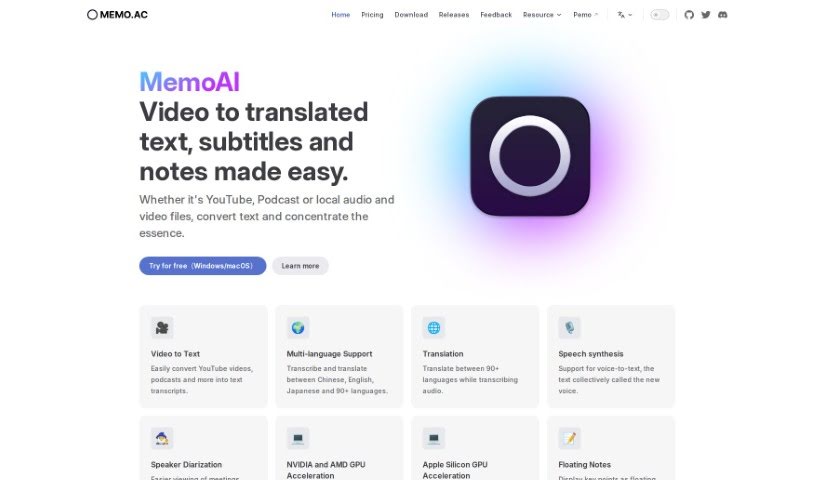
Screenshot of Memo AI

Memo AI

Discover Memo AI in 2025! Learn what this AI transcription tool is, how to use its features, and how it stacks up against other transcription services. We'll cover everything from converting audio to video to AI summarization.

Screenshot

What is Memo AI?

Memo AI is a transcription tool that uses AI technology to turn audio and video files into text. It’s pretty versatile, handling everything from YouTube videos and podcasts to your own local media files. You can use it to transcribe speech, translate between many languages, even have text read aloud with speech synthesis. Plus, it offers handy features like floating pop-up notes to mark important moments, real-time subtitles as you listen, and AI-powered summarization. It’s designed as a user-friendly Windows application, and importantly, all your data stays private because it’s processed offline, right on your device.

Who created Memo AI?

Memo AI was developed by Memo.ac. The tool first launched on September 23, 2023, bringing features like AI transcription, multi-language support, speech synthesis, and AI summarization to users. It makes converting audio and video into text quick and easy, supporting a variety of media formats. You can use it on both Windows and macOS, and it’s built with a focus on data security and privacy, processing everything offline on your computer.

What is Memo AI used for?

Memo AI is great for a bunch of things:

  • Creating subtitles for your videos.
  • Turning audio and video files into text.
  • Taking notes directly from spoken words.
  • Transcribing and translating content across many languages.
  • Converting text into speech using its synthesis feature.
  • Adding floating pop-up notes to highlight key points while audio plays.
  • Viewing real-time subtitles that sync up with the audio.
  • Segmenting and clipping audio for more focused transcription.
  • Customizing AI assistant prompts for tailored responses.
  • Generating smart summaries of your transcripts with AI.

How to use Memo AI?

Getting started with Memo AI is straightforward. Just follow these steps:

  1. Upload Your Content: You can convert various types of content, like YouTube videos, podcasts, or your own local audio and video files, into text transcripts using MemoAI.
  2. Choose Your Language: Memo AI supports transcription and translation in many languages. You can transcribe and translate between Chinese, English, Japanese, and over 90 other languages.
  3. Try Speech Synthesis: Convert text into spoken words using the speech synthesis feature.
  4. Refine Your Transcription: Make it more personal by customizing the AI prompts. You can also use features like floating pop-up notes, real-time subtitles, and clip segmentation for more targeted transcription.
  5. Get AI Summaries: Generate intelligent summaries of your transcripts with Memo AI’s advanced AI technology.
  6. Export Your Files: You can export your work as subtitles, Markdown, or Notion files, with more integrations planned for the future.
  7. Works Everywhere: The tool is compatible with both Windows and macOS, giving you flexibility no matter your operating system.
  8. Keep Your Data Safe: All processing happens completely offline on your device, ensuring your transcription is secure and private.
  9. Special Deals: Look out for discounts for Beta users and special education pricing for teachers and students by reaching out to [email protected].

Memo AI offers a user-friendly interface and powerful transcription capabilities, packed with features to make the whole process smoother and more effective.

Related AI Tools

Discover more tools in similar categories that might interest you

Stay Updated with AI Tools

Get weekly updates on the latest AI tools, trends, and insights delivered to your inbox

Join 25,000+ AI enthusiasts. No spam, unsubscribe anytime.