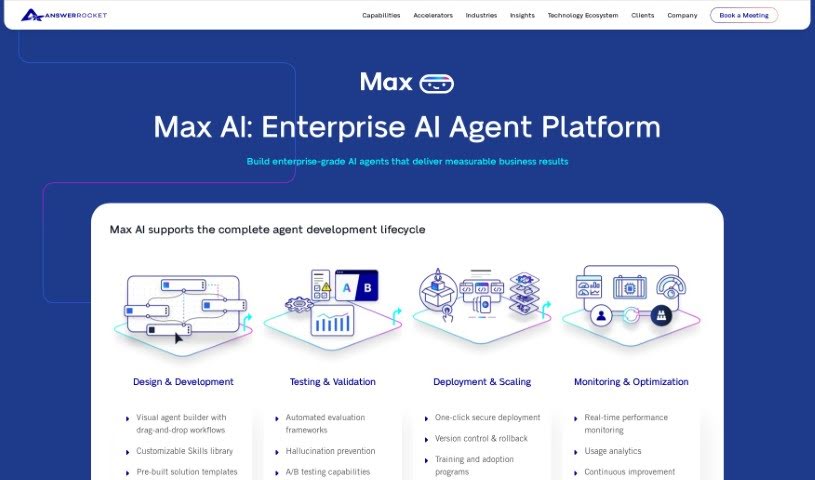
Screenshot of Max

Max

Discover what Max is and how to use it effectively in 2025. We'll explore its features and see how it stacks up against other Data Analytics Tools.

Screenshot

What is Max?

Max is an AI-powered assistant designed to completely change how you work with data. It is your go-to for making data analysis much simpler and faster. It’s built to speed up your data analysis tasks, giving you insights right when you need them and transforming complicated data into easy-to-understand stories. Max uses GPT-3.5 Turbo along with AnswerRocket’s smart analytics tools to quickly sort through data and offer helpful analysis suggestions. You’ll find its interface really easy to use, which makes exploring data and making decisions a breeze. Some of the standout things Max can do include analyzing data up to 10 times faster than usual, really getting to know your specific business and data needs, offering built-in advanced analytics tools, processing data much quicker than a person could, and even suggesting insights you might not have thought of. Essentially, Max is your flexible partner for making decisions based on data, ensuring you always have the information you need close at hand.

Who created Max?

Max, this smart AI data analysis assistant, was actually developed by a team of forward-thinking people at AnswerRocket. AnswerRocket is known for its advanced analytics solutions, and they’ve integrated the powerful GPT-3.5 Turbo technology right into Max. This combination allows Max to offer real-time insights and handle data analysis efficiently. The whole idea behind Max is to understand what specific businesses need, provide helpful analysis suggestions before you even ask, and make the whole data analysis process smoother with its user-friendly design.

What is Max used for?

  • Explore and analyze data 10x faster: Get through your data analysis tasks much more quickly.
  • Understands your business and data: Max is designed to get to know your specific needs.
  • Built-in advanced analytics toolkit: Access a range of powerful tools for deeper analysis.
  • Faster data parsing than humans: Max processes data significantly quicker than manual methods.
  • Proactive insight suggestions: Receive helpful tips and insights you might have missed.

Who is Max for?

  • Data Analysts
  • Business analysts
  • Data scientists

How to use Max?

To get the most out of Max, just follow these simple steps:

  1. Getting Started: First, log in to the Max tool using your credentials. You’ll be greeted by a straightforward, user-friendly interface.
  2. Data Analysis: Jump right into exploring and analyzing your data. Max lets you do this up to ten times faster than you might be used to. Just input your data sets, and Max will quickly provide you with valuable insights.
  3. Business Understanding: Remember, Max is built to understand your specific business needs and the data you’re working with. It customizes its analysis to fit what you need, making it really effective.
  4. Advanced Analytics: Don’t forget to use Max’s built-in advanced analytics toolkit. It offers a variety of tools that allow for thorough data analysis and clear visualizations.
  5. Data Parsing: Max uses AI to quickly sort through large amounts of data, which is much faster and more efficient than how a human analyst would typically do it.
  6. Proactive Insights: Max doesn’t just wait for you to ask questions. It also actively suggests analyses and insights that you might not have considered, helping you dig deeper into your data.
  7. Decision-Making Support: Think of Max as your agile partner for making data-driven decisions. It gives you the information and insights you need to make smart choices that help your business succeed.

By following these steps, you can really make the most of Max. It’ll help you streamline your data analysis and make better decisions based on real-time insights. You’ll love the speed, efficiency, and all the analytical capabilities Max brings to your data exploration.

For more detailed guidance on using the Max tool, please check out the “max.pdf” document.

Related AI Tools

Discover more tools in similar categories that might interest you

Stay Updated with AI Tools

Get weekly updates on the latest AI tools, trends, and insights delivered to your inbox

Join 25,000+ AI enthusiasts. No spam, unsubscribe anytime.