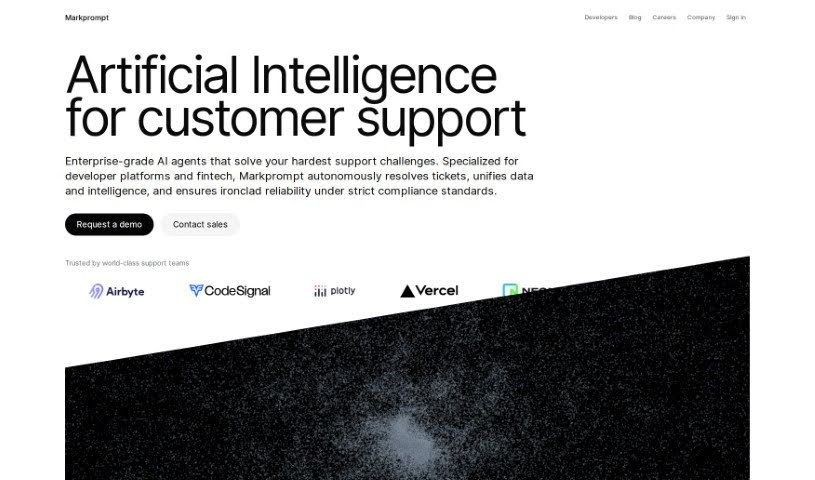
What is Markprompt?
Markprompt is a platform built to help you create AI-powered customer support experiences that fit right into your products. It is a way to build smarter, more integrated customer service. It comes with a bunch of useful features: you can sync your company’s data, use an Assistant IDE to build and manage your AI assistants, keep an eye on how well they’re performing, and even bring your own AI models if you prefer. Plus, it helps you orchestrate workflows, gives you insights and reports, generates content automatically, and connects with tools you already use like Salesforce and Slack. It even allows your support teams to work more independently once things are set up. The goal is to make customer interactions better by taking care of the repetitive stuff, so your team can focus on the human side of support. It’s pretty cool that founders and operators from big names like Vercel, Dropbox, Slack, Replit, Algolia, and Stripe have given it their stamp of approval.
Who created Markprompt?
Markprompt was actually started by a group of founders, including Guillermo Rauch, Arash Ferdowsi, and Cal Henderson, many of whom have backgrounds at well-known companies like Dropbox, Slack, and Algolia. They’re based in San Francisco and their main focus is on building AI-native customer support solutions. Their aim is to really improve how companies interact with their customers and make things run smoother for support teams.
What is Markprompt used for?
Markprompt is a versatile tool that can help with a lot of different customer support tasks:
- Automating Content: It can generate content automatically, which is super helpful.
- Building New Experiences: You can create completely new AI-driven customer support experiences that feel really integrated.
- Data Sync: It syncs with your company’s data, so the AI has the right information to work with.
- Assistant IDE: This is a central place to create, test, manage different versions, compare, and deploy your AI assistants.
- Performance Monitoring: You can keep track of how your AI is doing with regular LLM evaluations.
- Bring Your Own Model: If you have your own AI model, even one you host yourself, you can use it with Markprompt.
- Workflow Orchestration: It lets you set up multi-step workflows for the AI to handle.
- Insights & Reporting: Get a clear picture of your AI’s performance.
- Content Generation & Gap Identification: It automatically creates content and points out where your knowledge base might be missing something.
- Tool Integrations: It connects with popular tools like Salesforce, Zendesk, Slack, and many others.
- Support Tasks: It can help with things like suggesting what to do next, drafting replies, sorting tickets, and managing knowledge.
- Connecting Data: You can connect any of your company’s data to give your AI a solid foundation.
- Centralized Assistant Management: Create, test, version, compare, and deploy assistants all from one spot.
- Ensuring Quality: Run LLM evaluations systematically to make sure your AI doesn’t get worse over time.
- AI Agents for Workflows: Connect APIs and let AI agents plan and carry out multi-step workflows.
- Performance Insights: Get detailed reports to really understand how your AI is performing.
- Improving Knowledge: Automatically generate content to find and suggest improvements for knowledge gaps.
- Broad Integrations: Works with Salesforce, Zendesk, Slack, Discord, Raycast, and more.
- Actionable Suggestions: It can suggest the next best steps to resolve customer issues.
- Ticket Management: It can triage incoming tickets and assign them to the right agents automatically.
- Data Grounding: Sync your data to ensure your AI is always working with the most current information.
- All-in-One IDE: Create, test, version, compare, and deploy assistants from a single, convenient place.
- Systematic LLM Checks: Monitor performance by running LLM evaluations consistently.
- AI-Powered Workflows: Connect APIs and let AI agents plan and execute complex, multi-step workflows.
- Deep Performance Understanding: Get detailed insights and reports to truly grasp your AI’s performance.
- Proactive Improvement: Automatically generate content to identify knowledge gaps and suggest ways to fill them.
- Wide Range of Integrations: Connects with Salesforce, Zendesk, Slack, Discord, Raycast, and many other platforms.
- Response Drafting: Helps draft responses and create summaries for customer cases.
- Beyond Chat: Build engaging customer experiences that go beyond just a simple chat window.
Who is Markprompt for?
Markprompt is designed for several key groups:
- Support Teams: Anyone working directly with customers.
- Customer Support Teams: Specifically, the departments focused on customer service.
- Developers: Those who build and maintain software and infrastructure.
- AI Infrastructure Teams: Teams responsible for managing and deploying AI systems.
How to use Markprompt?
Getting started with Markprompt involves building those AI-native customer support experiences. Here’s a breakdown of the key steps:
- Setting Up Your AI Infrastructure:
- First, connect your company’s data. This is crucial for grounding the AI so it has the right context.
- Then, dive into the Assistant IDE. This is where you’ll create, test, and eventually deploy your assistants.
- Don’t forget to monitor performance. Regularly running LLM evaluations will help you see how well your AI is doing.
- Choosing Your Model:
- You have the flexibility to pick the best AI model for each task. This even includes using models you host yourself.
- Orchestrating Workflows:
- Connect your APIs to allow AI agents to plan and execute multi-step workflows.
- Getting Insights and Reports:
- Use the reporting features to get a deep understanding of how your AI is performing.
- Automating Content Creation:
- Let the system proactively identify knowledge gaps and suggest improvements.
- Integrating Your Tools:
- Connect Markprompt with platforms you already use, like Salesforce, Zendesk, Slack, and others.
- Enabling Support Team Autonomy:
- Once everything is deployed and running smoothly, your support team can operate more independently.
- Exploring Additional Features:
- Take advantage of other helpful features like getting suggested actions, drafting responses, triaging tickets, managing knowledge, assigning tasks, and tracking detailed metrics.
- Meeting Enterprise Needs:
- Markprompt is built to handle enterprise requirements, offering features like encryption, access control, a dedicated account manager, and adherence to best practices.
- Collaboration and Support:
- Markprompt works alongside you, partnering to effectively build these AI-powered support experiences.
Remember, the goal when adding AI to customer support is to make interactions better and boost efficiency. This frees up your teams to focus on more meaningful customer engagements. By using Markprompt, you can really streamline your support processes and improve how satisfied your users are.