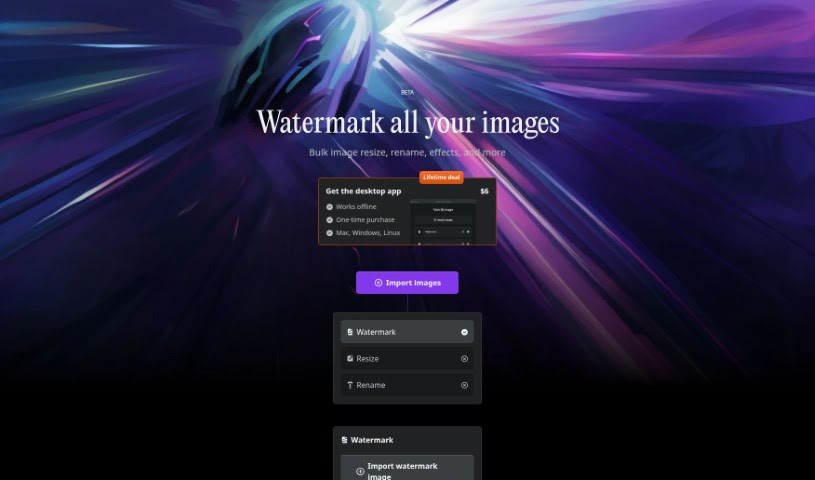
Screenshot of Mark My Images

Mark My Images

Discover Mark My Images in 2025! Learn what this tool does, how to use its features for watermarking and image processing, and see how it stacks up against other photo editors.

Screenshot

What is Mark My Images?

MarkMyImages is a really handy tool built to boost your online presence. Its main job is to protect your digital photos by letting you add your own personalized watermarks. It’s super user-friendly, allowing you to watermark lots of images at once. Plus, you can resize them, rename them, and even add special effects. What’s great is that it all happens right on your computer, so it’s faster and keeps your images private. The desktop app costs a one-time fee of $6 and works on Mac, Windows, and Linux, meaning you can use it even without an internet connection. MarkMyImages uses your computer’s graphics card (GPU) for rendering and modern tech like WebAssembly to make watermarking and image editing super efficient. Hugo, the creator, built it using Svelte, specifically for creative folks who need things done quickly and securely.

Who created Mark My Images?

Mark My Images was created by Hugo, who is also the founder of the platform. Hugo developed this tool specifically for people who need to add personalized watermarks to their images in large batches. It’s designed for efficient processing, making good use of GPU rendering and WebAssembly technology. You can get the desktop app for Mac, Windows, or Linux, which means you can use it offline. It’s a one-time purchase, costing just $6.

What is Mark My Images used for?

Mark My Images is a versatile tool that helps you with several key tasks:

  • Bulk Watermarking: Easily add your custom watermarks to many images all at once.
  • Image Processing Tools: You can resize, rename, and apply various effects to your images in batches, saving you a lot of time.
  • Offline Desktop App: Get the desktop version for Mac, Windows, or Linux so you can work on your images anytime, anywhere, without needing an internet connection.
  • Fast and Private Processing: Because it processes everything locally on your device, using your GPU, it’s both quick and keeps your files secure.
  • Utilization of Modern Technology: It’s built using up-to-date technologies like WebAssembly, ensuring it runs smoothly and efficiently.
  • Digital Content Protection: Safeguard your photos and artwork from unauthorized use.
  • Personalized Watermarking: Create and apply watermarks that reflect your brand or style.
  • Bulk Image Processing: Handle multiple image tasks simultaneously.
  • GPU Rendering Technology: Benefit from faster processing speeds thanks to your computer’s graphics card.
  • Desktop Image Tool: A dedicated application for your computer to manage your images.

Who is Mark My Images for?

This tool is perfect for a wide range of creative professionals and anyone who works with digital images regularly:

  • Creators looking to protect their work.
  • Photographers who need to watermark their portfolios.
  • Designers and Graphic designers managing client assets.
  • Artists wanting to brand their creations.
  • Content creators publishing images online.
  • Digital marketers ensuring brand consistency.
  • Brands that need to protect their visual identity.
  • Professionals who frequently use image processing tools.
  • Digital artists showcasing their work.

How to use Mark My Images?

Using Mark My Images is straightforward. Here’s a quick rundown of how to get the most out of it:

  1. Bulk Watermarking: Start by easily adding your personalized watermarks to a whole batch of images simultaneously. It’s a real time-saver!
  2. Image Processing Tools: Beyond watermarking, you can also resize your images, rename them in bulk, and apply various effects to make them look just right, all in one go.
  3. Offline Desktop App: If you prefer working offline or want the most robust experience, you can purchase the desktop app. It’s available for Mac, Windows, or Linux, giving you the flexibility to use it wherever you are.
  4. Fast and Private: You’ll love how quickly it works because it processes everything locally on your device, using your GPU. This also means your images stay private and aren’t uploaded anywhere.
  5. Modern Technology: The app is built with cutting-edge technologies like WebAssembly, which helps ensure it runs smoothly and efficiently for the best possible performance.

Pricing: You can get the desktop app for a one-time purchase of just $6. That gives you lifetime access to all its features.

Honestly, Mark My Images is a fantastic solution if you need to protect your digital content with custom watermarks while also making your image processing tasks much more efficient and secure. It’s really designed for creators who care about both speed and keeping their work safe.

Related AI Tools

Discover more tools in similar categories that might interest you

123RF AI Image Generator

Creative Image Generation
Learn More

Stay Updated with AI Tools

Get weekly updates on the latest AI tools, trends, and insights delivered to your inbox

Join 25,000+ AI enthusiasts. No spam, unsubscribe anytime.