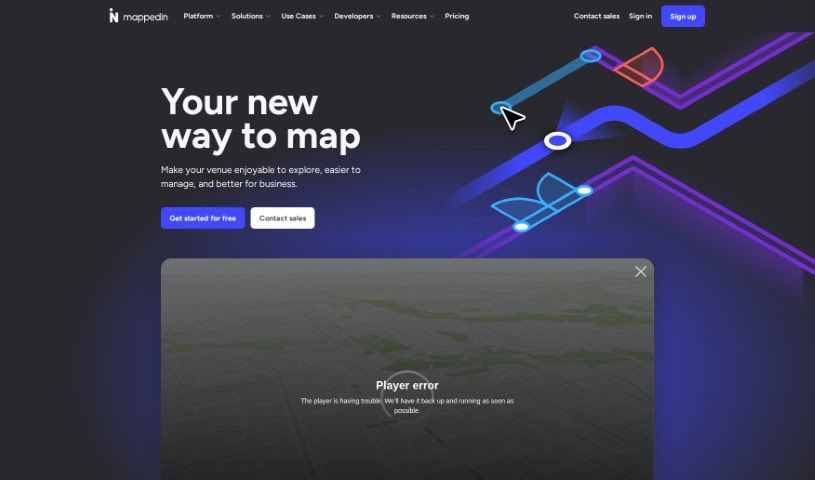
Screenshot of Mappedin

Mappedin

Discover Mappedin in 2025! Learn what this AI-powered indoor mapping tool is, how to use its features for detailed venue maps, and how it stacks up against other project management tools.

Screenshot

What is Mappedin?

Mappedin is a really user-friendly tool that uses AI to help you create detailed, accurate indoor maps. Think schools, malls, offices – anywhere with indoor spaces. It’s designed to make mapping easy, even for complex venues. One of its standout features is AutoMap, which helps place objects automatically, saving you a lot of manual work. You also get an interactive 3D map viewer and robust editing tools. Specifically, Mappedin Maker is built with safety in mind, making it simple to pinpoint crucial safety elements like emergency exits and fire extinguishers on your maps. The AI assists throughout the map creation process, offering features like that automatic object placement and the 3D viewing. You can upload existing floor plans, tweak them, connect different areas, move points of interest, and then export your finished maps in various formats. For emergency response, Mappedin Maker is a real asset, providing detailed, up-to-date maps that can significantly help first responders navigate venues more effectively during critical situations.

Who created Mappedin?

Mappedin first launched on September 24, 2023. The company was actually founded by Michael J. Fagel, Ph.D. Mappedin is based in Waterloo, Ontario, and it’s really become a leading platform for managing indoor spatial data. They focus on digitizing venues and creating top-notch indoor mapping experiences that are used across many different industries all over the world.

What is Mappedin used for?

  • You can create maps right from an iOS app.
  • It takes your existing floor plans and turns them into digital maps.
  • You can easily edit the maps yourself.
  • It helps with placing safety elements automatically.
  • It makes digital wayfinding possible, so people can find their way around easily.
  • The maps support responsive design, meaning they look good on any device.
  • You can embed maps into your own applications using an API.
  • It can integrate with emergency response departments, which is a huge plus.
  • If you don’t have a floor plan, you can create maps from scratch using Mappedin Maker.
  • It’s great for digitizing all sorts of indoor spaces.

Who is Mappedin for?

  • Educators and students will find it useful.
  • First-response organizations, like firefighters, can really benefit.
  • Academic institutions, including K-12 schools, can use it for campus mapping.
  • Critical Infrastructure Analysts.
  • First-responders in general.
  • Firefighters.
  • Academic institutions.

How to use Mappedin?

Getting started with Mappedin Maker is pretty straightforward. Here’s a simple breakdown:

  1. First, sign up for Mappedin’s free plan. This gives you access to the platform and all its cool features.
  2. Next, upload a floor plan or any image of the indoor space you want to map.
  3. Then, take advantage of the AI features to automatically generate and edit your maps. It really speeds things up!
  4. After that, you can add more details like specific features, labels, and other content to make your map even richer and more informative.
  5. Sharing your interactive 3D maps is easy – you can do it across different formats and devices.
  6. Remember to keep your maps updated. You can continuously manage and update them with the latest information.
  7. If you prefer to start completely fresh, without any existing floor plan, you can use the Mappedin Maker app for iOS to create a map from the ground up.
  8. Don’t forget to explore the other features, like the automated object placement, the interactive 3D map viewer, and all the map editing tools available.
  9. You can export your maps in various formats, which is handy for offline use or for publishing them for wayfinding purposes.
  10. Finally, just enjoy how user-friendly and intuitive the Mappedin Maker interface is. It makes creating and customizing maps efficient and pleasant.

Mappedin Maker really simplifies the whole process of indoor map creation. It does this by using AI technology, offering intuitive tools, and focusing on important safety elements, making it accessible and super useful for all sorts of indoor mapping needs.

Related AI Tools

Discover more tools in similar categories that might interest you

Stay Updated with AI Tools

Get weekly updates on the latest AI tools, trends, and insights delivered to your inbox

Join 25,000+ AI enthusiasts. No spam, unsubscribe anytime.