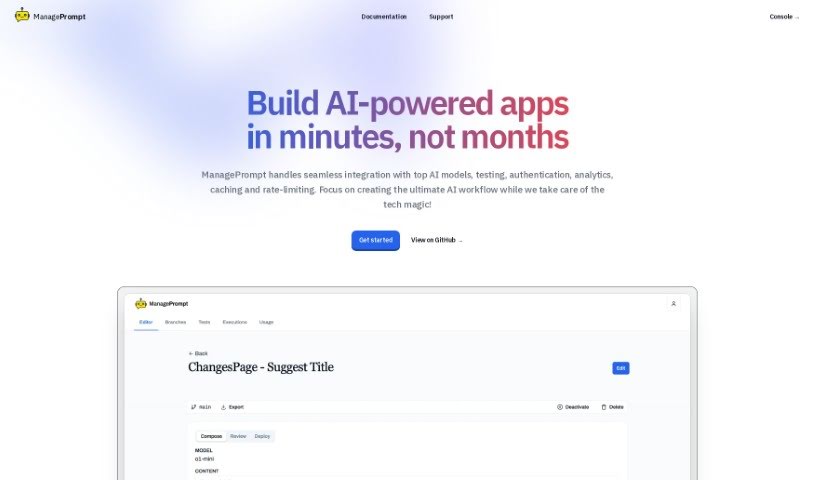
Screenshot of Manageprompt

Manageprompt

Discover what ManagePrompt is and how to use it to speed up your AI projects in 2025. We'll cover its features, who created it, and how it stacks up against other project management tools.

Screenshot

What is ManagePrompt?

ManagePrompt is a platform built to help you speed up and simplify your AI projects. It is your all-in-one toolkit that also handles all the complicated backend stuff. This way, you can really focus on what matters most: your main goals and those brilliant, innovative ideas you have. The platform gives you access to a variety of AI models from big names like OpenAI, Meta, Google, and Mixtral. Plus, it’s got built-in security to filter out any harmful requests, ways to make your workflows smoother by easily tweaking prompts and updating models, and a straightforward pay-as-you-go billing system – no surprises there! You can even work with a team of up to five people. On top of that, you get extra free AI tools for things like proofreading, summarizing text, and even colorizing old photos. It’s all about making your AI projects easier to get off the ground and run smoothly.

Who created ManagePrompt?

ManagePrompt was developed by a team who really wanted to help speed up AI projects. Their goal was to provide all the essential tools and manage the tricky backend infrastructure, freeing users up to concentrate on innovation. The platform offers features like workflow optimization, robust security controls, and access to multiple AI models from leading developers such as OpenAI, Meta, Google, and Mixtral. ManagePrompt uses a simple pay-as-you-go billing structure, meaning you only pay for what you use with no hidden fees. It also supports team collaboration, allowing up to five members per organization to work together. You’ll also find additional free AI tools available for tasks like proofreading, summarizing text, and colorizing photos. This platform first launched on January 16, 2024.

What is ManagePrompt used for?

ManagePrompt is incredibly useful for a range of AI-related tasks:

  • Speeding up AI projects: It gives you the tools you need and handles the backend infrastructure, so you can move faster.
  • Access to top AI models: You get to use models from well-known developers like OpenAI, Meta, Google, and Mixtral.
  • Easy workflow adjustments: The workflow feature lets you quickly change prompts, update models, and see those changes implemented right away.
  • Enhanced security: It includes security controls designed to filter out malicious requests, making the platform more reliable.
  • Economical ‘Pay as You Go’ billing: You’re only charged for the tokens you actually use, with no hidden fees. The system calculates charges per 1,000 tokens, which is roughly equivalent to 750 words.
  • Team collaboration: Up to five members can collaborate within a single organization.
  • Free bonus AI tools: You can use extra tools on the website for tasks like proofreading, summarizing text, and colorizing photos.
  • Streamlined project deployment: It helps get your projects out the door faster by making it easy to use different AI models and offering unique workflow features for prompt modifications and updates.
  • Boosting AI innovation: By managing the backend, providing various AI models, and allowing quick prompt changes, it helps you innovate more effectively.
  • Flexible model usage: It makes it easy to deploy projects by letting you use multiple AI models flexibly.
  • Swift prompt and model updates: The workflow features allow for quick modifications and updates, leading to instant delivery of your changes.
  • Focus on your goals: By handling the backend infrastructure, it lets you concentrate on your main objectives and creative ideas.
  • Cost-effective solution: The ‘Pay as You Go’ billing with no hidden charges makes it an economical choice.
  • Email support: You can get help via email if you have any questions or run into issues.
  • Efficient AI workflow management: It helps you build, deliver, and manage your AI workflows efficiently.

Who is ManagePrompt for?

ManagePrompt is a great tool for anyone involved in AI projects, including:

  • AI developers
  • Project managers
  • Innovators
  • Researchers
  • Data scientists
  • AI project managers
  • AI researchers
  • AI engineers

How to use ManagePrompt?

Here’s a simple guide to get the most out of ManagePrompt:

  1. Sign Up: Start by signing up on the ManagePrompt platform using your email address.
  2. Access AI Models: You’ll get access to a variety of AI models from developers like OpenAI, Meta, Google, and Mixtral.
  3. Modify and Update: Use the workflow feature to easily modify your prompts, update models, and implement changes quickly for instant results.
  4. Stay Secure: Take advantage of the security controls that filter and limit malicious requests, helping to keep your work reliable.
  5. Smart Billing: Make use of the ‘Pay as You Go’ billing system. It’s an economical way to use tokens, as you only pay for what you consume.
  6. Collaborate: Work together with your team; the platform supports collaboration for up to five members per organization.
  7. Explore Free Tools: Check out the additional free AI tools available on the website. They’re great for tasks like proofreading, summarizing text, and colorizing photos.
  8. Maximize Project Success: Utilize ManagePrompt’s strengths: its backend infrastructure management, seamless integration with renowned developers, workflow optimization, strong security features, and instant updates. These all contribute to successful project deployment.
  9. Get Support: If you have any questions or run into any issues, you can reach out for email support.

By following these steps, you’ll be well on your way to making the most of ManagePrompt’s features and excelling in your AI projects efficiently.

Related AI Tools

Discover more tools in similar categories that might interest you

Stay Updated with AI Tools

Get weekly updates on the latest AI tools, trends, and insights delivered to your inbox

Join 25,000+ AI enthusiasts. No spam, unsubscribe anytime.