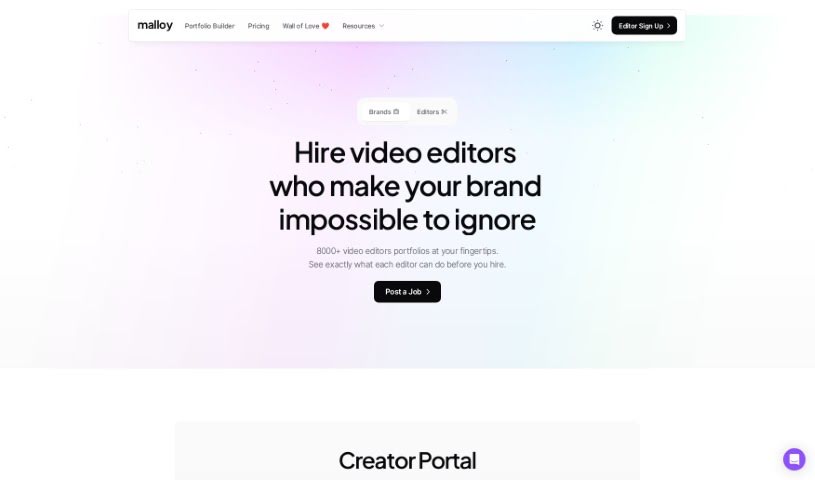
Screenshot of Malloy

Malloy

Discover what Malloy is and how to use it effectively in 2025. We'll explore its features, compare it to other transcription tools, and show you exactly how to get started.

Screenshot

What is Malloy?

Malloy is a platform designed to make your life easier, especially when it comes to video transcription. It is your go-to tool for turning spoken words into text with impressive accuracy. It really digs into the nuances of language, meaning it gets what people are saying, even with slang, different accents, or industry-specific terms. You can also make manual corrections, which helps ensure the transcript truly captures the essence of your content. It’s built to be user-friendly, streamlining your workflow and saving you valuable time. Plus, it’s known for being cost-effective and has a high customer satisfaction rate. They even offer a trial with no strings attached, so you can see for yourself how it works.

However, it’s not perfect. Right now, you won’t find collaboration features built-in, and the details on security measures aren’t super clear. There are also some unstated limits on what you can upload, and it doesn’t currently support multiple languages, mobile apps, or other media types. Information about API integration, offline use, and specific turnaround times isn’t readily available either.

Who created Malloy?

Steve Grace, the Founder of The Nudge Group, is the mind behind Malloy. He launched the platform on October 24, 2023. Malloy offers a suite of services aimed at content creators. You can get videos transcribed with high accuracy, and it even helps you find specific segments within those transcripts. It also has a ‘Hook Detection’ feature, which is pretty neat for spotting parts of your video that might go viral. Plus, you can add feedback directly to specific timestamps, making communication about changes much smoother. It’s essentially an all-in-one platform, providing a complete ecosystem of tools to simplify your content creation and editing process. They also offer services like end-to-end script writing, branded thumbnails and outros, and help with content distribution and scheduling. It’s designed for professionals who want to streamline their workflow and save time, offering fully remote recording capabilities and a user-friendly interface.

What is Malloy used for?

Malloy is a versatile tool that helps in several key areas:

  • Streamlines workflow: It makes your content creation process much smoother.
  • High customer satisfaction: Users generally have a great experience with it.
  • AI Transcription: This feature automatically transcribes your videos, making it super easy to find specific segments you might want to use.
  • Hook Detection: It helps you identify parts of your video that are likely to grab attention and potentially go viral, which is great for promoting your content.
  • Interactive Reviews: You can add feedback directly to specific timestamps, which is really helpful for communicating changes or notes.
  • All-in-one Platform: It offers a complete set of tools, creating a whole ecosystem to simplify your content creation and editing.
  • High accuracy video transcriptions: Get accurate text from your videos.
  • Deep understanding of language nuances: It gets the subtle meanings in what’s being said.
  • Identify potential errors: Helps you spot mistakes in the transcription.
  • Contextualizes transcriptions: Puts the transcribed text into the right context.
  • AI Transcription for easy clipping: Transcribe videos automatically to easily find and clip specific segments.
  • Hook Detection for content promotion: Quickly find viral-potential segments for effective promotion.
  • Interactive Reviews for feedback: Add feedback to specific timestamps to communicate changes easily.
  • Phrase correction feature: Fixes specific phrases if they’re transcribed incorrectly.
  • Provides accurate alternatives: Offers better word choices when needed.
  • Economical solution: It’s a cost-effective way to handle your transcription needs.
  • Captures true essence of content: Ensures the final transcript reflects the original meaning.
  • Correction of misinterpretations: Fixes instances where the system might have misunderstood something.
  • Understands industry-specific terminologies: It’s trained on specialized language.
  • Understands slang and accents: Handles various ways people speak.
  • Easy transcription steps: The process is straightforward.
  • Allows manual corrections: You have the final say and can edit it yourself.

Who is Malloy for?

Malloy is primarily designed for:

  • Video editors
  • Content professionals

How to use Malloy?

Getting the most out of Malloy is pretty straightforward. Here’s a simple guide:

  1. Sign Up: Start by creating a free account on the Malloy platform. It’s a no-strings-attached trial, so you can explore without commitment.
  2. Explore Features: Once you’re in, dive into the platform. You’ll find features like highly accurate video transcriptions, a deep understanding of language nuances, and tools to help you spot potential errors.
  3. Manual Corrections: Don’t hesitate to use the manual correction options. This is key to making sure the transcriptions are exactly how you need them.
  4. Save Time: Take advantage of the time-saving features. Malloy helps contextualize transcriptions, which is a huge help for professionals looking to be more efficient.
  5. User-Friendly Navigation: The platform is designed to be easy to use. Enjoy the simple navigation that makes transcribing videos accurately a breeze.
  6. Streamlined Workflow: Make the most of the streamlined workflow, the handy phrase correction feature, and the accurate alternatives Malloy provides.
  7. Economical Solution: Use this cost-effective tool to capture the true essence of your content while keeping its integrity intact.
  8. Understand Specifics: Benefit from Malloy’s ability to understand industry-specific terms, slang, and various accents.
  9. Review and Collaborate: Review any errors and corrections. If you need to work with others on the transcript, you can do that too.
  10. Get More Help: Check out the FAQ section for answers to common questions. You might even consider joining the affiliate program for extra perks.

By following these steps, you’ll be well on your way to using Malloy for accurate, efficient video transcriptions, ultimately saving you time and ensuring your content is always spot on.

Related AI Tools

Discover more tools in similar categories that might interest you

Stay Updated with AI Tools

Get weekly updates on the latest AI tools, trends, and insights delivered to your inbox

Join 25,000+ AI enthusiasts. No spam, unsubscribe anytime.