20Paths
Productivity Documentation
Learn more
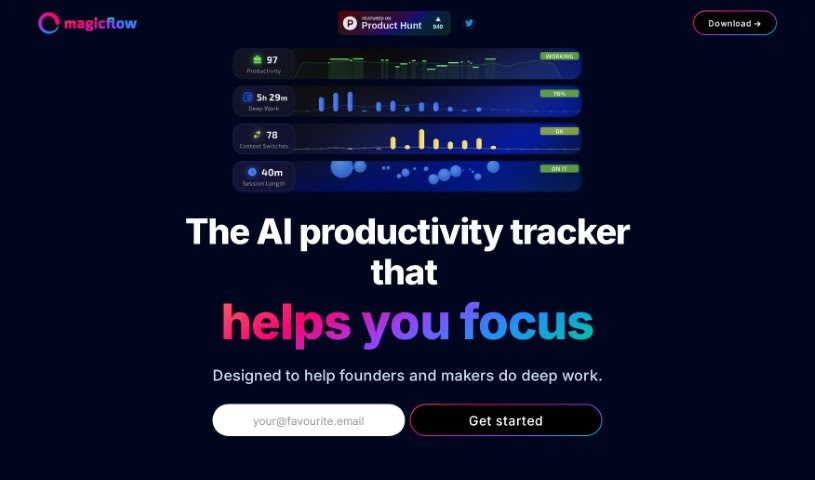
Discover what Magicflow is, an AI productivity tracker that helps founders and makers achieve deep work with real-time stats, timers, and distraction
Magicflow is an AI-powered tool designed to help founders and makers focus and get into deep work. It goes beyond a simple time tracker: it provides practical insights, shows your productivity in real time, and offers tips on how to improve it. You can review how you work, identify what’s distracting you, and adjust your schedule accordingly.
Features include live timers for focus sessions, Pomodoro timers for structured work breaks, warnings when you’re getting distracted, and a glowing meter that shows when you’re in the zone. Users report that it helps them achieve a state of flow and stay focused on their goals.
Magicflow was started by a founder who was in the pre-seed stage of their own company. Initially, the tool focused on students, and discounts were offered to those facing hardship. Today, the company provides this AI productivity tracker to help founders and makers do deep work through real-time productivity stats, actionable advice, live timers, distraction analysis, and a visual flow meter.
You can sign up on the Magicflow website for a free 30-day trial and start tracking your time immediately, with instant feedback on your productivity metrics. If you find it useful, the Pro version adds more advanced features, including automatic time tracking, weekly and monthly reports, and a complete history of your productivity data. Pro costs $8 per month or $15 annually.
To get the most out of the tool, review the suggested focus actions, use the live flow timers, Pomodoro timers, and distraction warnings, and dig into your work patterns to spot distractions and adjust your daily schedule. The goal is to fill the visual flow meter with focused work sessions. More details on pricing, along with tags for productivity tracking, deep work, context-switches, and workflow optimization, are available on their website.
Related
Discover more tools in similar categories
Weekly picks of the best AI tools we've researched and added — no spam, unsubscribe anytime.
Join 25,000+ AI enthusiasts. No spam, unsubscribe anytime.