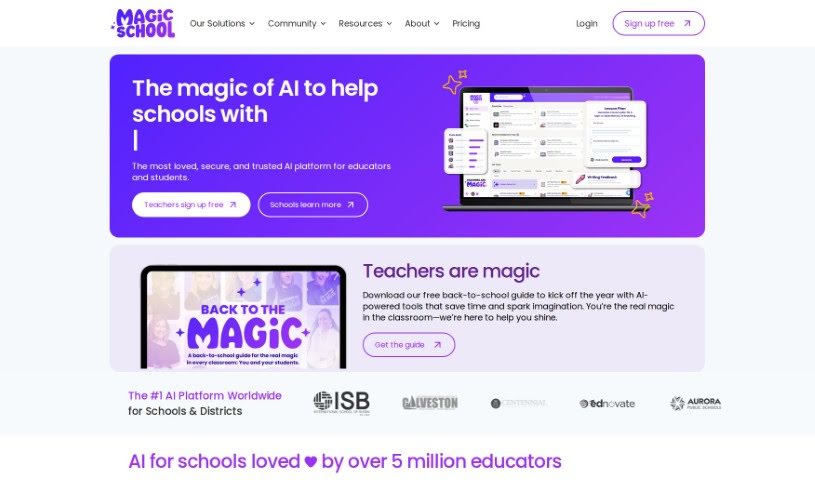
Screenshot of Magic School AI

Magic School AI

Discover what Magic School AI is and how educators can use it to transform teaching in 2025. We'll explore its features, compare it to other teacher tools, and show you exactly how to get started.

Screenshot

What is Magic School AI?

MagicSchool.ai is a really handy AI tool built specifically for teachers. It’s designed to make your teaching life easier and your classroom experience better. It is your AI assistant for all sorts of tasks. It offers a whole bunch of features, like helping you plan lessons super efficiently, making it easier to tailor your teaching to different students, creating assessments, and even putting together Individualized Education Programs (IEPs). Plus, it helps you communicate clearly with students and parents, generate fresh educational content, adapt materials to what each student needs, give feedback that actually helps them learn, and it’s all done with a strong focus on keeping things safe and private.

The platform really prioritizes students, making sure it’s easy for them to use and that their privacy is protected with strict security measures. Teachers love MagicSchool.ai because it saves them so much time, helps prevent that dreaded burnout, supports sustainable teaching practices, and builds up AI skills for everyone involved. You’ll find over 70 different AI tools just for educators, and more than 40 responsible AI tools for students to explore. It’s also super easy to navigate, comes with great training materials, and can connect with your existing Learning Management Systems (LMS) for a smooth setup.

Who created Magic School AI?

MagicSchool.ai was developed by a company called Magic School, Inc. They launched it on July 5, 2024, with a clear mission: to provide AI tools made just for educators to really boost their teaching methods. MagicSchool.ai offers features that help with things like planning lessons, adapting instruction for different learners, creating assessments, and putting together those important Individualized Education Programs (IEPs). The main goal here is to give teachers back their time, help them avoid burnout, and encourage more sustainable teaching by automating tasks and making communication with students and parents a breeze.

What is Magic School AI used for?

Magic School AI is incredibly versatile for educators. Here’s a breakdown of what it can do:

  • Make lesson planning a snap: Get help creating engaging and effective lesson plans quickly.
  • Differentiate instruction: Easily adapt your teaching methods and materials to suit the diverse needs of all your students.
  • Write assessments: Craft clear, fair, and insightful assessments to gauge student understanding.
  • Create IEPs: Streamline the process of developing personalized Individualized Education Programs.
  • Improve communication: Foster clearer connections between teachers, students, and parents.
  • Generate original content: Produce unique educational materials that align with curriculum standards and student interests.
  • Tailor content: Customize learning materials to meet the specific needs of individual students.
  • Provide meaningful feedback: Offer timely and constructive feedback that helps students learn and grow.
  • Support scaffolding tools: Get help creating supportive structures for learning.
  • Enable assignment scaffolding: Break down assignments into manageable steps.
  • Offer prompt input categories: Guide your AI interactions with helpful categories for prompts.

Who is Magic School AI for?

This tool is designed with educators in mind:

  • Teachers
  • Educators

How to use Magic School AI?

Ready to make the most of MagicSchool.ai? Here’s a simple guide to get you started:

  1. Sign Up: First things first, head over to the MagicSchool.ai website. You’ll need to register for an account to unlock all the AI-powered teaching tools.
  2. Lesson Planning & Assessments: Dive into using the platform for your lesson planning. You can also explore its capabilities for differentiated instruction and creating creative assessments.
  3. IEP Creation: Take advantage of the tools to design personalized Individualized Education Programs (IEPs) that truly cater to each student’s unique requirements.
  4. Communication Hub: Use the platform’s features to make communication between teachers, students, and parents much clearer and more effective.
  5. Generate Original Content: Need something new? Create original educational content that fits your curriculum and your students’ needs.
  6. Deliver Great Feedback: Provide feedback that’s not just timely but also meaningful, helping students improve more quickly.
  7. Trust in Safety & Privacy: You can feel confident knowing the platform follows FERPA and COPPA regulations, ensuring your data and your students’ data are private and secure.
  8. Explore Multilingual Support: MagicSchool.ai can help you write across different languages, which is fantastic for diverse classrooms.
  9. Use the Text Leveler: Need to adjust reading levels? This feature lets you adapt content quickly for students with varying abilities.
  10. Get Multiple Explanations: Complex concepts can be tricky. Use the tool to get explanations from different angles, which really helps students grasp the material.

By following these steps, you can really harness the power of AI to make your teaching more effective, save valuable time, and create personalized learning experiences that benefit every student.

Related AI Tools

Discover more tools in similar categories that might interest you

Academic Help Free Essay Generator

Education Academic Writing
Learn More

Stay Updated with AI Tools

Get weekly updates on the latest AI tools, trends, and insights delivered to your inbox

Join 25,000+ AI enthusiasts. No spam, unsubscribe anytime.