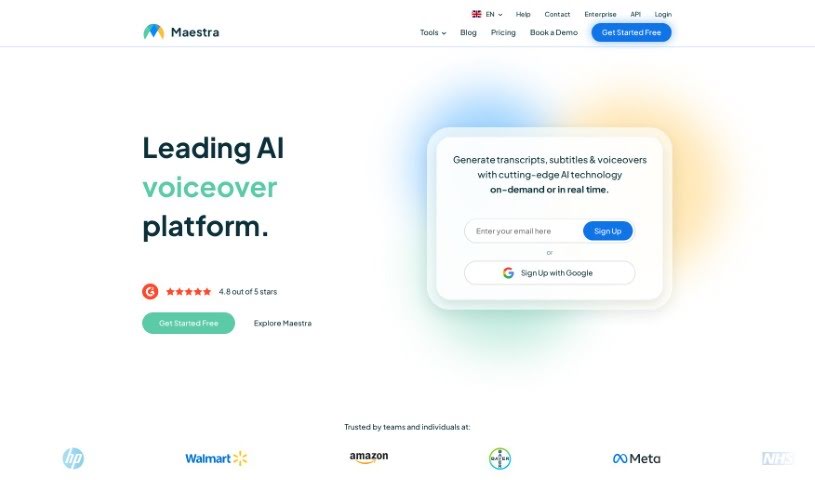
Screenshot of Maestra AI

Maestra AI

Discover what Maestra AI is and how to use it effectively in 2025. We'll explore its features and see how it stacks up against other voice generators.

Screenshot

What is Maestra AI?

Maestra AI is a really smart artificial intelligence platform built to help businesses run more smoothly. It is a powerful AI tool that can analyze your operations, automate tasks, and help you make better decisions. It uses machine learning to give you predictions and insights, so your company can make choices based on solid data, leading to better efficiency and results. Plus, it’s designed to be easy to use and can be adjusted for your specific needs. This makes Maestra AI a great fit for all sorts of industries, helping them simplify how they work, spot important trends, and ultimately grow their business. In short, Maestra AI helps organizations really make the most of their data and stay ahead of the curve.

Who created Maestra AI?

Xavier Sillon founded Maestra AI. The company provides robust API integrations and custom packages for businesses that need AI transcription, translation, and dubbing. These tools are designed to automate workflows and make teamwork much smoother.

What is Maestra AI used for?

  • You can automatically create subtitles in pretty much any format you need.
  • It offers text-to-speech with a variety of AI-generated voices to choose from.
  • Get accurate audio transcribed into text in just seconds.
  • There’s a time-saving editor that makes it easy to tweak your transcripts.
  • You can edit captions and voiceovers in multiple languages.
  • Editing your automatically generated transcripts is straightforward.
  • It helps you proofread and edit captions and voiceovers across different languages.
  • You can set up team channels for easier collaboration.
  • Switching between captions, transcripts, and voiceovers is a breeze.
  • Your accounts can be accessed and shared across multiple devices.

Who is Maestra AI for?

  • Data Analysts
  • Business Strategists
  • Project Managers
  • Operations Managers
  • Marketing Specialists
  • Financial Analysts
  • IT Professionals
  • Product Managers
  • Human Resources Managers
  • Consultants

How to use Maestra AI?

Here’s a simple guide to using Maestra AI effectively:

  1. Accessing Features:
    • Maestra AI provides tools for editing subtitles and voiceovers. You can also use it for summarizing content, generating chapters, analyzing sentiment, and extracting keywords.
  2. Summarization:
    • Use this feature to make your content clearer, which can really boost your YouTube videos.
  3. Chapter Generation:
    • Adding chapters helps organize your content better and makes it easier for viewers to navigate.
  4. Sentiment Analysis:
    • Want to know how your audience feels? Use Maestra AI’s sentiment analysis to find out.
  5. Keyword Extraction:
    • Pull out important keywords to improve your search engine optimization (SEO) and make your content easier to find.
  6. Identical Voice Cloning:
    • You can even clone your own voice and speak in 29 different languages with incredibly accurate voice cloning.

By following these steps, you’ll be able to get the most out of Maestra AI’s many features, making your content creation and optimization process much more efficient.

Related AI Tools

Discover more tools in similar categories that might interest you

Stay Updated with AI Tools

Get weekly updates on the latest AI tools, trends, and insights delivered to your inbox

Join 25,000+ AI enthusiasts. No spam, unsubscribe anytime.