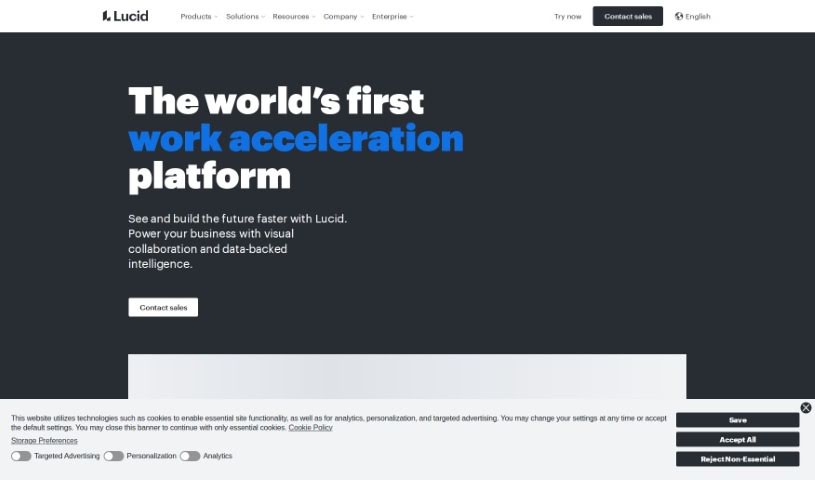
Screenshot of Lucid

Lucid

Discover what Lucid is and how to use it effectively in 2025. We'll explore its features and see how it stacks up against other project management tools.

Screenshot

What is Lucid?

Lucid is a top visual collaboration platform that helps teams brainstorm, plan, design, build, and launch solutions together on a shared, infinite canvas. It offers a whole suite of tools for different teams – think product and design, development, tech and network, logistics, operations, HR, finance, executives, and sales. They can all collaborate effectively on things like Agile planning, sprint planning, system architecture, strategic planning, collaborative selling, and much more.

Plus, Lucid gives you an end-to-end Visual Collaboration Suite. This includes a virtual whiteboard, smart diagramming tools, and cloud visualization. For security, they’ve got an extra layer with their Enterprise Shield offering for authorized accounts, and they provide excellent services and support for custom solutions. Lucid has really led the way in visual collaboration and offers over 100 integrations to boost productivity and innovation.

Lucid’s platform really focuses on teamwork, innovation, autonomy, and doing things with excellence. It was co-founded by Ben Dilts and Karl Sun, and they keep adding to their product suite to help millions of users collaborate visually for all sorts of reasons.

So, to sum it up, Lucid’s tools, its focus on teamwork, strong security, and core values like teamwork and innovation make it a standout platform for visual collaboration across many different industries.

Who created Lucid?

Lucid was actually founded back in 2010 by Karl Sun, Dat Nguyen, Nick Gavronsky, and David Hsu. The company is known for its data analytics and collaboration software, with its main product being Lucidchart, a tool that lets people create diagrams together. Karl Sun, who is the CEO, has guided the company through some really impressive growth and success in the world of visualization and productivity tools. With a strong emphasis on innovation and making things easy to use, Lucid continues to be a major player in the industry.

What is Lucid used for?

  • Creating documentation
  • Strategic planning
  • Optimizing processes
  • Mapping out timelines and workflows
  • Big room planning sessions
  • Conducting retrospectives
  • Designing and optimizing organizational structures
  • Collaborative selling efforts
  • Marketing planning
  • Designing RevOps/MarTech strategies
  • Agile planning
  • Developing product roadmaps
  • Sprint planning
  • Software design
  • Data mapping
  • System architecture

Who is Lucid for?

  • Product and UX professionals
  • Engineers
  • IT professionals
  • Project managers
  • Teams in Ops, HR, finance, and executive roles
  • Product and design teams
  • Development teams
  • Tech and network teams
  • Logistical teams
  • General and administrative professionals
  • Engineering professionals
  • Project Management professionals
  • Development teams working in the Go-to-market sector

How to use Lucid?

To get the most out of Lucid, the leading visual collaboration platform, here’s a simple guide:

  1. Figure out your goal: First, decide exactly why you need Lucid. Are you doing agile planning, designing software, mapping out systems, managing projects, strategizing, or selling collaboratively?
  2. Dive into Lucid’s tools: Make use of the various tools Lucid offers, like its virtual whiteboard, smart diagramming, and cloud visualization. These really help simplify complex ideas and processes.
  3. Boost teamwork: Encourage collaboration by sharing the visuals you create in Lucid. This lets your team members work together more smoothly and stay aligned.
  4. Explore the interface: You’ll find the interface really user-friendly, making it easy to navigate and create. It’s designed to help you clearly design and communicate your messages.
  5. Communicate with visuals: Use Lucid’s powerful storytelling features to get your message across visually. This ensures your audience understands and stays engaged.
  6. Connect with other apps: Make visual collaboration even more powerful by linking Lucid with apps from top providers like Atlassian, Google, Microsoft, and Slack. This really boosts innovation and productivity.
  7. Get custom help: Lucid offers top-notch services and support, including tailored solutions, help with migrating and getting started, and assistance with big business projects.

By following these steps, you can really make the most of Lucid’s visual collaboration tools. They’ll help you streamline your work, boost productivity, and make sure communication within your team is clear and effective.

Related AI Tools

Discover more tools in similar categories that might interest you

Stay Updated with AI Tools

Get weekly updates on the latest AI tools, trends, and insights delivered to your inbox

Join 25,000+ AI enthusiasts. No spam, unsubscribe anytime.