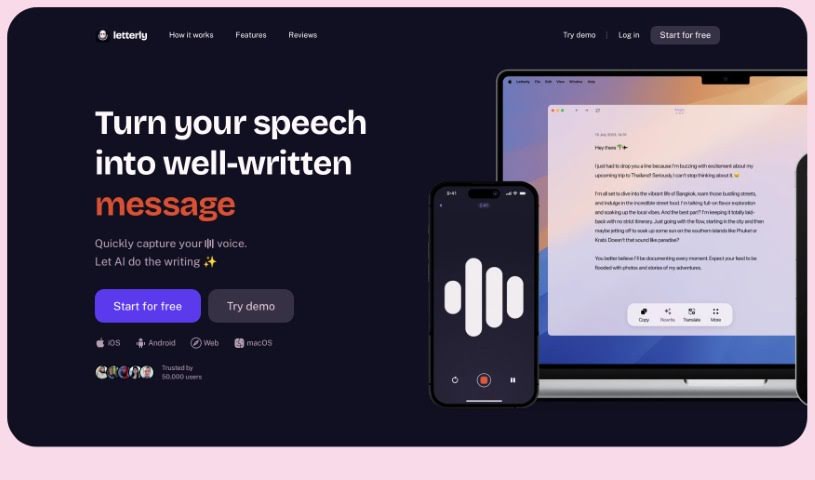
What is Letterly?
Letterly is a handy mobile app that’s all about turning your spoken words into polished, well-written text. It is your personal AI writing assistant, ready to capture your thoughts on the go. Whether you’re jotting down a quick message, drafting a note, or crafting a social media post, Letterly makes it super easy. People really like it because it’s so user-friendly, offers convenient features like sharing and copying text, and reliably transforms your voice notes into clear, coherent text without errors. It’s a fantastic tool for structuring your voice memos, streamlining your workflow, and generally making writing tasks much simpler.
Who created Letterly?
Jonathan Holden is the creative mind behind Letterly. He developed this mobile app, which uses AI to convert speech into well-written text, with the goal of making writing tasks much easier for everyone. He even collaborated with linguists on its creation! Users consistently praise how efficiently the app can take their voice notes and turn them into structured, readable text.
What is Letterly used for?
Letterly is incredibly versatile! You can use it for:
- Crafting effective ChatGPT prompts.
- Getting help with writing tasks as a writing assistant.
- Writing messages quickly and without any fuss.
- Effortlessly jotting down notes whenever inspiration strikes.
- Creating social media posts with ease.
- Its core voice-to-text functionality.
- Generally simplifying your life by providing well-written text.
- Assisting linguists in their work to create better text.
- Getting writing assistance, including helpful rephrasing options.
- As a mobile editing and note-taking app on the go.
- Serving as a speech-to-text writing assistant.
- Turning your spoken thoughts into beautifully crafted words.
- Quickly capturing your voice and letting AI handle the writing.
- Effortlessly writing messages, notes, and social media posts.
- Being co-created with linguists to genuinely simplify your life.
- As one of many helpful mobile editing apps.
- Its voice-to-write functionality for capturing thoughts and ideas.
- Providing support for useful rephrasing options.
- Delivering AI-enhanced, well-crafted text.
- Acting as your personal writing assistant, right in your pocket.
Who is Letterly for?
Letterly is a great tool for a variety of people, including:
- Writers
- Journalists
- Programmers
- AI enthusiasts
- Article writers
- Business professionals
How to use Letterly?
Using Letterly is straightforward. Just follow these simple steps:
- First, download the Letterly mobile app. You can find it on the App Store or Google Play.
- Once it’s installed, open the app. You can start by simply recording your voice.
- Letterly’s smart AI technology then takes over, converting your speech into clear, well-written text.
- If you need to make any tweaks, you can easily edit the text right there within the app.
- You can then use this efficient tool for all sorts of writing tasks – messages, notes, social media posts, and much more.
- Just enjoy the benefits of having AI-powered, beautifully crafted text generated from your spoken words.
- Make sure to use the app for those quick, effortless writing tasks to really boost your productivity.
- Don’t forget to take advantage of handy features like the rephrasing options and the fast text generation.
- Sharing your text is easy, or you can simply copy it to use on other platforms.
- Really explore all the convenient features Letterly offers and experience how smoothly it transitions your voice into text for all your different writing needs.
By following these steps, you’ll find it’s really easy to use the Letterly app to convert your speech into clear, well-written text, making your writing tasks effortless and efficient.