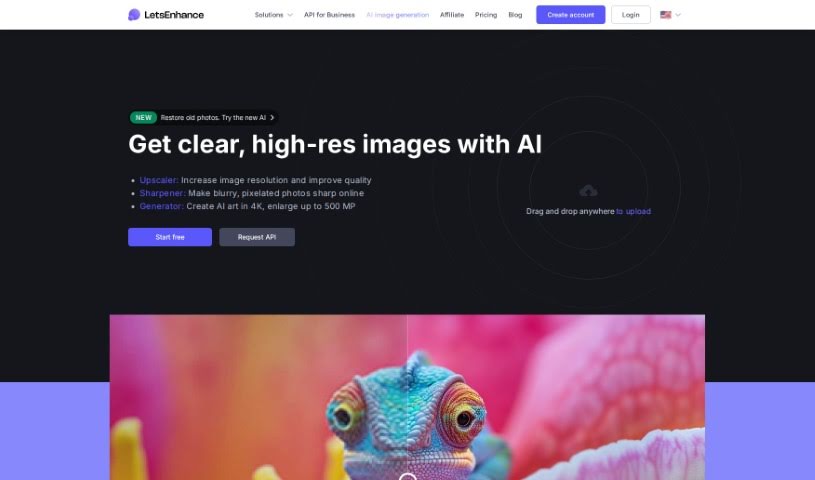
Screenshot of Let’s Enhance

Let’s Enhance

Discover what Let's Enhance is and how to use it effectively in 2025. We'll explore its features and compare it to other photo editors.

Screenshot

What is Let’s Enhance?

Let’s Enhance is an online platform that uses artificial intelligence to improve your images. You can upload pictures and apply various enhancements, like boosting resolution, reducing noise, and generally making them look better. It’s pretty neat because it uses deep learning to upscale images without losing that crisp detail, giving you sharp results. Lots of photographers, designers, and anyone who wants their images to look great quickly find this tool really useful.

Who created Let’s Enhance?

Alex Savsunenko, a software engineer known for his work in image enhancement technology, created Let’s Enhance. It’s a tech startup focused on making images better. They offer tools that improve image quality, resolution, and clarity using AI. The company’s goal is to make it easy for people to enhance their photos for photography, design, and art projects.

What is Let’s Enhance used for?

  • You can blow up photos for large prints.
  • It automatically edits product photos.
  • It helps restore JPEGs and improve photos taken on iPhones.
  • You can edit multiple images at once with batch editing.
  • There are one-click presets for e-commerce and real estate pictures.
  • Enlarge photos to HD, 4k, 8k, or even higher resolutions.
  • Convert small photos into high-resolution versions.
  • It offers fast and simple auto-enhancement and editing.
  • It can correct colors, like fixing white balance and saturation.
  • Enhance high-resolution AI art.
  • It’s a brilliant digital solution to boost real estate images for websites.
  • Enhance AI-generated art to create stunning masterpieces.
  • Upscale AI-generated art to HD, 4K, or larger resolutions.
  • Turn words into unique artwork using a text-to-image generator.
  • Increase the resolution of user-generated content for print-ready quality.
  • Blow up photos for large-size prints, making them better for exhibitions.
  • Automatically edit product photos to improve website performance.
  • Enlarge images to any size, including HD, 4K, 8K, and higher resolutions.
  • Batch edit by uploading and editing multiple images at once.
  • Use one-click presets for a professional look, color correction, and enhancement.
  • Batch edit multiple images at once.
  • Enlarge images to any size (HD, 4k, 8k).
  • Increase image resolution for large-size prints.
  • Fast and simple auto-enhancement and editing of pictures.
  • Color correction (fixing white balance and saturation).
  • Upscale AI-generated art to desired resolutions.
  • Text-to-image generator for creating unique artwork.
  • Improve user-generated content photos for print-ready quality.
  • Enlarge images to HD, 4k, 8k or higher resolutions.
  • Increase image size up to 500 MP with 300+ DPI density.
  • Automatically enhance and edit pictures in seconds.
  • Color correct images by fixing white balance and saturation.
  • Upscale AI-generated art to desired resolutions like HD, 4k, or larger.
  • Turn words into unique artwork with the text-to-image generator.
  • Convert low-quality images to high-res print-ready content for campaigns.
  • Blow up photos for large-size prints, enhancing quality for exhibitions.
  • Automatically edit product photos to optimize website images.
  • Resize pictures, making them crisp, clear, and suitable for various web and print formats.
  • Enlarge images to any size (HD, 4k, 8k).
  • Auto enhance and edit pictures in seconds.
  • Color correction and white balance fixing.
  • Enhancing digital art and AI-generated images.
  • Improving product photos for eCommerce.
  • Optimizing images for print quality (300+ DPI).
  • Creating high-resolution AI art and text-to-image generation.
  • Restoring JPEGs and improving iPhone photos.
  • Using one-click presets for professional image editing.

Who is Let’s Enhance for?

  • Photographers
  • Graphic designers
  • Digital artists
  • Marketing professionals
  • Real Estate Agents
  • E-commerce sellers
  • Content creators
  • Social media managers
  • Web designers
  • Advertising professionals

How to use Let’s Enhance?

To use Let’s Enhance, just head over to their website and create an account. Once you’re logged in, you can upload the image you want to improve by clicking the “Upload Image” button. Pick the image from your computer, then choose the enhancements you need, like removing JPEG artifacts, reducing noise, or increasing resolution. After you’ve selected your options, start the process by clicking “Start Processing.” When it’s done, you can preview the result to make sure it looks right. If you’re happy with it, just click “Download” to save your enhanced image. Don’t forget to save it for later!

Related AI Tools

Discover more tools in similar categories that might interest you

123RF AI Image Generator

Creative Image Generation
Learn More

Stay Updated with AI Tools

Get weekly updates on the latest AI tools, trends, and insights delivered to your inbox

Join 25,000+ AI enthusiasts. No spam, unsubscribe anytime.