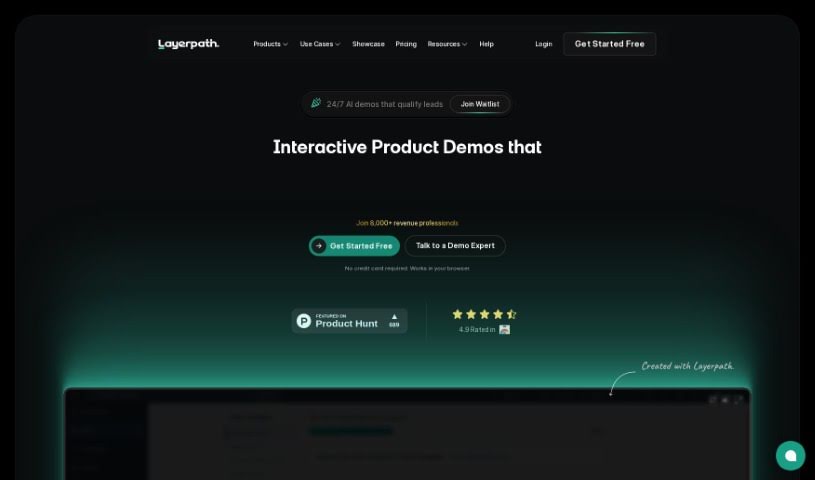
Screenshot of Layerpath

Layerpath

Discover what Layerpath is and how to use it effectively in 2025. Dive into its features, compare it with other Product Design Tools, and learn how it simplifies creating engaging product tours, guides, and videos.

Screenshot

What is Layerpath?

Layerpath is a really neat platform that makes creating interactive product demos—think tours, guides, and videos—super simple. You can quickly record your screen and turn those recordings into engaging, interactive product experiences without all the usual fuss that comes with making high-quality demo assets. Layerpath also gives you tools to organize and really understand how users are interacting with your demos. Features like Playlists, Lead Forms, and Analytics make it easy to track performance and fine-tune how your audience engages. Whether you’re a solo creator or part of a large team, Layerpath offers scalable solutions with different pricing plans, including custom options for enterprises. Plus, its AI capabilities are a big help in crafting detailed, step-by-step guides and professional how-to videos right from your browser, ensuring your products really shine.

Who created Layerpath?

Arjun Parthasarathy is the mind behind Layerpath. He’s also the CEO of FINAHQ. His platform, Layerpath, is all about making it easier to create interactive product demos, whether they’re tours, guides, or videos. The software comes packed with features like AI-powered guides, ways to analyze user engagement, and tools for making high-quality video demos. Layerpath is designed for creators and teams, offering various pricing plans and enterprise solutions.

What is Layerpath used for?

Layerpath helps you with a bunch of things:

  • Quick Interactive Demo Creation: You can easily capture screen recordings and turn them into product tours, guides, and videos.
  • Analyzing User Engagement: Use Playlists and Analytics to see how users interact with your demos and make them even better.
  • AI-Powered Guides: Let Layerpath’s AI turn your recordings into detailed, step-by-step guides.
  • High-Quality Video Demos: Create professional how-to videos right in your browser, complete with automatic zooms and smooth transitions between speakers or screens.
  • Engaging Tours: Build personalized sales demos or onboard new users with interactive tours that keep people interested.
  • Creating Stunning Videos of Your Features: Turn your screen recordings into captivating videos, letting you customize design elements to make them look just right.
  • Building Step-by-Step Guides: Capture every step of how your feature works and instantly convert it into a clear how-to guide.
  • In-App Customization: Make your tours your own by tweaking colors, layouts, adding voiceovers, and choosing fonts for a personalized learning experience.
  • AI-powered Tours: Use AI features to improve your text, enhance voiceovers, and create really impactful tours.
  • Lead Generation & Analytics: Turn your demos into opportunities by collecting viewer information and driving conversions.

Essentially, it’s for:

  • Interactive Product Demos
  • Creating Videos
  • Making Step-by-step Guides
  • In-app Customization
  • AI-powered Tours
  • Lead Generation & Analytics
  • Creating Engaging Tours
  • Making Videos of Features
  • Building Step-by-Step Guides

Who is Layerpath for?

Layerpath is a great tool for:

  • CEOs
  • Heads of Implementation
  • Senior Product Marketing Managers

How to use Layerpath?

Here’s a simple breakdown of how to get started with Layerpath:

  1. Capture Screen Recordings: First, record your screen. This is how you’ll create your interactive demos, guides, and videos.
  2. Utilize AI Capabilities: Layerpath’s AI can transform your recordings into detailed, step-by-step guides. It makes the process pretty effortless.
  3. Analyze User Engagement: Keep track of how users are interacting with your demos. Layerpath’s Playlists and Analytics help you measure this and make improvements.
  4. Create High-Quality Videos: You can easily make professional-looking how-to videos. The software handles automatic zooms and speaker/screen changes right in your browser.
  5. Choose a Pricing Plan: Layerpath offers a few options. There’s a free Creator plan, a Professional plan at $30/month, and a Growth plan for $50/user/month. If you need something for a larger organization, they also have a custom Enterprise plan.
  6. Personalize Tours: Make your interactive demos unique. You can customize design elements like colors, layouts, add voiceovers, and choose fonts. This helps keep viewers engaged and interested in your product.
  7. Include Lead Forms: Want to turn your demos into leads? Add forms to capture viewer information. This is a great way to nurture potential customers and drive conversions.
  8. Get Support: If you ever get stuck or have questions, reach out for support. You can also check out the FAQs section for answers to common questions about using Layerpath.

By following these steps, you can efficiently use Layerpath to create really engaging interactive product demos and videos. It’s a straightforward way to effectively showcase your product’s features and capabilities.

Related AI Tools

Discover more tools in similar categories that might interest you

123RF AI Image Generator

Creative Image Generation
Learn More

Stay Updated with AI Tools

Get weekly updates on the latest AI tools, trends, and insights delivered to your inbox

Join 25,000+ AI enthusiasts. No spam, unsubscribe anytime.