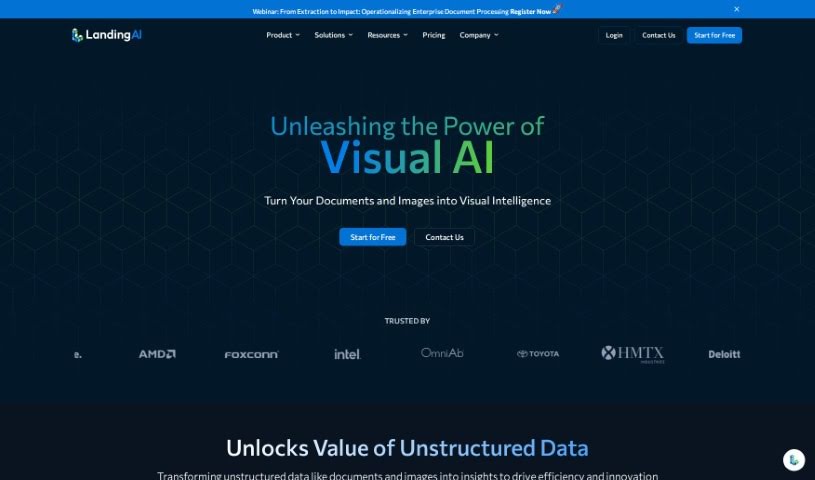
Screenshot of LandingAI

LandingAI

Discover what LandingAI is and how to use its powerful computer vision platform, LandingLens, in 2025. Explore key features, applications, and how it stacks up against other data analytics tools.

Screenshot

What is LandingAI?

LandingAI is a leading company in the computer vision space, offering AI software and solutions for building and deploying computer vision projects. Their main offering is LandingLens, a cloud-based platform that’s really good at tasks like spotting objects in images, categorizing them, and even recognizing faces. What’s great is that LandingAI really cares about keeping your data safe, using standard security measures to protect it. You can access the platform from anywhere, making it super easy to manage your projects without needing fancy, expensive hardware or complicated setups. Essentially, LandingAI helps businesses in fields like manufacturing, retail, and healthcare to automate their operations, improve the quality of their products, make customer experiences better, and so much more.

Who created LandingAI?

Landing AI was founded by Andrew Ng, a really well-known name in the AI world, who previously did significant work at Google and Baidu. His vision for Landing AI is to make AI solutions accessible to more businesses. The company’s mission is all about democratizing AI, making it easier for organizations to integrate artificial intelligence technologies, no matter their industry.

What is LandingAI used for?

LandingAI is incredibly versatile. You can use it for:

  • Image classification: Figuring out what’s in a picture.
  • Facial recognition: Identifying faces.
  • Object Detection: Pinpointing specific items within an image.
  • Improving customer experiences: Making interactions smoother and more personalized.
  • Automating processes: Especially useful in manufacturing for things like quality checks.
  • Enhancing product quality: Helping to ensure products meet high standards, particularly in retail.
  • Facilitating image classification: Making this core task more efficient.
  • Enabling object detection: Streamlining the process of finding objects.
  • Supporting facial recognition: Providing robust tools for this application.
  • Deploying models: You can send your trained models to both cloud and edge devices.
  • Automating kitting & inspection: Using their imaging box for streamlined processes.
  • Building vision applications: Creating custom solutions with large vision models.
  • Gaining insights from vision data: Using generative AI to understand your visual information.
  • Automating processes in healthcare: Streamlining tasks and improving patient care.
  • Enhancing security measures: Bolstering safety with visual monitoring.
  • Creating and implementing computer vision AI projects: The whole package for bringing vision AI to life.
  • Unlocking the full potential of AI: Helping industries harness AI’s power.
  • Building domain-specific Large Vision Models (LVMs): This speeds up development and boosts model performance by training on your specific data.
  • Gaining insights from vision data with Generative AI: Leveraging LVMs to understand your visual data better.
  • Empowering vision applications with LVMs: Training these models on your own datasets makes them more effective.
  • Enhancing accuracy in computer vision tasks: LVMs offer improved intelligence for better results.
  • Seamless integration: Deploy models easily to cloud, edge, and Docker.
  • Creating vision applications across industries: Tailoring solutions for any sector.
  • Efficient image labeling: Using Label Book for high-quality data and teamwork.
  • Training models with single-click options: Making model training simpler and faster.
  • Accessing comprehensive reports: Analyzing model performance and identifying errors.
  • Deploying models with ease: Integrating into existing systems with just a few clicks.
  • Build Vision Applications with Domain-Specific Large Vision Models (LVMs): This is a core strength for custom solutions.
  • Gain Insights From Vision Data with Generative AI: Understand your visual data more deeply.
  • Enhance accuracy in completing computer vision tasks: LVMs provide that extra intelligence.
  • Upload and Label Images efficiently: LandingLens offers user-friendly labeling tools.
  • Train models with single-click training options: Simplifies the training process.
  • Test and deploy models with just a few mouse clicks: Quick deployment is key.
  • Build computer vision applications in minutes using Visual Prompting: A fast way to create systems.
  • Need Help with Image Acquisition: LandingAI offers an imaging box for kitting & inspection.
  • Free Consultation With Computer Vision Specialist: Get expert advice.
  • Enhanced accuracy in completing computer vision tasks: Thanks to smarter LVMs.
  • Empower vision with Domain-Specific LVMs: Tailor AI to your needs.
  • Vision applications across all industries: Broad applicability.
  • Visual Prompting for building computer vision systems in minutes: Speed up development.
  • Image acquisition through LandingAI’s imaging box: For kitting and inspection needs.
  • Free consultation with computer vision specialist: Get personalized help.
  • Pre-assembled kits: Camera, light, and cables included for convenience.

Who is LandingAI for?

LandingAI is a great fit for businesses in:

  • Manufacturing
  • Retail
  • Healthcare

How to use LandingAI?

Here’s a straightforward guide to using Landing AI effectively:

  1. Choose Your Plan: Landing AI offers a few options: Free, Visionary, and Enterprise. These are designed for everyone, from individuals and small businesses to larger enterprises.
  2. Understand Credits: Think of credits as your currency for training models and running predictions. One credit generally means one image trained or inferred.
  3. Utilize Credits: You’ll use these credits to train your projects, run predictions, and deploy models to cloud endpoints.
  4. Manage Credit Usage: It’s a good idea to keep an eye on your credit balance. Going over your limit could interrupt your training or inference processes.
  5. Deploy Models: Testing and deploying your models is straightforward. You can easily integrate them into various environments, including cloud and edge devices.
  6. Consider Visionary or Enterprise Plans: If you need more features, like downloading more active projects or getting support for commercial use, these plans are the way to go.
  7. Explore Domain-Specific Large Vision Models (LVMs): Want to speed up how fast you develop models? Building domain-specific models using your own proprietary images is a great way to do it.
  8. Enhance Collaboration: Make teamwork smoother with their labeling tools, Dataset Snapshots, and single-click training options, all of which help improve how well your models perform.
  9. Monitor Model Performance: Dive into comprehensive reports to understand your model’s metrics and find ways to optimize its capabilities.
  10. Get Started: Ready to try it out? Sign up for LandingLens and experience cloud-based, accurate, and powerful computer vision solutions for yourself.

By following these steps, you can really make the most of Landing AI’s capabilities to build and deploy advanced computer vision projects that are perfectly suited to what you need.

Related AI Tools

Discover more tools in similar categories that might interest you

Stay Updated with AI Tools

Get weekly updates on the latest AI tools, trends, and insights delivered to your inbox

Join 25,000+ AI enthusiasts. No spam, unsubscribe anytime.