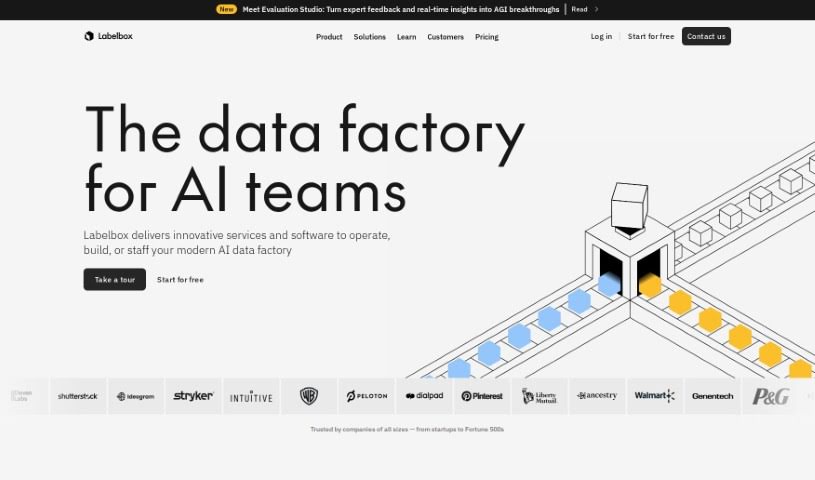
Screenshot of Labelbox

Labelbox

Discover Labelbox in 2025! Learn what this powerful data labeling platform is, how to use its features for machine learning, and how it stacks up against other data analytics tools.

Screenshot

What is Labelbox?

Labelbox is a really useful platform for labeling data. It is your go-to tool for getting the training data ready for machine learning models. It gives you all sorts of tools to annotate different kinds of data – like images, videos, and text – making sure you get high-quality labels. These labels are super important for building and making AI algorithms better. Labelbox also makes it easy for teams to work together, check the quality of the work, and manage labeling projects smoothly. By simplifying the whole data labeling process, Labelbox helps companies get their machine learning models out there faster because they can be sure they have accurately labeled datasets. Basically, Labelbox is a key player in making AI development happen by making it easier to create the labeled datasets that machine learning algorithms need for training and testing.

Who created Labelbox?

Manu Sharma is the person behind Labelbox. The company officially got started on February 17, 2021. Labelbox is essentially a software platform designed for data labeling, helping companies manage the process of labeling data specifically for machine learning applications.

What is Labelbox used for?

  • It helps with AI-assisted alignment.
  • It’s designed to give you great quality and control over your data.
  • It’s a key piece of technology and software for many projects.
  • You can use it for building AI applications from the ground up.
  • It’s great for training and fine-tuning your models.
  • It can help automate tasks when you use Labelbox Machine Learning Models.
  • It’s useful for data curation, making sure your data is organized and ready.
  • Labelbox also offers labeling services if you need them.
  • It supports model training and helps diagnose issues.
  • Plus, it connects you to a global network of expert human labelers.

Who is Labelbox for?

Labelbox is a great tool for a variety of professionals, including:

  • Data Scientists
  • Machine learning engineers
  • AI Researchers
  • Software developers
  • Product Managers
  • Data Analysts
  • Image Annotation Specialists
  • Quality assurance testers
  • Project Managers
  • Business Analysts

How to use Labelbox?

Getting started with Labelbox is pretty straightforward. Here’s a simple breakdown of the steps:

  1. Sign Up: First things first, create your account on the Labelbox platform. You can usually do this with your email address.
  2. Create a Project: Once you’re in, look for the option to “Create Project.” You’ll need to give your project a name, a brief description, and specify the data you’ll be labeling.
  3. Import Data: Now, it’s time to upload the data you want to work with. This could be images, videos, or text files.
  4. Label Data: This is where the magic happens! You’ll define exactly how you want to label the data. Labelbox offers a variety of annotation tools, like drawing bounding boxes around objects, creating polygons, or simply classifying items. You can either tackle the labeling yourself or assign these tasks to your team members.
  5. Quality Control: Accuracy is key, right? So, take some time to review the data that’s been labeled. Check for accuracy and make sure everything is consistent. If you spot any mistakes, just make the necessary corrections.
  6. Collaborate: Labeling can be a team effort! You can easily invite your team members to join the project. You can even assign specific tasks to individuals to keep things organized.
  7. Iterate: Data labeling is often an ongoing process. You can continuously improve the quality of your labels by going back through the process, incorporating feedback, and making adjustments.
  8. Export Data: Once you’re happy with the labeling, you can export the annotated data. Labelbox lets you choose the format you need, so it’s ready to be used in your machine learning models or for further analysis.
  9. Monitor Progress: Keep an eye on how the labeling is going. You can track the progress of tasks, see how your annotators are performing, and manage the overall project timeline to stay on track.
  10. Feedback and Improvement: It’s always good to get input. Gather feedback from your annotators and project managers. Use this information to make the labeling process even better for your next projects.

By following these steps, you’ll be able to use Labelbox effectively for all your data labeling needs.

Related AI Tools

Discover more tools in similar categories that might interest you

Stay Updated with AI Tools

Get weekly updates on the latest AI tools, trends, and insights delivered to your inbox

Join 25,000+ AI enthusiasts. No spam, unsubscribe anytime.