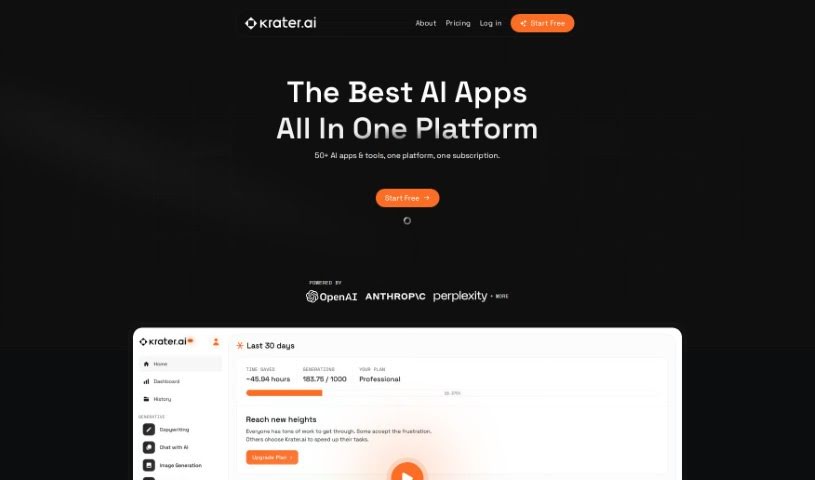
Screenshot of Krater.ai

Krater.ai

Discover Krater.ai, your all-in-one AI SuperApp for 2025. Learn how to use its features like copywriting, image generation, and more, and see how it stacks up against other automation tools.

Screenshot

What is Krater.ai?

Krater.ai is essentially an all-in-one AI SuperApp. It is a central hub that brings together a bunch of different AI tools you might need. It combines things like copywriting assistance, image generation, a chat interface, speech-to-text, text-to-speech capabilities, and even code creation, all neatly packaged into one convenient application. The main idea behind Krater.ai is to cut down on the hassle of managing lots of separate apps and tools. By integrating them all, it makes your workflow smoother and helps you reach your goals much faster. You can try it out with a completely free trial to see just how seamless the experience is. Plus, if you want to save a bit, use the promo code FRIENDS15 for a 15% discount. Want to dive deeper? Check out their official website at Krater.ai.

Who created Krater.ai?

Krater.ai is designed as an All-in-One AI SuperApp, aiming to simplify your life by bringing various AI tools together into one easy-to-use application. This setup is all about boosting your efficiency. The platform offers a range of services, including Copywriting, Image Generation, Chat, Speech to Text, Text to Speech, and Code Creation. The company’s goal is to help users achieve what they set out to do more quickly by making it easier to manage all these different applications and tools. You can find more details on their website, Krater.ai.

What is Krater.ai used for?

Krater.ai is a versatile tool that can help you with a variety of tasks:

  • Creating images
  • Converting speech into text
  • Writing copy
  • Having conversations via chat
  • Converting text into speech
  • Generating code

How to use Krater.ai?

Krater.ai is an all-in-one AI SuperApp that packs a lot of power, offering multiple functionalities like Copywriting, Image Generation, Chat, Speech to Text, Text to Speech, and Code Creator. To get the most out of Krater.ai, here’s a simple step-by-step guide:

  1. First off, head over to the Krater.ai website at https://www.krater.ai.
  2. Once you’re there, sign up for an account. Just look for the signup or register button and click it.
  3. Now, take some time to explore all the different tools available within the app. You’ll find everything from copywriting and image generation to chat, speech-to-text, text-to-speech, and code creation.
  4. Get to know the features of each tool. A quick browse through the interface should give you a good idea of what each one can do.
  5. If you want to use the copywriting tool, simply type in what you need – your prompts – and let the AI handle the content generation for you.
  6. When you’re generating images, be specific about what you want. You can set parameters like the style, colors, or themes to create exactly the custom images you have in mind.
  7. The chat feature is great for interactive conversations or even for customer service needs.
  8. You can also conveniently convert speech to text or text to speech using the dedicated functions.
  9. Don’t hesitate to experiment with the code creator tool; it’s perfect for generating code snippets or scripts.
  10. Really, the biggest advantage is having all these AI tools in one place. It’s a fantastic way to boost your productivity and make your workflow much more efficient.

Remember, you can start using Krater.ai for free and enjoy a really smooth experience with all its integrated AI tools. And don’t forget that promo code FRIENDS15 for that 15% discount on your subscription! Go ahead and start exploring all the possibilities Krater.ai has to offer today!

Related AI Tools

Discover more tools in similar categories that might interest you

Stay Updated with AI Tools

Get weekly updates on the latest AI tools, trends, and insights delivered to your inbox

Join 25,000+ AI enthusiasts. No spam, unsubscribe anytime.