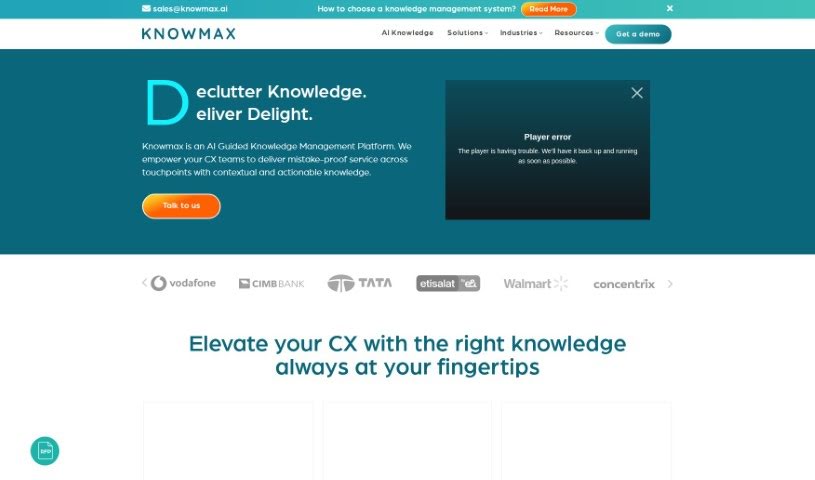
Screenshot of Knowmax

Knowmax

Discover what Knowmax is and how to use it effectively in 2025. We'll explore its features and see how it stacks up against other Customer Service Tools.

Screenshot

What is Knowmax?

Knowmax is a platform built to make managing your company’s knowledge much easier. It is a central hub where all your important information lives, making it super quick to find accurate details no matter where you need them – whether that’s for helping customers, training new employees, or letting people help themselves. Knowmax offers personalized demos, which really help teams find what they need without a fuss. The whole idea is to make sharing knowledge smoother, boost customer happiness by giving them correct and consistent answers, and make employee training better by getting the right information to them at the right time. Plus, Knowmax gives you detailed analytics and reports, so you can spot where knowledge might be missing, see how well things are working, and make smart choices to keep improving.

Who created Knowmax?

Knowmax was developed by an AI-powered platform focused on improving how businesses manage their knowledge. This system brings all your knowledge bases together, offering immediate access to accurate information across many different places. It provides personalized demos that are specifically designed for your needs. Knowmax helps make sharing knowledge smoother, especially for customer support, and it really boosts employee training by ensuring they get information when they need it.

What is Knowmax used for?

  • Make customers happier: Give them easy access to information no matter how they contact you.
  • Build interactive guides: Use Knowmax’s Cognitive Decision Trees to create step-by-step workflows for customer service.
  • Cut down on manuals: Create simple visual guides and videos instead of relying on lengthy PDF documents for customers and your team.
  • Help customers help themselves: Make it easy for customers to find answers on their own with self-help guides that work everywhere.
  • Train staff affordably: Make training more efficient and cost-effective by having one central place for all knowledge.
  • Handle chats better: Use the Chrome extension to manage several chat conversations at once.
  • Improve service: Give your agents the exact knowledge they need to do their jobs well and keep customers satisfied.
  • Boost chatbots: Connect Knowmax with your support channels to make chatbots smarter and give agents better access to information.
  • Showcase Knowmax: Offer personalized demos to show how Knowmax can really improve how you manage knowledge.
  • Make finding info easy: Give your teams simple interfaces and powerful search tools so they can find what they need fast.

Who is Knowmax for?

Knowmax is a great tool for several departments and roles:

  • Customer Service Teams
  • Training and Quality Management Departments
  • Process and Project Management
  • Training Specialists
  • Quality Management Professionals
  • Process Managers

It’s particularly useful for:

  • Customer service representatives
  • Training Managers
  • Directors of Quality and Training
  • Senior Managers in Process and Project Management
  • VPs overseeing Training, Quality & CX Digitization
  • Quality Directors
  • Process and Project Managers
  • VPs of Training, Quality, and CX Digitization
  • Teams focused on Quality and Training Management
  • Individuals in Training Management
  • Those involved in CX Digitization

How to use Knowmax?

Here’s how you can get the most out of Knowmax:

  1. Find What You Need, Fast: Use Knowmax’s search, which works a lot like Google, to instantly pull up the right information across all your different platforms. It’s really effortless.
  2. Create Interactive Steps: Turn complicated Standard Operating Procedures (SOPs) into easy-to-follow interactive workflows. You can do this using Knowmax’s no-code Cognitive Decision Trees. Connecting these to your CRM means you can resolve issues faster and more personally, even at a large scale.
  3. Make Visual Guides: Build visual guides for all sorts of situations. This cuts down on how much you need those long PDF manuals. You can even share these guides as videos with customers to boost their self-service options.
  4. Knowledge Base for Everywhere: Use Knowmax’s knowledge base, which is ready for any channel, to help customers find their own solutions. Share these self-help guides across all your digital channels. This frees up your agents to focus on the really important, complex issues.
  5. Smart, Affordable Training: Let your agents access a single, reliable source of truth whenever and wherever they need it. This makes learning much more efficient and saves money. You can create guides, documentation, and even assessments to really build up your agents’ knowledge.
  6. Handle Chats Smoothly: Use Knowmax’s Chrome extension to easily open multiple tabs when you’re handling several chats at once. You can keep track of customer names and IDs from your CRM, linking them directly to the right chat window.

By following these steps, you can really make Knowmax work for you, improving your customer service and making your knowledge management processes much smoother.

Related AI Tools

Discover more tools in similar categories that might interest you

Stay Updated with AI Tools

Get weekly updates on the latest AI tools, trends, and insights delivered to your inbox

Join 25,000+ AI enthusiasts. No spam, unsubscribe anytime.