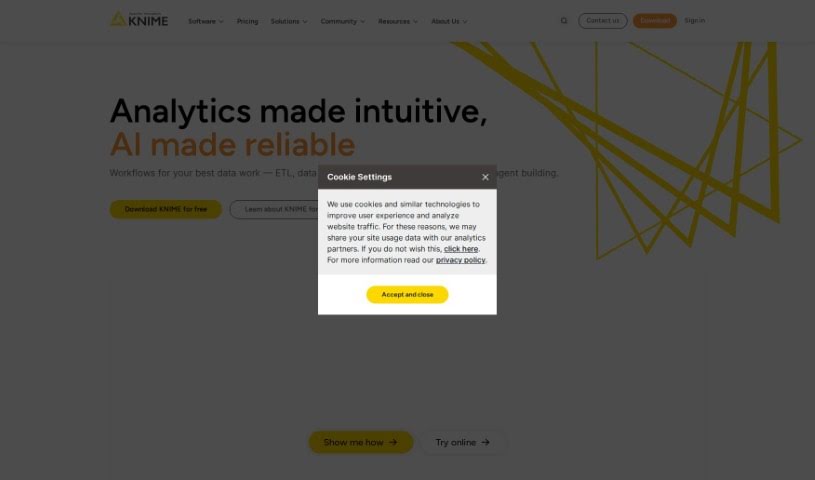
Screenshot of KNIME

KNIME

Discover what KNIME is and how to use it effectively in 2025. We'll explore its powerful features and see how it stacks up against other top data analytics tools.

Screenshot

What is KNIME?

KNIME is a really comprehensive platform that covers the whole end-to-end data science process. It is a single, unified environment where you can tackle all sorts of tasks. It lets you build workflows – basically, a series of connected steps – to handle your data. This can be anything from simple things like cleaning up messy data or filtering out what you don’t need, all the way to more complex analyses like working with geographical data, analyzing images, or even diving into deep learning. Plus, KNIME helps you check and keep an eye on your analytics and AI models, which is super important for keeping sensitive data safe. It’s a great tool for teams who need to make sure their results are accurate and easy to explain, helping organizations really make the most of their data and AI capabilities.

Who created KNIME?

KNIME actually got its start back in 2004, thanks to Michael Berthold. He’s a computer scientist and a Professor at Konstanz University in Germany. The company that makes KNIME, KNIME AG, was founded a bit later, in 2008, as a spin-off from that same university. KNIME itself is known as an open-source platform for data analytics, reporting, and integration. People really like it because it’s pretty user-friendly and offers a lot of flexibility when you’re building your data analysis workflows.

What is KNIME used for?

KNIME is incredibly versatile. You can use it for:

  • Making your data look good with data visualization.
  • Automating spreadsheets, so you don’t have to do repetitive tasks.
  • Handling ETL (Extract, Transform, Load) processes.
  • Building and using machine learning models.
  • Collaborating with others and scaling up your data science projects.
  • Deploying and monitoring your data science solutions once they’re ready.
  • Sharing insights across your organization so everyone’s on the same page.
  • Creating analytic models from scratch.
  • Easily accessing, blending, analyzing, and visualizing your data.
  • Browsing and learning from other data science projects shared on the KNIME Community Hub.
  • Sharing and working together on solutions with your team members.
  • Extracting, transforming, and loading data efficiently.
  • Fostering collaboration in data science projects.
  • Deploying analytic models for practical use.
  • Building data apps and services that users can interact with.
  • Accessing and blending data from all sorts of different places.

Who is KNIME for?

KNIME is a fantastic tool for a wide range of professionals who work with data. This includes:

  • Data Scientists
  • Data Analysts
  • Business Analysts
  • Machine Learning Engineers
  • Statisticians
  • Marketing Analysts
  • Financial Analysts
  • Research Scientists
  • Software Engineers
  • Product Managers
  • Operations Managers
  • Quality Assurance Analysts
  • Healthcare Analysts
  • Government Analysts
  • Sales Analysts

How to use KNIME?

Getting started with KNIME is pretty straightforward. Just follow these steps:

  1. Installation: First, you’ll want to download the KNIME Analytics Platform from their official website. Once it’s downloaded, go ahead and install it on your computer.
  2. Workspace Setup: When you open KNIME, you’ll create a new workflow. The main area you’ll work in is called the workspace, and it’s made up of ‘nodes.’ Each node represents a specific step in processing your data.
  3. Data Import: To get your data in, drag a “File Reader” node onto your workflow. You can then set it up to read data from all sorts of places – think Excel files, CSVs, or even databases.
  4. Data Manipulation: Once your data is in, you’ll use nodes like “Column Filter” or “Row Filter” to clean it up and get it ready. If you need to group or combine data, nodes like “GroupBy” or “Joiner” are super handy.
  5. Data Visualization: To actually see what your data looks like, you can use nodes like “Scatter Plot” or “Bar Chart.” You can also customize these charts to make them just right.
  6. Modeling: Ready to build predictive models? Nodes like “Decision Tree” or “Logistic Regression” are your go-to. You’ll train these models using the data you’ve prepared.
  7. Evaluation: After you’ve trained a model, it’s important to see how well it’s performing. Nodes like “ROC Curve” or “Confusion Matrix” help with this. If it’s not quite there, you can tweak the model.
  8. Deployment: Once you’re happy with your model, you can deploy it to start making predictions on new data. KNIME also lets you export your models so you can use them later.
  9. Extensions: KNIME has a whole ecosystem of extra features. You can explore and install additional extensions from the KNIME Hub to get access to even more functionalities and nodes.
  10. Workflow Execution: Finally, run your workflow to see the results at each stage. If something doesn’t look right, you can debug any issues that pop up along the way.

By following these steps, you’ll be well on your way to using KNIME effectively for all your data processing, analysis, modeling, and visualization needs.

Related AI Tools

Discover more tools in similar categories that might interest you

Stay Updated with AI Tools

Get weekly updates on the latest AI tools, trends, and insights delivered to your inbox

Join 25,000+ AI enthusiasts. No spam, unsubscribe anytime.