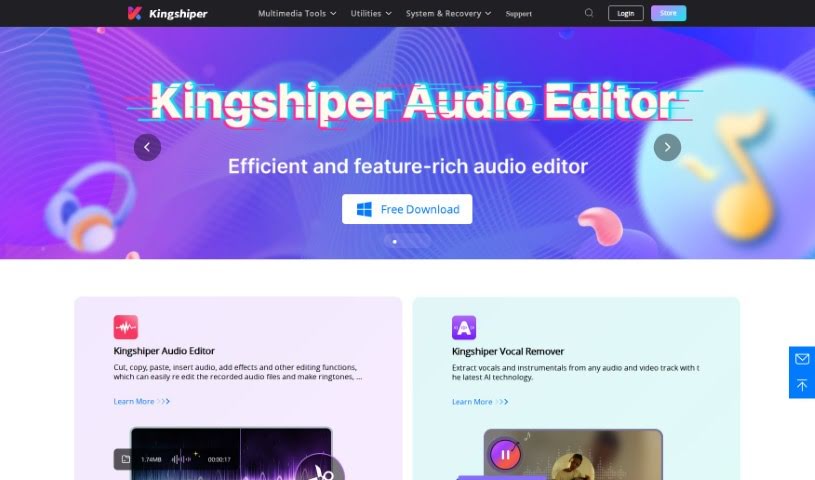
Screenshot of Kingshiper

Kingshiper

Discover what Kingshiper is and how to use it effectively in 2025. We'll dive into its features, compare it to other Music Generators, and show you how to get the most out of it.

Screenshot

What is Kingshiper?

Kingshiper is a smart tool powered by AI that’s really good at separating vocals from music and extracting instrumentals from both audio and video files. It uses the latest AI technology to accurately pick out and split the vocals from the music, all while keeping the original sound quality intact. What’s great is that it works with over 1000 audio formats, so you can use it with pretty much anything. Besides just removing vocals, Kingshiper also lets you process files in batches, separate background music, and extract from different multimedia formats. This makes it super handy whether you’re a pro or just using it for fun, like for karaoke or making your own content.

Who created Kingshiper?

Kingshiper was developed by a founder who prefers to remain anonymous. The company behind it offers a variety of office software, tools for recovering data and files, and professional software for video and audio processing. Kingshiper itself first became available on December 11, 2023. Since then, they’ve expanded their audio tools to include an Audio Editor, a Vocal Remover, a Voice Recorder, and an MP3 Converter, covering a wide range of audio needs.

What is Kingshiper used for?

  • It helps you work more efficiently.
  • It’s great for all sorts of different uses.
  • You get a quick, easy one-click function.
  • It’s ideal for music producers.
  • Podcasters will find it very useful.
  • It’s a professional and efficient way to extract audio.
  • You can create videos without vocals.
  • You can also create videos without background music.
  • It helps you create dubbed videos for your content.
  • It’s perfect for making your own unique ringtones.
  • You can export your creations with lossless quality.
  • It offers a quick and handy one-click operation.
  • It synchronizes audio and video sample rates.
  • It’s used to create instrumentals for background music.
  • It handles fast batch processing.
  • It converts files between more than 1000 formats.
  • You can record professional video on your Mac.
  • It allows for personalized audio editing.
  • It offers fast file compression and extraction.
  • In the Kingshiper Audio Editor, you can cut, copy, paste, insert audio, add effects, and do other editing.
  • For Mac users, the Kingshiper Vocal Remover for Mac acts as a Karaoke Maker and Vocal Extractor.
  • Using the latest AI technology, Kingshiper Vocal Remover can extract vocals and instrumentals from audio and video tracks.
  • Kingshiper Voice Recorder is available for all Windows users to record their voice.
  • Kingshiper MP3 Converter for Mac can convert audio/video files to MP3, WAV, FLAC, or OGG formats.
  • Kingshiper Vocal Remover can separate background music.
  • Kingshiper Vocal Remover also offers batch processing capabilities.
  • When using Kingshiper Vocal Remover, the original quality of the audio is preserved.
  • Kingshiper Vocal Remover is compatible with a wide range of formats.
  • You can use Kingshiper Vocal Remover to create instrumental versions of songs for personal enjoyment, like for karaoke.
  • It’s a tool that packs multiple functions into one.
  • It’s a time-saving tool for anyone creating content.

Who is Kingshiper for?

  • People who love karaoke.
  • Podcasters.
  • Music producers.
  • Content creators.
  • Audio Engineers.

How to use Kingshiper?

To get the most out of Kingshiper Vocal Remover, just follow these simple steps:

  1. Upload Your Audio or Video File: First, upload the audio or video file you want to work with into the Kingshiper Vocal Remover tool. It’s straightforward to get started.
  2. Select the Extraction Type: Next, you’ll choose what you want to extract. You can pick vocals, instrumentals, or even both from your file.
  3. Adjust Settings (Optional): If you like to fine-tune things, you can adjust settings like the audio quality, the output format, or other preferences to customize the extraction process just the way you want it.
  4. Initiate the Process: Once you’re ready, just click the extraction button. Kingshiper will then use its AI technology to do the heavy lifting, separating the vocals and instrumentals for you.
  5. Save or Export: After the extraction is finished, you can save your new files. Make sure to pick the format that works best for whatever you plan to do with it.
  6. Explore Additional Features: Don’t forget to check out the other tools Kingshiper offers! You can use the voice recorder, audio editor, video compressor, and screen recorder for even more editing or to enhance your projects.
  7. Batch Processing (Optional): If you have a bunch of files you need to process, definitely use the batch processing feature. It’s a real time-saver, letting you extract vocals or instrumentals from multiple files all at once.
  8. Utilize for Various Purposes: Whether you’re a professional podcaster, a music producer, a karaoke fan, or just creating content for fun, Kingshiper has flexible features to suit your needs.
  9. User-Friendly Interface: You’ll appreciate how easy Kingshiper is to use. With its one-click operations, even beginners can navigate it without any trouble.
  10. Ensure Quality: Kingshiper makes sure to export your results without losing quality, so you get the best possible audio separation for your vocals and instruments.

By following these steps, you can really make the most of Kingshiper Vocal Remover for all your audio and video editing tasks.

Related AI Tools

Discover more tools in similar categories that might interest you

Stay Updated with AI Tools

Get weekly updates on the latest AI tools, trends, and insights delivered to your inbox

Join 25,000+ AI enthusiasts. No spam, unsubscribe anytime.