123RF AI Image Generator
Creative Image Generation
Learn more
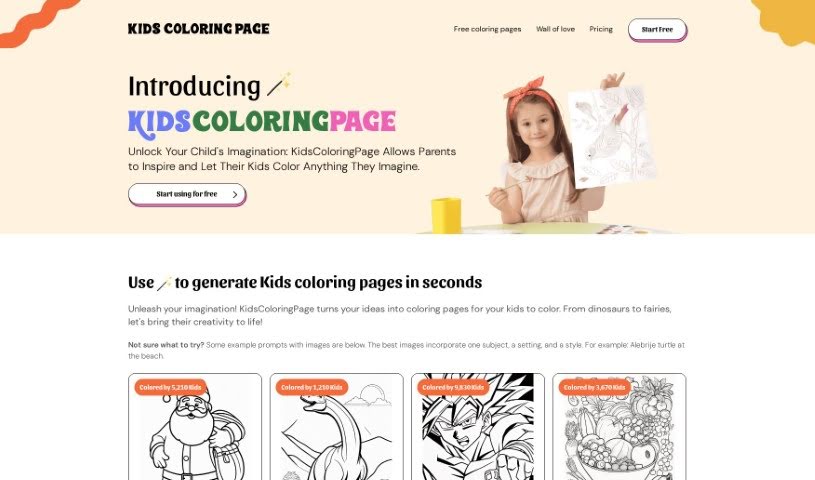
Discover what Kidscoloringpage is and how it creates custom coloring pages for kids, parents, and teachers.
KidsColoringPage is a tool for creating custom coloring pages, aimed at kids, parents, teachers, and anyone who enjoys a creative outlet. You type in a prompt describing what you want, generate the page, and download it to print. The site offers a wide variety of themes, from dragons and fairies to dinosaurs and fairy tales, so pages can match a child’s interests or a lesson plan.
Beyond entertainment, it can serve as an educational tool, helping kids develop artistic skills and fine motor control. Your first five images are free, and paid plans are available if you want more.
KidsColoringPage was created to give kids, teachers, parents, and Sunday School instructors a simple way to generate their own coloring pages. The founder’s name is not publicly documented, but the company’s goal is to make it easy for anyone to create unique coloring pages: type in what you want, generate, and print.
Source: kidscoloringpage.pdf
Common uses include:
Your first five images are free, so you can try the tool before choosing a paid plan.
Related
Discover more tools in similar categories
Weekly picks of the best AI tools we've researched and added — no spam, unsubscribe anytime.
Join 25,000+ AI enthusiasts. No spam, unsubscribe anytime.