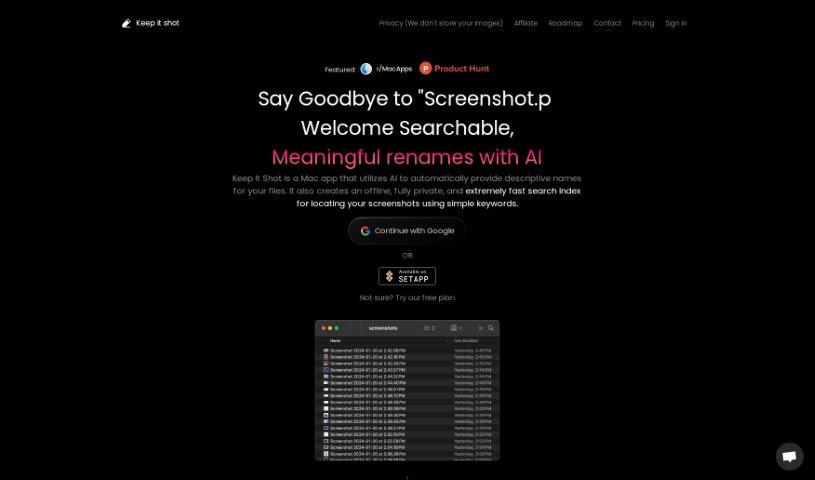
Screenshot of Keep it shot

Keep it shot

Discover what Keep it shot is and how to use it effectively in 2025. Explore its features and see how it stacks up against other automation tools.

Screenshot

What is Keep it shot?

Keep it shot is a handy Mac app that uses AI to automatically give your screenshots descriptive names. This makes it super easy to manage and find your files later on. It’s got a fast offline search feature, so you can quickly look for screenshots right on your computer. Plus, your privacy is totally protected because it never uploads your images anywhere.

This tool also lets you rename lots of screenshots at once, and you can even set up your own rules for how new screenshots get named. If you ever want to go back to the original names, it’s just a single click away.

Who created Keep it shot?

Keep It Shot was developed by an innovative team focused on Mac applications. They’ve created a tool that really simplifies managing screenshots. It uses AI to generate descriptive names and offers offline search capabilities. While the founder and specific company details aren’t readily available, the app’s core mission is clear: privacy, efficiency, and better organization. It comes with features like bulk renaming, personalized preferences, and an easy way to undo changes, making it a great choice for anyone wanting a tidier collection of screenshots.

What is Keep it shot used for?

  • Automated Descriptive Naming: It automatically generates descriptive names for your screenshots using AI, making them easy to identify.
  • Offline and Private Search Index: It builds a fast local search index for your screenshots. You can find them using keywords, and your privacy is completely protected.
  • Bulk Rename in Two Clicks: You can quickly rename many screenshots at once. A progress bar shows you how it’s going.
  • Tailored Renaming Preferences: You can customize how your screenshots are named and even set it up to rename new ones automatically.
  • Easy Reversion: If you change your mind, you can revert any changes with a single click and go back to the original file names.

How to use Keep it shot?

Here’s how you can get the most out of Keep It Shot:

  1. Automated Descriptive Naming:
    • Just let the AI do its thing! It’ll automatically create descriptive names for your screenshots, so you can find them easily.
  2. Offline and Private Search Index:
    • Use the speedy local search index to find exactly what you need using simple keywords. It’s all done locally, so your privacy is guaranteed.
  3. Bulk Rename in Two Clicks:
    • Need to rename a bunch of screenshots? You can do it quickly with just two clicks. Keep an eye on the progress bar to see how it’s progressing.
  4. Tailored Renaming Preferences:
    • Make it your own! Customize how you want your screenshots named and set up automatic renaming for any new ones you capture.
  5. Easy Reversion:
    • Changed your mind? No problem. You can easily revert any changes with a single click and get back to the original screenshot names.
  6. Application Privacy:
    • Rest assured, Keep It Shot keeps all your images private. It never uploads anything to the cloud.
  7. Efficient Organization:
    • Tired of messy screenshots? This app helps you transform cluttered collections into a neat, organized, and easily accessible library.

By following these steps, you’ll find that Keep It Shot really streamlines your screenshot organization, making it much more efficient and convenient with its smart features.

Related AI Tools

Discover more tools in similar categories that might interest you

Stay Updated with AI Tools

Get weekly updates on the latest AI tools, trends, and insights delivered to your inbox

Join 25,000+ AI enthusiasts. No spam, unsubscribe anytime.