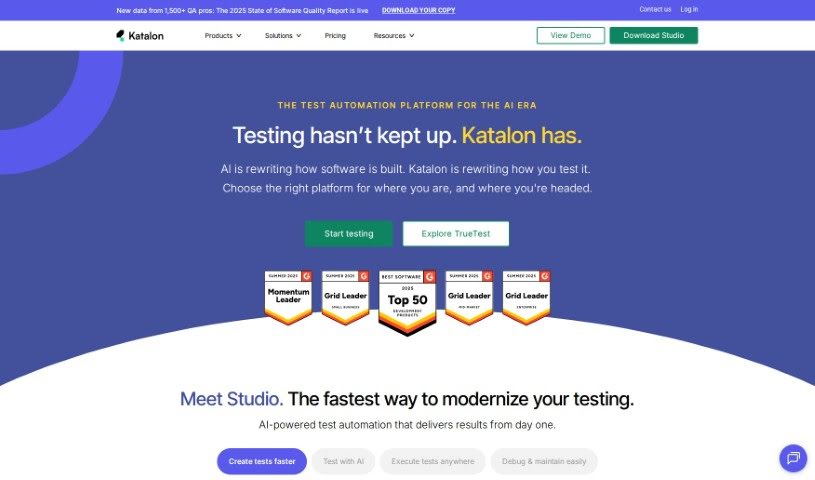
What is Katalon?
Katalon is a platform designed to help manage software quality, essentially acting as a powerful tool for testing and quality assurance. It’s built to handle testing for web applications, mobile apps, desktop software, and APIs. It is a comprehensive suite that supports the entire process of creating digital products and experiences. It includes several key components like Katalon Studio for building tests, Katalon TestOps for managing them, Katalon Runtime Engine for running tests, and Katalon TestCloud for cloud-based testing. The platform offers complete solutions for automated testing across different environments. Plus, it incorporates AI-powered features, such as those for regression testing and comparing how user interfaces look (visual UI comparison). Katalon also provides tools for reporting and analyzing test results, making it suitable for many different industries. They also offer support through their community and dedicated technical teams.
Who created Katalon?
Katalon first came onto the scene in 2016, launching a test automation product that aimed to be a much more user-friendly option compared to the tools already available. The company quickly built a strong following and expanded its offerings. They’ve added more products, created lots of learning materials, and developed a global network of partners. Katalon has offices in Atlanta, Ho Chi Minh City, and New Delhi, and they also support employees working remotely from all over the world. A software developer named Peter K. has specifically mentioned how beneficial Katalon Studio is for test automation.
What is Katalon used for?
Katalon is a versatile tool used for a wide range of testing needs, including:
- Regression testing: Making sure new changes don’t break existing features.
- API testing: Checking if your application’s interfaces work correctly.
- Mobile app testing: Ensuring your apps function well on smartphones and tablets.
- Web automated testing: Automating tests for websites.
- Desktop app testing: Testing applications that run on your computer.
- Visual UI comparison: Using AI to check if the user interface looks as expected.
- Cross-browser testing: Testing your web applications across different web browsers.
- Data-driven testing: Running tests with different sets of data.
- Behavior-driven testing: Writing tests based on how users interact with the software.
- AI-powered testing: Leveraging artificial intelligence for smarter testing.
- Reporting and analytics: Getting insights from test results.
- Desktop browser testing: Specifically for Mac, Windows, and Linux operating systems.
- Desktop + mobile browser testing: Covering both desktop and mobile browsers on iOS and Android.
- Mobile native app testing: Testing apps built specifically for iOS and Android.
- Integration to CI/CD tools: Connecting with continuous integration and continuous delivery pipelines.
- GPS and IP geolocation testing: Simulating different locations for testing.
- Biometrics authentication testing: Testing features like fingerprint or facial recognition.
- Network throttling: Simulating various network connection speeds.
- Camera image injection: Testing how the app handles camera inputs like images, QR codes, and barcodes.
- Test case management with tags: Organizing and categorizing your tests.
- Import/export test artifacts: Easily moving test-related files in and out of the system.
- REST and GraphQL API testing: Specialized testing for different types of APIs.
- Testing across desktop, web, and mobile in a single project: Managing all your testing in one place.
- Visual UI comparison using AI methods: Using artificial intelligence for visual checks.
- Support for public and private sites: Testing both publicly accessible and internal websites.
- Automated software testing for web, mobile, desktop apps, and APIs: Covering all major application types.
- End-to-end web automated testing: Testing the entire flow of web applications.
- AI-powered testing including regression testing and visual UI comparison: Using AI for specific testing tasks.
- Reporting and analytics tools: Tools to understand your test performance.
- Integration with a variety of ALM and CI/CD tools: Connecting with different management and deployment systems.
- Support for various testing methods: Including keyword-driven, behavior-driven, and data-driven approaches.
- Execution on various environments and easy integration to CI/CD tools: Running tests in different settings and connecting to deployment pipelines.
- Flexible and scalable testing solutions: Adapting to your project’s needs.
- Supporting a wide range of industries: From finance to government and beyond.
- Choice of tools and modules for creating digital products and experiences: Customizing your testing setup.
- Integration with CI/CD tools: Connecting with deployment workflows.
- AI-augmented software quality management platform: Using AI to improve quality management.
- AI-powered testing for regression testing and visual UI comparison: Smart testing for specific areas.
- Integration with various CI/CD tools like Jenkins, Gitlab, etc.: Connecting with popular deployment tools.
- Support for a wide range of industries from finance to government: Catering to diverse business needs.
- Community and technical support: Getting help from users and experts.
- Creation of digital products and experiences: Building and testing new software.
Who is Katalon for?
Katalon is designed to be useful for a variety of roles within the software development lifecycle:
- Developer: For building and testing code.
- Manual Tester: To transition to or supplement manual testing with automation.
- Automation Specialist: For creating and managing automated test scripts.
- Quality Engineer: To ensure the overall quality of the software.
- Team Lead/Manager: To oversee testing efforts and team productivity.
- Director/VP/CTO: For strategic decisions regarding software quality and testing tools.
- Independent/Consultant: For freelance professionals working on various projects.
- Quality Manager: To manage quality assurance processes and standards.
- Software developer: A broader term encompassing those who write code and build software.
How to use Katalon?
To get the most out of Katalon, here’s a straightforward guide:
- Installation: Start by downloading and installing Katalon Studio. The great thing is, it works right away without needing to install any extra drivers.
- Setup: You can easily import your existing Selenium tests, test suites, project files, and source code into Katalon.
- Learning: Take advantage of the free resources Katalon offers, like templates, code examples, integrations, and training materials, to get up to speed quickly.
- Test Creation: Use Katalon Studio to write your tests. It supports creating tests for web, mobile, desktop, and API applications. You can also use features like StudioAssist, which acts as a testing copilot, and a reusable object repository to make test creation smoother.
- Test Execution: Run your tests efficiently and at scale. Katalon Studio Free offers basic parallel test execution with Smart Wait. If you need more advanced capabilities, such as self-healing execution and AI-powered features, consider upgrading to Katalon Studio Enterprise.
- Integration: Connect your tests seamlessly with Katalon Studio’s native integrations, which helps avoid complicated workarounds.
- Reporting: Make use of Katalon’s reporting and analytics tools. These help you track test results, create reports, and gain valuable insights to improve your testing process.
- Support: Depending on what you need, you can access help from the Katalon community, take courses on Katalon Academy, consult the documentation, or choose from different levels of support provided by Katalon to assist you with your testing tasks.
By following these steps, you can effectively use Katalon for test automation across different kinds of applications. You’ll also be able to take advantage of its features like AI-powered testing and flexible test execution options.