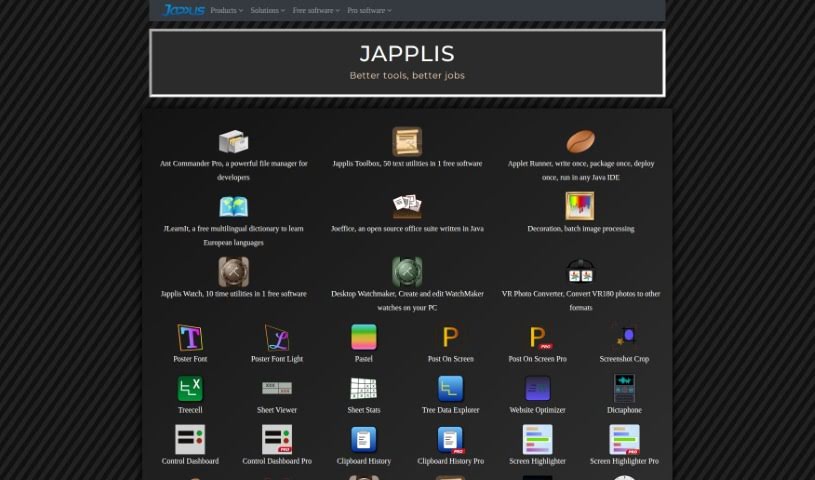
Screenshot of Japplis

Japplis

Discover what Japplis is and learn how to use it effectively in 2025. We'll explore its key features, compare it to other photo editors, and guide you through its simple setup and usage.

Screenshot

What is Japplis?

Japplis is a handy software tool designed to help you pick out your best photos with ease. It is your personal assistant for image selection. It makes it super quick to get rid of unwanted pictures or to precisely select just the right parts of an image, especially if it’s AI-generated. With Japplis, you can delete bad photos with a single click, tidy up images by removing things like extra hands or arms, pick the standout shots from a whole batch, and even choose the perfect section of a generated image. It’s really straightforward to install on Windows, MacOS, and Linux. Plus, it’s desktop software, so you don’t need to log in, and your images stay private, right there on your computer.

Who created Japplis?

The tool we’re talking about, Directory Crop, comes from a company called Japplis. They’re known for creating a variety of useful software, including Ant Commander Pro, Pastel, and Post On Screen, among others. Japplis offers a whole suite of utilities that cover things like editing images, processing them in batches, and even office applications. Directory Crop, in particular, is all about letting you select and work with your images efficiently, without the hassle of uploading them online. This means your files stay private and completely under your control. If you’re curious to learn more about Japplis and all the software they offer, you can check out their website at japplis.com.

What is Japplis used for?

Here’s a quick rundown of what Japplis helps you do:

  • Get rid of those awkward extra hands in photos.
  • Delete unwanted image files with just one click.
  • Clean up images by removing extra arms.
  • Easily pick the best photos from a large collection.
  • Select the perfect part of an AI-generated image.

Who is Japplis for?

This tool is especially useful for:

  • Image Editors
  • Graphic designers
  • Photographers

How to use Japplis?

Here’s a straightforward guide to get you started with Directory Crop:

  1. Download and Install:
    • First, grab the Directory Crop tool for your Windows, MacOS, or Linux computer.
    • Then, just follow the simple instructions to install it.
  2. Launch the Application:
    • Once installed, open up Directory Crop on your computer to begin.
  3. Select Your Images:
    • Browse through your files and pick the batch of images you want to work with inside the tool.
  4. Make the Most of Its Features:
    • Now, dive into using its handy features! This includes removing those unwanted hands or arms, deleting bad image files with a single click, picking out the best shots from your batch, and selecting the ideal part of any generated image.
  5. Edit Your Images:
    • You can really improve your photos by deleting anything you don’t want and cropping them to focus on what matters most.
  6. Manage Your Image Selection:
    • Quickly find the best images from a set by easily getting rid of the ones that aren’t quite right.
  7. Smooth Workflow:
    • As you delete or crop an image, the tool will automatically move you to the next one, making the whole process flow really smoothly.
  8. Privacy and Security First:
    • You can relax knowing that the images you open stay local and private on your computer. There’s no risk of them being uploaded anywhere online.
  9. Quick FAQs:
    • Just remember, Directory Crop is desktop software, so you don’t need to create an account or log in. You can install and use it freely on your computer.

By following these steps, you’ll be able to use the Directory Crop tool efficiently for all your image editing and selection needs right on your computer.

Related AI Tools

Discover more tools in similar categories that might interest you

123RF AI Image Generator

Creative Image Generation
Learn More

Stay Updated with AI Tools

Get weekly updates on the latest AI tools, trends, and insights delivered to your inbox

Join 25,000+ AI enthusiasts. No spam, unsubscribe anytime.