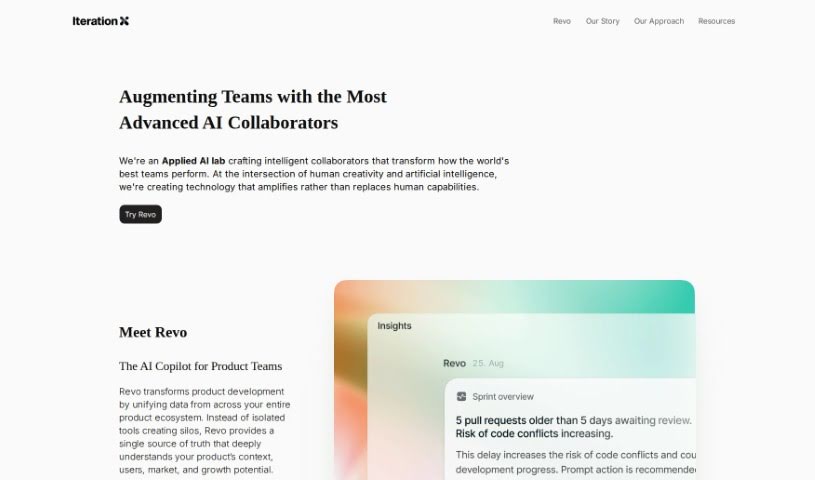
Screenshot of Iteration X

Iteration X

Discover what Iteration X is and how to use it effectively in 2025. We'll explore its features and compare it with other project management tools.

Screenshot

What is Iteration X?

Iteration X is a really smart project management platform built specifically for front-end development. It uses AI to help teams working on design, software, and product management collaborate better and get more done. It is having AI co-pilots that understand the context, a super simple tool for capturing visuals with just one click, a dashboard that keeps all your issues organized, and strong measures to keep your data private. It also plays nicely with other tools you might already use, like Linear, Jira, and Asana, which really helps speed things up and deliver better products.

Who created Iteration X?

Bikila Habtamu founded Iteration X. The company itself is an AI-native project management platform that’s really focused on front-end development. It comes packed with features like AI co-pilots, tools for capturing visuals, and dashboards for tracking issues. What’s great is that Iteration X puts a big emphasis on user data control and privacy. They only use cookies that are absolutely necessary and are very open about how they handle your data, making sure they comply with all the data protection rules.

What is Iteration X used for?

  • It uses AI to help out with your project management tasks.
  • You can report issues super easily – just click to capture visuals, code, and other important details.
  • There’s a detailed, user-friendly dashboard to keep track of every single issue.
  • You’re in full control of your data; they don’t store any personally identifiable information without your say-so.
  • It syncs up with other project management tools like Linear, Jira, and Asana, giving you more flexibility.
  • It’s an AI-powered project management app perfect for teams focused on front-end work.
  • You get context-aware AI co-pilots, tools to capture visuals, and a dashboard for tracking issues.
  • It helps make collaboration and efficiency smoother for teams in design, software, and product management.
  • It empowers teams to tackle tasks quickly and move projects forward faster.
  • This leads to delivering better quality products.
  • You can click on any part of a website to find potential UX/UI design problems.
  • It’s useful for reviewing any website and working with others on it.
  • It makes it easier for web designers and users to collaborate.
  • Communicating with developers becomes simpler.
  • It offers easy feedback through a user-friendly interface.
  • It helps you raise any issues you find on websites.
  • Tracking issues on websites is fast and straightforward.
  • It makes highlighting website issues easy, no matter how complex.
  • It streamlines how teams focused on front-end development operate.
  • It empowers teams to handle tasks and drive projects to completion swiftly.

Who is Iteration X for?

  • Designers
  • Software development teams
  • Product Management professionals
  • Software companies
  • Designers
  • Software professionals
  • Product Managers

How to use Iteration X?

To get the most out of Iteration X, here’s a simple guide:

  1. Get to know the platform: Remember, Iteration X is built for front-end development teams. It offers cool features like AI co-pilots, tools for capturing visuals, and dashboards for tracking issues.
  2. Use the AI Co-Pilots: These AI assistants learn from your team’s knowledge within the platform, helping you with project management tasks.
  3. Try the 1-Click Visual Capture Tool: Reporting issues is a breeze. Just click to capture visuals, code, and metadata.
  4. Make the most of the Issue Tracking Dashboard: This dashboard is detailed and user-friendly, making it easy to keep track of all your issues.
  5. Control Your Data: You have complete control over your data. Iteration X doesn’t store personally identifiable information unless you explicitly consent.
  6. Explore Integrations: Connect Iteration X with other project management tools like Linear, Jira, and Asana. This adds flexibility and makes your workflow more efficient.
  7. Look out for the Mobile Capture SDK (Coming Soon!): Soon, you’ll be able to capture issues with one click directly from native mobile apps, plus get powerful integrations.
  8. Stay Compliant: Iteration X is GDPR compliant and has security certifications, so your data privacy and protection are assured.
  9. Boost Task Management with AI: The AI copilots understand your product, which helps with executing tasks and improving your team’s overall impact.
  10. Create Well-Documented Tasks: Let your whole team create tasks efficiently. AI-assisted task management helps keep projects organized for faster delivery [4:0†source].

By following these steps, you’ll be able to use Iteration X effectively to make your project management tasks smoother and boost collaboration within your team.

Related AI Tools

Discover more tools in similar categories that might interest you

Stay Updated with AI Tools

Get weekly updates on the latest AI tools, trends, and insights delivered to your inbox

Join 25,000+ AI enthusiasts. No spam, unsubscribe anytime.