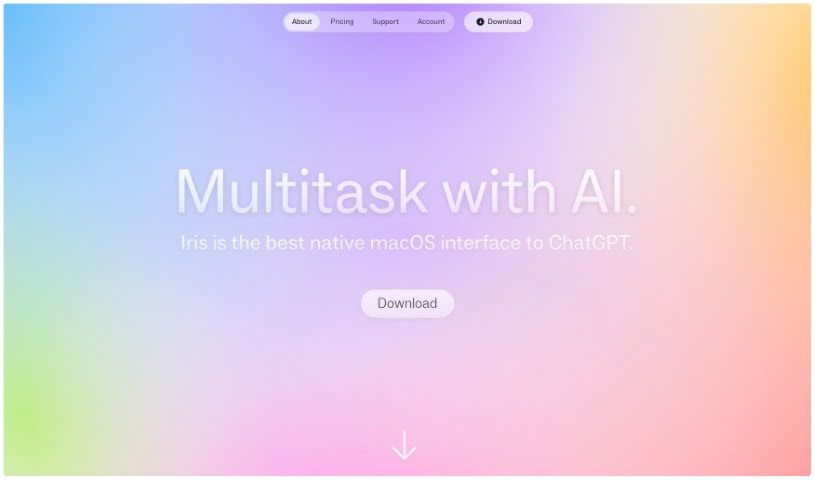
What is Iris Fun?
Iris Fun is a really neat AI tool designed to make talking with AI much more engaging. It is a smart assistant that can chat with you using images, understand natural gestures, and get back to you super fast. What’s great is that you can start a conversation with Iris no matter what app you’re currently using – it’s always accessible. Interface Studio developed Iris, powering it with advanced AI models like GPT-3.5 and GPT-4. You can interact with Iris easily using simple keyboard shortcuts and gestures, making the whole experience feel smooth. It even handles text formatting, including code snippets with syntax highlighting, and you can snap pictures right from your screen to discuss them instantly with Iris. If Iris happens to be in your way, you can just move it to a different spot on the screen. If you ever need a hand or have questions, don’t hesitate to reach out to [email protected].
Who created Iris Fun?
Interface Studio is the team behind Iris Fun. They launched it on November 17, 2023. Essentially, Iris is a conversational AI tool built to offer quick and efficient interactions for users. You can start chatting with Iris whenever you want, no matter which app you’re using at the moment. It’s designed for image-based discussions, supports natural gestures like swiping, and is ready to accept your new inputs right away without making you wait for a full response. Plus, Iris handles text formatting nicely, letting you use things like bold text, bulleted lists, and code with syntax highlighting.
What is Iris Fun used for?
Iris Fun is great for a lot of things, really making your interactions smoother and more efficient:
- Quick & Easy Chats: It provides fast and efficient ways to interact with AI.
- Always Available: You can start a conversation anytime, no matter what app you’re using.
- Visual Discussions: It’s fantastic for talking about images, letting you capture and discuss screen images easily.
- Natural Interaction: It integrates natural gestures like swiping and uses simple keyboard shortcuts.
- Real-Time Visuals: You can have real-time discussions about visual content.
- Seamless Input: It allows for back-and-forth conversations by accepting new inputs immediately, without making you wait for the current response to finish.
- Formatted Text: It supports text formatting, including bold text, bulleted lists, and code with syntax highlighting.
- Speedy Responses: You’ll experience fast response times, making conversations feel swift.
- Screen Friendly: You can move Iris around the screen if it gets in your way, using gestures.
- User-Friendly: It’s designed to be non-intrusive and easy to use.
- Efficient Interactions: It’s all about providing quick and efficient user interactions.
- Anytime Conversation: You can start a chat whenever you need, regardless of the app you’re on.
- Image Talk: It acts as a go-to for image-based discussions, letting you quickly capture and share screen images.
- Gesture Control: It incorporates natural gestures like swiping and simple keyboard shortcuts.
- Visual Content Chat: It helps you have real-time discussions about visual content through image-based chats.
- Smoother Conversations: It enhances user interaction with gesture integrations for a fluid chat experience.
- Shortcut Power: It supports efficient use with simple keyboard shortcuts for various functions.
- Continuous Dialogue: It promotes smooth, ongoing conversations by accepting new inputs without waiting for the previous one to fully complete.
- Styled Text: It supports text formatting like bold text, bulleted lists, and code with syntax highlighting.
- Swift Experience: You get a significantly fast response time for a smooth conversational experience.
- Always On: You can initiate a conversation anytime, no matter the app you’re using.
- Screen Image Chat: It acts as an image-based discussion advocate for quickly capturing and discussing images on your screen.
- Natural Gestures: It incorporates natural user gestures for a smooth interaction.
- Formatted Text Support: It supports text formatting features like bold text, bulleted lists, and code with syntax highlighting.
- Visual Chat: It enables real-time discussions on visual content.
- Fast & Smooth: It facilitates swift response times for a smooth conversational experience.
- Immediate Input: It allows for immediate acceptance of new user inputs without waiting for responses to finish.
- Back-and-Forth: It supports back-and-forth conversations by accepting new messages right away.
- ‘Sling’ Feature: You can move Iris to avoid screen obstruction using the ‘sling’ feature.
- Any App Activation: You can initiate a conversation anytime, regardless of the app in use.
- Quick Image Capture: It acts as an image-based discussion advocate by allowing quick image capture for discussion.
- Gestures & Shortcuts: It incorporates natural user gestures like swiping and keyboard shortcuts.
- Gesture Enhancements: It enhances user interaction through gesture integrations.
- Shortcut Efficiency: It supports efficient use with keyboard shortcuts.
- Instant Input Acceptance: It accepts new user inputs immediately without waiting for completion of responses.
- Formatting Options: It supports various text formatting features like bold text, bulleted lists, and code with syntax highlighting.
- Swift Conversation: It offers a swift response time for a smooth conversational experience.
- Anytime Chat: You can initiate conversations anytime, regardless of the app being used.
- Screen Image Discussion: It acts as an image-based discussion advocate for quickly capturing and discussing screen images.
- Natural Gestures: It incorporates natural user gestures like swiping and simple keyboard shortcuts.
- Visual Content Chat: It enables real-time discussion on visual content.
- Immediate Input: It supports back-and-forth conversations by accepting new inputs immediately.
- ‘Sling’ to Move: You can move Iris to another side of the screen using the ‘sling’ feature for user convenience.
- Model Switching: You can switch between advanced AI models GPT-3.5 and GPT-4 during conversations.
- Fast Responses: It provides a significantly fast response time for a swift conversational experience.
- Universal Access: It’s universally accessible for quick activation irrespective of the application interface.
- Image Discussion: It acts as an image-based discussion advocate for quick image capturing and screen image discussion.
- Gesture Support: It incorporates natural user gestures such as swiping.
- Text Styling: It supports various text formatting styles like bold, bulleted lists, and code with syntax highlighting.
- Visual Content Chatting: It enables real-time discussions on visual content through image-based discussion.
- Gesture Integration: It enhances user interaction with gesture integrations like swiping.
- Keyboard Shortcuts: It supports efficient use through simple keyboard shortcuts.
Who is Iris Fun for?
Iris Fun is a great tool for a wide range of people who interact with AI or need to discuss visual content:
- Image-Based Discussion Enthusiasts
- AI Research Professionals
- Software Developers
- Educators
- Writers
- Creative Professionals
- General Pros
- Anyone needing an Image Capture Tool
- Designers
- Content Creators
- Startup Founders
- UI/UX Designers
- Researchers
- Students
- Scientists
- Teachers
- Developers
- Engineers
- Entrepreneurs
- Investors
- Leaders
How to use Iris Fun?
Using Iris Fun is pretty straightforward. Just follow these simple steps:
- Getting Iris Started: You can activate Iris anytime, no matter what application you’re currently using. Interacting with it is smooth, whether you use gestures or keyboard shortcuts.
- Chatting with Images: Want to talk about a picture? You can capture and share images for an instant discussion. Just snap a picture of your screen to kick off a visual conversation.
- Gestures & Shortcuts in Action: Use natural gestures like swiping to open, close, or move Iris around. Plus, keyboard shortcuts are handy – like double-tapping to open or close Iris, and using specific keys for different functions.
- Enjoy Fast Responses: Iris offers quick response times, which really helps make conversations efficient and smooth.
- Text Formatting Features: Iris supports text formatting, so you can use things like bold text, bulleted lists, and code with syntax highlighting to make your information clearer.
- The ‘Sling’ Feature: If Iris happens to be blocking your view, no worries! You can just ‘sling’ it to the other side of your screen with a simple swipe gesture.
- Powered by Advanced AI: Iris runs on advanced AI models from OpenAI, specifically GPT-3.5 and GPT-4, ensuring intelligent and capable interactions.
- Need Help? Contact Support: If you need any assistance or have questions about Iris, feel free to email us at [email protected].
By following these steps, you’ll be able to use Iris Fun effectively for seamless and efficient interactions.