ioni (Business)
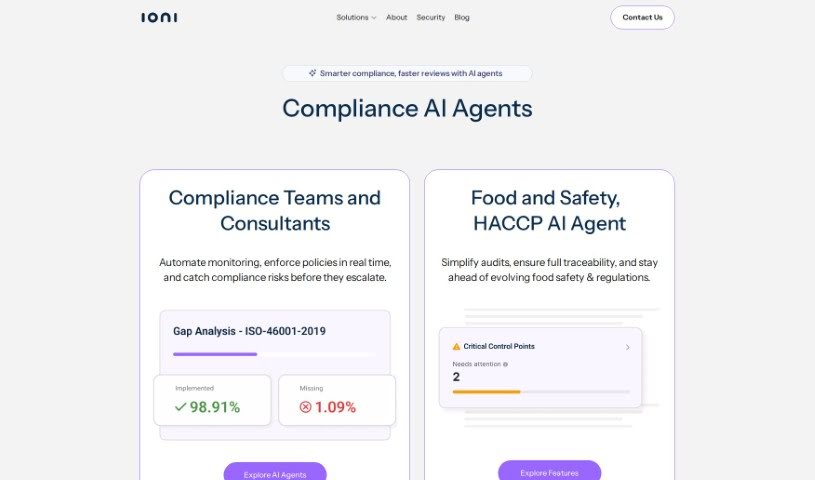
Screenshot of ioni

ioni

Discover what ioni is, a ChatGPT-based AI platform that automates customer support answers using your knowledge bases. Learn about its features, pricing

Screenshot

What is ioni?

Ioni is a platform built on ChatGPT that automatically answers customer support questions using your knowledge bases. It handles and automates responses to make customer interactions smoother and quicker, improving customer experience while reducing the workload on your support team.

Who created ioni?

Ioni was created by Dmytro Tkach, Alex Uspenskyi, and Anna Shults. The goal is to improve customer experience and make support teams more efficient.

What is ioni used for?

  • AI Chatbot: Automatically handle common customer questions, just like a human agent would.
  • AI Assistant: Get ready-to-send draft answers, or briefly describe what you need to get a more detailed response.
  • AI Search: Find answers to your questions.
  • AI Widget Builder: Create your own personalized AI chatbot widget in a couple of clicks.
  • AI Conversation Analytics: Analyze AI conversations with customers to help improve your CSAT score.
  • Chatbot to Human Transfer: Move customers from the AI chatbot to a human agent when necessary.
  • Connect with Your Data: Train ioni with your company’s information by uploading HTML, Text files, or individual URLs to the Knowledge Base.
  • Add a Call to Action: Set specific conditions for when requests should be transferred to a human agent, and include a Call to Action.
  • Multilingual Support: ioni recognizes over 80 languages and automatically translates both questions and answers.
  • Improve Response Accuracy: Boost response accuracy and cut down resolution times.

Who is ioni for?

  • Customer Support Agents
  • Customer support professionals
  • Multilingual Support Agents
  • Customer service representatives

How to use ioni?

  1. Create Your AI Assistant: Build and customize a chatbot that fits your brand’s voice and visual style.
  2. Connect Your Data: Upload your company data to the Knowledge Base using HTML, Text files, or individual URLs. This is key for ioni to learn from your specific company information.
  3. Analyze Conversations: Review the answers your AI provides and fine-tune it based on actual support questions. You can edit responses as needed, and ioni will automatically learn and improve its auto-responses.
  4. Add a Call to Action: Set up conditions for transferring requests to human agents and add a Call to Action — for example, prompting users to visit your office or schedule a call based on certain criteria.

Related

Related AI Tools

Discover more tools in similar categories

New tools, in your inbox.

Weekly picks of the best AI tools we've researched and added — no spam, unsubscribe anytime.

Join 25,000+ AI enthusiasts. No spam, unsubscribe anytime.