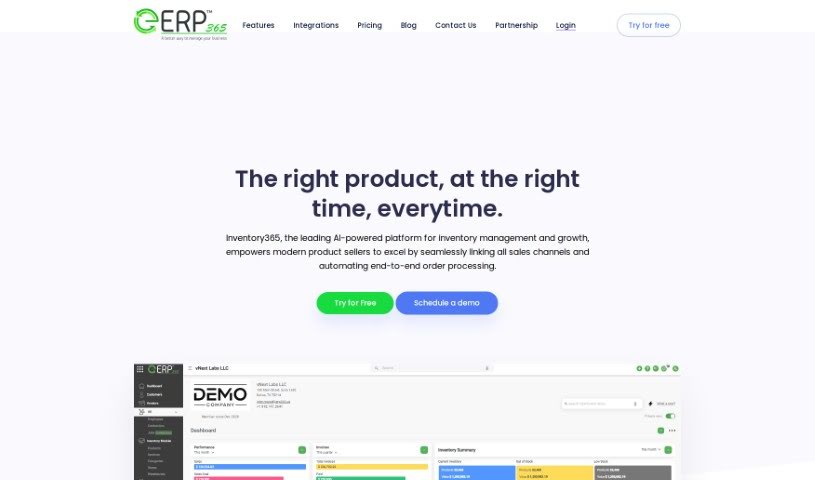
What is Inventory365?
Inventory365 is a really comprehensive tool designed to help manage all sorts of e-commerce business operations. It is your central hub for keeping everything running smoothly. It offers:
- Real-time inventory tracking: You’ll always know exactly what you have on hand.
- Multi-channel management: Handle all your sales channels – like Shopify, Amazon, Etsy, and eBay – from one easy-to-use dashboard. No more jumping between different systems!
- Automated order processing: It takes care of processing your orders automatically, saving you a ton of time.
- Customized reports: Generate reports tailored to your needs to keep an eye on key performance indicators.
- Price comparison tools: Keep tabs on competitor pricing.
- Multi-price/multi-currency support: Great for selling globally, as you can handle different currencies and pricing structures.
- AI-driven assistants: Get real-time, personalized support when you need it.
Plus, it integrates with major e-commerce platforms, creating a unified system for efficient business management. It also helps with demand prediction and uses mobile scanning devices for real-time inventory updates, which is a big help in minimizing stockouts.
Who created Inventory365?
Inventory365 was actually developed by a team led by entrepreneur Mark Johnson. They launched the platform on June 20, 2024. Since then, it’s been providing businesses with features like real-time inventory tracking, automated alerts for when you need to reorder, customizable reports, and full automation for order processing from start to finish. It’s designed to connect with various sales channels, uses machine learning to predict demand, and even offers real-time chat support. Essentially, Inventory365 aims to make e-commerce operations much smoother, offering things like integrated order tracking, automated workflows, and support for over 3000 different apps.
What is Inventory365 used for?
Inventory365 is a versatile tool that helps e-commerce businesses in many ways:
- Keeping track of stock and orders: You can monitor your inventory levels and incoming orders across all your different sales channels in one place.
- Managing customer data: It helps you handle your customer information efficiently.
- Automating sales tasks: This includes things like routing orders and processing them in batches, which really speeds things up.
- Printing shipping labels: You can print shipping labels directly from the platform, making fulfillment much simpler.
- Creating custom reports: Build your own reports and dashboards to keep track of important metrics and how your business is performing.
- Monitoring key performance indicators: Keep an eye on things like how quickly your inventory is selling, your profit margins, and how accurate your orders are.
- Analyzing sales trends: Understand what’s selling well and how customers behave to improve your future sales forecasts.
- Handling global sales: Sell products in different currencies and set various prices for international customers.
- Comparing prices: Easily compare your product prices with competitors across different sales channels.
- Streamlining fulfillment: Automate your order fulfillment processes and track orders more effectively.
Who is Inventory365 for?
Inventory365 is a great fit for:
- Anyone running an e-commerce business.
- Warehouse managers who need to keep track of stock.
- Supply Chain Managers looking for better oversight.
How to use Inventory365?
To really make the most of Inventory365, here’s a straightforward way to get started:
- Get to know the features: Take some time to explore what Inventory365 offers, like its real-time inventory tracking, automated reorder alerts, and how to create those custom reports.
- Connect your sales channels: Use the multichannel integration to bring all your sales channels together on one dashboard. This really helps streamline everything.
- Automate your orders: Take full advantage of the end-to-end order processing automation to make fulfilling orders much more efficient.
- Simplify shipping: Integrate with your shipping carriers so you can print shipping labels directly within Inventory365. It’s a small step that makes a big difference in the fulfillment process.
- Use the reporting tools: Generate those custom reports and dashboards. They’re super helpful for tracking your performance metrics and seeing how you’re doing.
- Go global with pricing: If you sell internationally, use the multi-price/multi-currency feature to handle sales in different currencies and at various price points.
- Predict demand: Check out the demand prediction feature. It uses market data and machine learning to help you forecast what products will be popular.
- Optimize your warehouse: Set up custom workflows and labeling within the platform to make picking, packing, and shipping as efficient as possible.
- Leverage AI for inventory: Use the AI-driven automation for real-time inventory updates and better visibility into demand.
- Get quick support: Don’t hesitate to use the real-time chat. They can offer immediate help and guidance on the best ways to use the platform.
Following these steps should help you manage your e-commerce operations really effectively with Inventory365, making good use of all its powerful features.