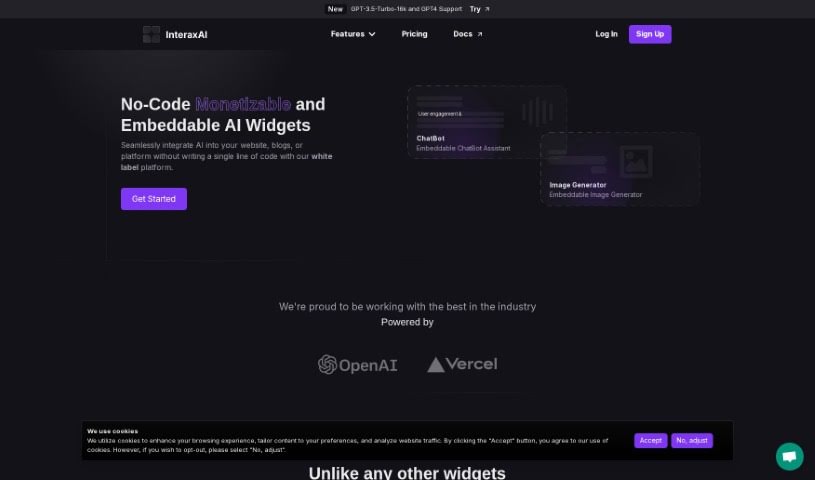
Screenshot of InteraxAI

InteraxAI

Discover what InteraxAI is and how to use it effectively in 2025. We'll dive into its features and see how it stacks up against other chatbots.

Screenshot

What Exactly is InteraxAI?

InteraxAI is a way to give your website a brain boost! It’s a platform that lets you add all sorts of AI-powered tools, or “widgets,” to your site, blog, or social media. These are designed to make things more interactive and engaging for your visitors. For instance, you can get AI chatbots that act like helpful assistants, answering questions from your audience. There are also image generators that can create pictures based on what users type in, and that’s just the start. The best part? You can tweak these widgets to fit exactly what you need. Plus, InteraxAI offers a cool way to make money: you can offer these AI tools to your audience for a fee, or even through an affiliate setup. It’s a neat way to boost user experience while also generating some revenue.

Who’s Behind InteraxAI?

Boian Savtchouk is the person who created InteraxAI. His company is all about artificial intelligence solutions, and they’ve built a solid reputation online, with a good presence on places like Instagram and GitHub.

What Can You Actually Do with InteraxAI?

  • Add a Chatbot Assistant: Easily embed a chatbot that can help answer questions.
  • Include an Image Generator: Let your audience create images right on your site.
  • Get Accurate Answers: It pulls in relevant citations to make sure responses are spot-on for your audience.

Who Would Find InteraxAI Useful?

This platform is a great fit for a wide range of professionals:

  • Web Developers
  • Content creators
  • Digital marketers
  • E-commerce Managers
  • Social Media Strategists
  • Customer service representatives
  • Graphic designers
  • Bloggers
  • Entrepreneurs
  • Educators

How Do I Get Started with InteraxAI?

Ready to make your website more interactive? Here’s a straightforward guide to using InteraxAI:

  1. Getting into the InteraxAI Interface:

    • First, head over to the InteraxAI website. You’ll find the main interface or dashboard there.
  2. Setting Up Your Widget:

    • Once you’re in, follow the instructions for configuring the widget. This is where you’ll set it up so it works smoothly with your site.
  3. Playing with the Configurable API:

    • Take a look at the API options. They’re designed to be flexible, so you can customize and improve the tool’s features to match exactly what you need.
  4. Exploring the Embeddable Features:

    • You’ll want to check out the embeddable features. These make it super easy to integrate InteraxAI directly into your current websites or systems.
  5. Using the File Upload Feature:

    • If your specific use case involves uploading files, make sure you understand how this feature works. It’s there for particular interactions or data handling.
  6. Adjusting Rate Limiter Settings:

    • It’s a good idea to get familiar with the rate limiter settings. These help you manage and control how often the tool can be used or how many interactions are allowed, keeping things balanced.
  7. Customizing the Look with Styling Options:

    • Don’t forget the custom styling options! These let you personalize how the tool looks and feels, making sure it fits perfectly with your brand or the overall user experience you’re aiming for.

By following these steps, you’ll be able to easily use InteraxAI’s features to create better, more engaging interactive experiences.

Related AI Tools

Discover more tools in similar categories that might interest you

Stay Updated with AI Tools

Get weekly updates on the latest AI tools, trends, and insights delivered to your inbox

Join 25,000+ AI enthusiasts. No spam, unsubscribe anytime.